How Long Do Cordless Vacuum Batteries Last?
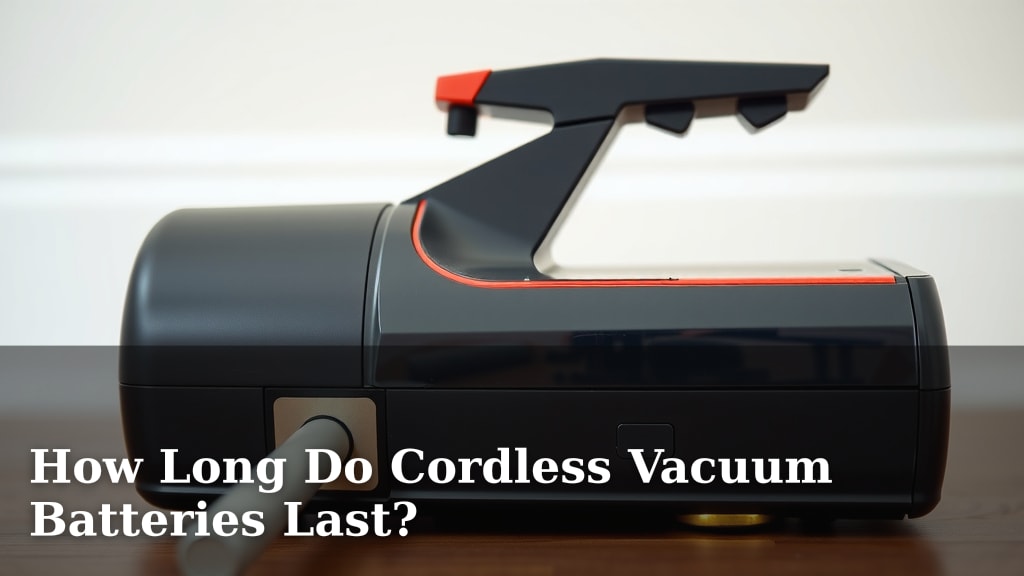
How long do cordless vacuum batteries last? Generally, you can expect most cordless vacuum batteries to last between 15 to 60 minutes on a single charge. This runtime depends heavily on the vacuum model and the power setting you use. Higher power modes will drain the battery much faster.
Several factors influence your vacuum’s battery life. These include the battery’s capacity, the motor’s efficiency, and even the type of floor you’re cleaning. Older batteries or those used frequently may also see a decrease in their maximum runtime.
- Battery life varies widely: from 15 to 60 minutes.
- Runtime depends on power setting and vacuum model.
- Battery capacity and age play a big role.
- Regular use and charging affect overall battery health.
Let’s walk through exactly what impacts your cordless vacuum battery’s lifespan and how to get the most out of it.
Understanding Your Cordless Vacuum’s Battery Life
So, you’ve got a cordless vacuum, and you’re wondering about its battery – the heart and soul of that grab-and-go convenience. How long can you really expect it to keep humming before it needs a pit stop at the charger? We found that most cordless vacuum batteries offer between 15 and 60 minutes of cleaning time on a single charge.
But that range is quite broad, isn’t it? What makes one vacuum last for a quick tidy-up, while another can tackle a whole house deep clean? It all comes down to a few key factors, and understanding them can help you manage your expectations and get the most out of your cleaning sessions. Think of it like your smartphone: battery life isn’t always consistent, right?
The Main Factors Influencing Runtime
Several things play a big role in how long your cordless vacuum’s battery will last. The most obvious are the vacuum’s power settings. Just like you wouldn’t drive your car full throttle all the time, most vacuums have a standard mode and a “boost” or “max” mode.
Using that higher power setting for stubborn messes or deeper carpets will drain the battery much faster. We found that some vacuums can lose half their battery life when switching from eco mode to max mode. It’s a trade-off between intense cleaning power and extended runtime.
Battery Capacity: The Fuel Tank Size
The battery’s capacity is like the size of the fuel tank in your car. It’s usually measured in milliamp-hours (mAh) or sometimes watt-hours (Wh). A higher mAh or Wh rating generally means a larger capacity, which translates to longer runtimes.
Manufacturers often list the maximum runtime on their lowest setting. Always check the specifications for the model you’re interested in. We found that vacuums with higher capacity batteries often cost a bit more, but they deliver that extra cleaning juice.
Motor Efficiency and Suction Power
Not all motors are created equal. A more efficient motor will use less power to achieve the same level of suction. This means a vacuum with a highly efficient motor can offer a longer runtime even with a similar battery capacity.
Think of it like a fuel-efficient car. It gets more miles per gallon than a gas guzzler. Similarly, vacuums with advanced motor technology tend to be gentler on their batteries, extending your cleaning time. We found that newer models often incorporate these efficiency improvements.
The Type of Surface Matters
What are you cleaning? This makes a difference! Vacuuming thick, plush carpets requires more power and suction than gliding over smooth hardwood floors or tile. When your vacuum has to work harder to pull dirt from deep within carpet fibers, it will consume more battery.
If your home is mostly hard surfaces, you’ll likely get closer to the maximum advertised runtime. For homes with a lot of carpet, especially deep pile, expect your runtime to be on the lower end of the spectrum. It’s like running uphill versus on flat ground – it takes more effort (and energy!).
Age and Battery Health: The Gradual Decline
Like any rechargeable battery, your cordless vacuum’s battery will degrade over time and with use. This is a natural process. After a certain number of charge cycles, the battery’s ability to hold a full charge diminishes.
We found that most manufacturers expect a noticeable, though often slight, decrease in runtime after 2-3 years of regular use. Some high-quality batteries are designed for a longer lifespan, but a gradual decline is inevitable. It’s much like how your phone battery doesn’t last as long as it did when it was brand new.
Maximizing Your Cordless Vacuum’s Battery Performance
Okay, so we know what affects battery life. Now, how can you make sure you get the best performance from your cordless vacuum’s battery? A few simple strategies can help stretch that cleaning time.
Smart Charging Habits
How you charge your battery can impact its overall health and longevity. It’s not always best to leave it plugged in 24/7. Some experts suggest that fully charging and then letting it sit fully charged for extended periods can sometimes put stress on lithium-ion batteries (which most modern vacuums use).
The best practice? Try to charge your battery when it’s low, and unplug it once it’s full. Many newer vacuums have smart charging systems that prevent overcharging, but a little mindfulness goes a long way. Many guidelines point to avoiding extreme temperatures for charging too (Mayo Clinic).
Consider a Spare Battery
This is a game-changer for larger homes or for those who want uninterrupted cleaning. Many manufacturers offer additional batteries that you can purchase separately. You can charge one while the other is in use.
This doubles, triples, or even quadruples your potential cleaning time without needing to wait for a recharge. We found this to be a popular solution for owners who need to clean their whole house in one go. It’s like having a backup fuel can for your cleaning adventures!
Regular Maintenance for Optimal Performance
Keeping your vacuum clean and well-maintained isn’t just about suction power; it also indirectly helps battery life. A clogged filter or a brush roll tangled with hair and debris means the motor has to work harder. This increased strain leads to faster battery drain.
Make sure to empty the dustbin regularly, clean or replace filters as recommended by the manufacturer, and remove any obstructions from the brush head. Think of it as giving your vacuum a break so it doesn’t have to fight so hard.
Using the Right Power Setting
We’ve mentioned this, but it bears repeating! Only use the highest power setting when you absolutely need it. For everyday dirt and dust on hard floors or low-pile carpets, the standard or eco mode is usually more than sufficient.
You’ll be surprised how much longer you can clean when you conserve the battery’s energy. It’s all about being strategic. Think about what the vacuum actually needs to do at that moment. Do you need the turbo-charged jet engine, or will a gentle breeze do the trick?
Quick Tips for Battery Care: A Checklist
To sum it up, here’s a quick rundown on keeping your battery happy:
- Store batteries at room temperature, avoiding extreme heat or cold.
- Avoid deep discharges; recharge when the battery level gets low.
- Don’t leave it fully charged on the charger for days at a time if possible.
- Clean your vacuum regularly to reduce motor strain.
- Use the lowest effective power setting for your cleaning task.
- Consider a spare battery if you have a large area to clean.
Conclusion
You now understand that your cordless vacuum’s battery life isn’t a fixed number. It’s a dynamic figure influenced by power settings, battery capacity, motor efficiency, and even the surfaces you clean. While most batteries offer 15 to 60 minutes, you can extend this by using lower power modes for everyday messes and maintaining your vacuum well. Remember, battery health naturally declines over time, but smart charging and a spare battery can keep your cleaning sessions going longer. The best way to maximize your cordless vacuum’s potential is to be an informed user who actively manages battery care and usage based on your cleaning needs.
Frequently Asked Questions
How do I know if my cordless vacuum battery is dying?
You’ll likely notice a significant decrease in runtime, meaning it doesn’t last as long on a full charge as it used to. The vacuum might also lose suction power faster, or it may struggle to hold a charge at all, shutting off unexpectedly.
Can I use a battery from a different brand in my cordless vacuum?
Generally, no. Cordless vacuum batteries are designed specifically for their corresponding vacuum models and brands. Using an incompatible battery could damage your vacuum, the battery, or even pose a safety risk.
How often should I charge my cordless vacuum battery?
It’s best to charge your battery when it’s low but not completely dead. Avoid leaving it fully charged on the charger for extended periods, as this can sometimes stress the battery. Recharging after a cleaning session or when you notice the power dipping is usually a good practice.
Will leaving my cordless vacuum plugged in all the time ruin the battery?
For many modern lithium-ion batteries, constant charging might not be ideal. While smart charging systems prevent overcharging, keeping a battery at 100% for days can potentially reduce its overall lifespan. Unplugging it once fully charged is often recommended.
Is it worth buying a spare battery for my cordless vacuum?
If you have a larger home, deep cleaning needs, or just want the convenience of not waiting for a recharge, a spare battery can be very beneficial. It effectively doubles or triples your cleaning time without interruption, making it a practical investment for many users.

![7 Best Dyson Vacuum For Tile Floors [2026]](https://bathroomexplorer.com/wp-content/uploads/2026/05/7-best-dyson-vacuum-for-tile-floors-2026-featured-768x432.jpg)