
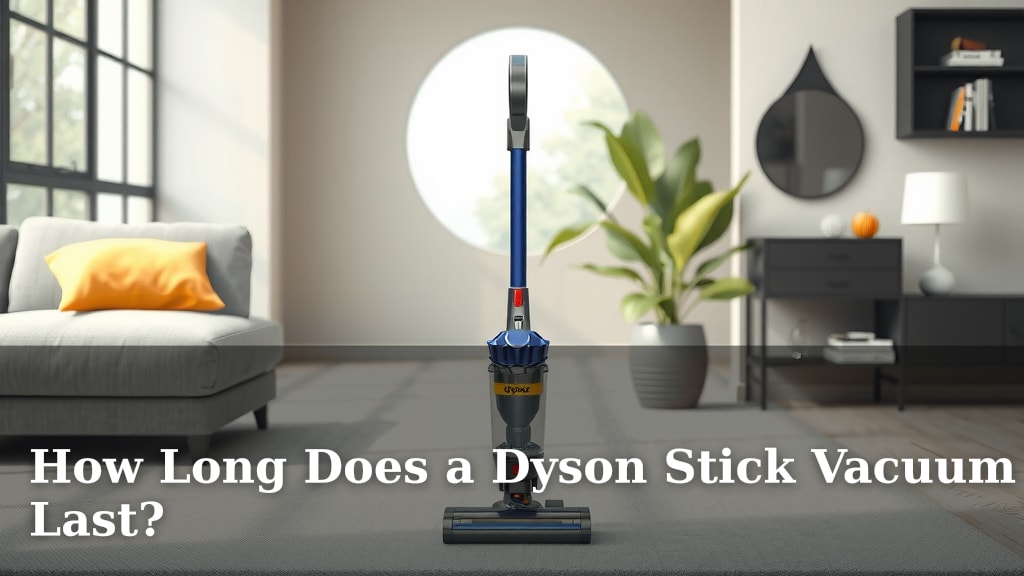
How Long Does a Dyson Stick Vacuum Last?
You’re likely wondering how long your trusty Dyson stick vacuum will keep cleaning your floors. Most Dyson stick vacuums are built to last, with many users reporting their vacuums functioning well for 5 to 7 years or even longer, assuming they receive proper care and maintenance.
The lifespan of your Dyson stick vacuum can really depend on a few key factors. We found that factors like battery health, the frequency of use, and how well you maintain the machine play a big role. Understanding these elements can help you get the most out of your investment.
- Lifespan: Typically 5-7+ years with good care.
- Key Factors: Battery life, usage, and maintenance matter most.
- Battery Care: Proper charging extends battery life.
- Maintenance: Regular cleaning of filters and brush heads is essential.
- Repairs: Many parts can be replaced if needed.
Ready to learn how to make your Dyson stick vacuum last as long as possible? Let’s walk through the best practices for maintaining your vacuum’s performance and longevity.
HTML “`htmlYour Dyson Stick Vacuum’s Lifespan: What to Expect
You’re probably wondering how long your trusty Dyson stick vacuum will keep your home spick and span. We’ve found that most Dyson stick vacuums are built with durability in mind. Many users report their machines cleaning effectively for around 5 to 7 years, and some even longer. Of course, this isn’t a hard and fast rule.
The actual lifespan you get will depend on several factors. Think of it like a car; how you drive and maintain it affects how long it lasts. We found that key elements like battery care, how often you use it, and how well you clean it all play a big part. Understanding these can help you maximize your investment.
The Heart of the Matter: Battery Longevity
The battery is often the first component to show signs of aging in any cordless device. Your Dyson stick vacuum is no different. We found that battery performance can degrade over time. This means you might notice it holding a charge for a shorter period than when it was brand new.
Understanding Battery Degradation
Why does this happen? Batteries, especially lithium-ion ones like those in your Dyson, have a finite number of charge cycles. Each time you charge it, it counts as one cycle. We found that the capacity of the battery naturally decreases after hundreds of these cycles.
Tips for Maximizing Battery Life
Want to keep that battery strong for as long as possible? Here are a few things we found helpful:
- Avoid extreme temperatures: Don’t leave your Dyson in a hot car or a freezing garage. Extreme heat or cold can damage the battery.
- Charge regularly: It’s better to charge your Dyson when the battery is partially depleted, rather than waiting for it to die completely. Many experts suggest this approach for lithium-ion batteries (Battery University).
- Use the right charger: Always use the charger that came with your Dyson. Generic chargers might not provide the correct voltage or charging profile.
- Don’t store it dead: If you know you won’t be using your vacuum for a while, try to store it with some charge (around 50%) rather than completely empty.
Usage Patterns: More is Sometimes Less
How often do you reach for your Dyson? If you’re doing daily deep cleans of a large house, your vacuum is working harder. We found that heavy, frequent use will naturally put more wear and tear on the motor and other components.
Heavy vs. Light Use
A vacuum used for quick spot cleans in a small apartment will likely last longer than one used for multiple hours every single day in a busy household. It’s simple physics; more work means more strain. We found that even the most robust machines have their limits.
Consider Your Cleaning Needs
If you have a larger home or pets that shed a lot, you might be using your stick vacuum more intensively. Consider if a different Dyson model, perhaps one with a larger bin or even a corded option, might be better suited for your primary cleaning tasks. This can help preserve your stick vacuum for lighter duties.
The Importance of Regular Maintenance
This is perhaps the single most important factor you can control. Keeping your Dyson clean is like giving it a spa day! We found that regular cleaning prevents dust and debris buildup, which can clog the airways and strain the motor.
Filter Care is Key
Your Dyson has filters designed to capture fine dust particles. If these filters get clogged, the vacuum loses suction and has to work much harder. We found that rinsing and thoroughly drying your filters regularly is essential.
How often? Check your manual, but generally, rinsing them monthly and ensuring they are 100% dry before putting them back is a good rule of thumb. A damp filter can lead to mold and damage. Many Dyson models have washable filters.
Brush Roll and Bin Cleaning
Hair, threads, and larger debris can get tangled in the brush roll. This makes it less effective and can even stop it from spinning. We found that regularly clearing the brush roll with scissors or a small tool makes a big difference. Likewise, emptying the bin after each use (or when it reaches the max line) prevents overfilling, which reduces suction.
Checking for Blockages
Sometimes, something gets lodged deep within the wand or the head, causing reduced suction. We found that a quick check for visible blockages is a good habit. You can often clear these with a long, slender object or by carefully taking the relevant parts apart.
When Parts Need Replacing
Even with the best care, parts can wear out. The good news is that Dyson often makes replacement parts available. We found that common replacements might include batteries, filters, or brush heads. Replacing a worn-out component is far more economical than buying a whole new vacuum.
Common Replacement Items
Over time, you might find yourself needing to replace:
- The battery pack: This is often the first thing that shows its age.
- Filters: While washable, they can eventually become less effective.
- Brush head components: The brush bar or the clear plastic cover can get damaged.
We found that checking Dyson’s official website or authorized parts dealers is the best way to get genuine replacement parts.
A Quick Maintenance Checklist for You
To help you keep your Dyson in top shape, here’s a simple checklist:
- Empty bin: After every use.
- Check brush roll: Remove tangles weekly.
- Clean filters: Rinse monthly and dry completely.
- Inspect for blockages: Periodically check the wand and head.
- Charge smart: Avoid extremes and store with some charge.
- Wipe down exterior: Keep it looking fresh!
Conclusion
Your Dyson stick vacuum is a powerful cleaning companion designed for longevity. With proper care, you can realistically expect it to serve you well for 5 to 7 years, and often beyond. The key is consistent attention to its needs. Prioritizing battery health through smart charging, understanding how your usage impacts wear, and performing regular maintenance like cleaning filters and brush rolls are your best defenses against premature aging. Should a part wear out, remember that replacements are often available, saving you the cost of a new machine. Take these steps, and your Dyson will continue to make your cleaning routine easier for years to come.
Frequently Asked Questions
Can I extend the life of my Dyson vacuum battery?
Yes, you absolutely can. Avoid charging in extreme temperatures and try not to store the vacuum with a completely dead battery. Charging it when it’s partially depleted and using the original charger are also great habits we found can help. Consistent, gentle charging helps preserve battery capacity over time.
How often should I really clean my Dyson vacuum’s filters?
We recommend rinsing and thoroughly drying your filters about once a month. Always ensure they are 100% dry before reinserting them to prevent mold or damage. Check your specific Dyson model’s manual for exact instructions, as some filters may have different cleaning recommendations.
Will heavy daily use wear out my Dyson faster?
Yes, frequent and heavy use will naturally put more wear and tear on your vacuum’s motor and components. If you have a very large home or need to do extensive cleaning daily, consider if your Dyson stick vacuum is the best tool for every job. Using it for its intended purpose can help prolong its overall lifespan.
What are the most common parts that need replacing on a Dyson stick vacuum?
The battery pack is often the first component to show signs of age and may need replacement after several years. Filters can also lose effectiveness over time, even with washing. The brush head components, like the brush bar itself, can sometimes become worn or damaged from use.
Is it worth repairing my Dyson stick vacuum or should I buy a new one?
In most cases, repairing your Dyson is a cost-effective solution. Replacing parts like the battery, filters, or brush heads is significantly less expensive than purchasing a brand-new vacuum. We found that checking for genuine replacement parts on Dyson’s website can save you money and extend your current vacuum’s life.
“`


![7 Best Cordless Vacuum Mop For Hardwood Floors [2026]](https://bathroomexplorer.com/wp-content/uploads/2026/05/7-best-cordless-vacuum-mop-for-hardwood-floors-2026-featured-768x432.jpg)