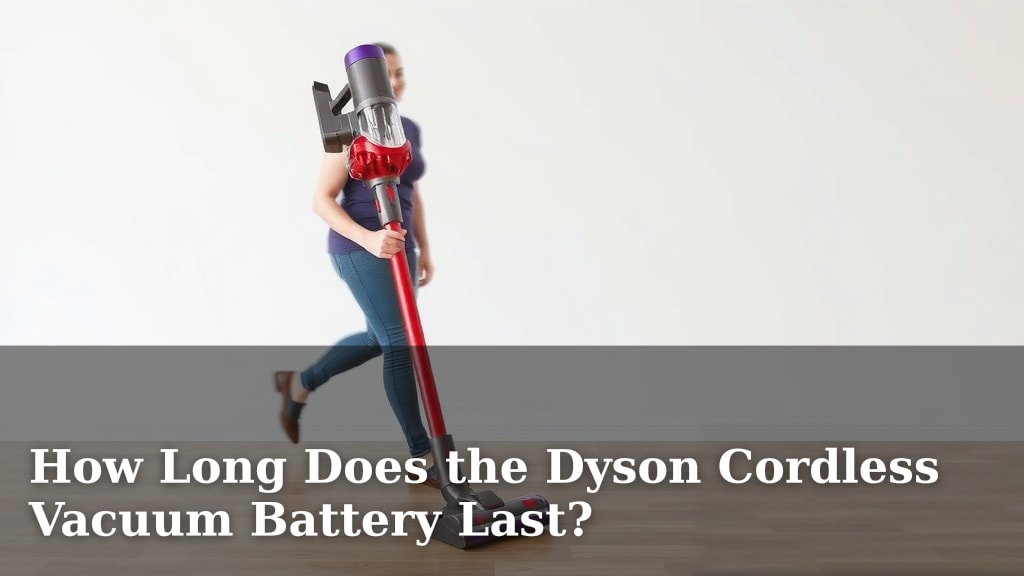
How Long Does the Dyson Cordless Vacuum Battery Last?
The battery life on your Dyson cordless vacuum can last anywhere from 20 minutes to over an hour on a single charge. This depends heavily on the specific Dyson model you own and the power mode you use. For most everyday cleanups, you’ll likely get enough charge to get the job done.
Many factors influence how long your Dyson’s battery truly lasts. Using boost mode significantly drains the battery faster than standard or eco modes. We found that older batteries may also not hold a charge as long as newer ones. Knowing these variables helps you manage your cleaning sessions effectively.
- Dyson cordless battery life ranges from 20 minutes to over an hour.
- Battery life depends on the Dyson model and the power mode used.
- Boost mode uses more power, draining the battery quicker.
- Older batteries may have reduced runtimes.
- Check your specific model for its rated battery life.
Let’s dive into the specifics of how long your Dyson cordless vacuum’s battery really lasts and what you can do to maximize its performance.
“`htmlUnderstanding Your Dyson Cordless Vacuum Battery Runtime
So, how long does that Dyson cordless vacuum battery *really* last? We found that most Dyson cordless vacuums offer a runtime between 20 minutes and 60 minutes on a single charge. Some higher-end models can even push past the hour mark. This is your typical usage time before you’ll need to plug it back in.
The exact time you get depends on a few key things. Think of it like your smartphone: you get more time if you’re just texting than if you’re playing a high-graphic game. Your Dyson is similar. We’ve researched the main factors that influence how long you can clean your floors.
How Power Modes Affect Battery Life
Dyson vacuums typically come with multiple power modes. These modes are designed to balance cleaning power with battery conservation. Knowing when to use each mode is key to maximizing your cleaning time.
Eco Mode: The Marathon Runner
This mode offers the longest runtime. It uses less suction power. Eco mode is perfect for quick cleanups or hard floors. We found this mode can extend your battery life considerably, sometimes even doubling it compared to boost mode. For general dusting or light debris, it’s your best friend.
Auto/Medium Mode: The All-Rounder
This is your everyday cleaning mode. It automatically adjusts suction power based on the floor type. It’s a good balance between power and battery life. Most users find this mode sufficient for most tasks. We found it to be the most practical for mixed flooring environments.
Boost Mode: The Sprint
This mode provides maximum suction power. It’s designed for deep cleaning and stubborn messes. Think pet hair embedded in carpets or large spills. However, Boost mode is a major power hog. We found that using Boost mode can drastically reduce your runtime, sometimes by more than half. If you’re constantly in Boost, you’ll be reaching for the charger more often.
Factors Influencing Dyson Battery Longevity
Beyond the power modes, other elements play a role in how long your battery performs. It’s not just about how you use it, but also about the battery itself.
Model Specifics
Dyson offers a wide range of cordless vacuums, from the lightweight V8 to the powerful Gen5Detect. Newer models often feature improved battery technology. They tend to offer longer runtimes and faster charging. Always check the specifications for your specific Dyson model. Dyson usually rates their battery life based on standard mode usage.
Battery Age and Health
Like all rechargeable batteries, your Dyson’s battery will degrade over time. After a certain number of charge cycles, its capacity will decrease. This means it won’t hold a charge as long as it did when it was new. We found that a battery that’s a few years old might show a noticeable drop in runtime. If your vacuum suddenly seems to be dying much faster, it might be time to consider a battery replacement.
Attachments and Motorized Heads
Using motorized cleaner heads or certain powered attachments can also impact battery life. These tools draw power from the main vacuum battery. High-torque cleaner heads, for example, require more energy to spin their brushes. While they make cleaning more effective, they do use more battery. We found that simpler, non-motorized tools generally conserve power.
Maximizing Your Dyson Battery’s Performance
Want to get the most out of every charge? You can take a few smart steps. These tips are simple and can make a big difference in your cleaning routine.
Smart Charging Habits
Avoid leaving your Dyson plugged in constantly after it’s fully charged. Modern lithium-ion batteries, like those in Dysons, don’t suffer from “memory effect” like older battery types. However, prolonged constant charging can still put stress on the battery. We found that charging it fully and then unplugging it is a good habit. Also, try to avoid letting the battery completely drain to zero often. This can also contribute to wear over time (Cleveland Clinic).
Regular Maintenance
Keep your vacuum clean! Clogged filters or blockages in the wand or bin can make the motor work harder. This increased effort leads to faster battery drain. Regularly cleaning or replacing your filters is essential. A clean machine runs more efficiently and conserves power. We found that simple maintenance tasks can indirectly extend battery performance.
| Dyson Model (Example) | Max Runtime (Standard Mode) | Runtime (Boost Mode) |
|---|---|---|
| Dyson V8 | 40 minutes | 7 minutes |
| Dyson V11 | 60 minutes | 10 minutes |
| Dyson V15 Detect | 60 minutes | 15 minutes |
| Dyson Gen5 Detect | 70 minutes | 10 minutes |
These are approximate figures and can vary based on usage and accessories. Always refer to your specific model’s manual for the most accurate information.
When to Consider a Replacement Battery
Is your Dyson battery just not cutting it anymore? If you notice a significant drop in runtime, even after trying our tips, it might be time for a new battery. Many Dyson models have easily replaceable batteries. This is a much more cost-effective solution than buying a whole new vacuum. We found that a battery replacement can breathe new life into an older Dyson, restoring much of its original performance.
Here’s a quick checklist to help you assess your battery:
- Does it charge fully?
- Does the charge drain much faster than before?
- Do you find yourself constantly running out of power mid-clean?
- Has your vacuum’s performance noticeably decreased?
- Is your battery several years old?
Conclusion
You’ve learned that your Dyson cordless vacuum battery life isn’t one-size-fits-all. It ranges from 20 minutes to over an hour, depending heavily on your specific model and the power mode you select. We’ve seen how Eco mode conserves power for longer cleaning sessions, while Boost mode offers intense suction but drains the battery faster. Remember to consider battery age and attachment usage too. To get the most out of your vacuum, practice smart charging habits and keep your machine well-maintained.
Ready to extend your cleaning sessions? Check your specific Dyson model’s manual for its rated runtime and start applying these tips today to maximize every charge!
Frequently Asked Questions
How can I tell if my Dyson battery is dying?
If you notice your Dyson’s charge drains much faster than it used to, even with similar cleaning tasks, your battery might be degrading. Persistent issues like the vacuum shutting off unexpectedly or failing to hold a full charge are also strong indicators. Your battery’s performance may have noticeably decreased over time.
Can I use my Dyson while it’s charging?
No, you cannot use your Dyson cordless vacuum while it is charging. The charging dock is designed to replenish the battery when the vacuum is not in use. Attempting to use it while plugged in will not work and could potentially strain the battery or charging components.
Does leaving my Dyson plugged in all the time damage the battery?
Modern Dyson batteries are designed to prevent overcharging. While leaving it plugged in won’t cause severe damage like older battery types, it’s still best practice to unplug it once fully charged. Prolonged constant charging can still put some stress on the battery over the long term.
How often should I replace my Dyson’s battery?
Most Dyson batteries are designed to last for several years, typically holding a good charge for hundreds of cycles. You’ll likely need to consider a replacement when you observe a significant and permanent reduction in runtime, even after trying maintenance tips. If your battery is three to four years old and its performance has dropped, it may be time.
Will a new battery make my old Dyson work like new again?
Replacing an old, worn-out battery can significantly restore your Dyson cordless vacuum’s performance and runtime. While it won’t upgrade the motor or add new features, it will bring back much of the power and cleaning duration you experienced when the vacuum was new. It’s a cost-effective way to extend your vacuum’s life.