Dyson Vacuum Charge Time: How Long Does It Take
You’re probably wondering, “How long does a Dyson vacuum charge?” Most Dyson cordless vacuums take about 3.5 to 5 hours to reach a full charge. This ensures you get the best possible runtime for your cleaning sessions.
This charging time can vary a bit depending on your specific Dyson model and the condition of its battery. We’ve found that keeping your Dyson battery healthy is key to consistent performance. Understanding the charging cycle helps you maximize cleaning without interruption.
TL;DR:
- Full charge usually takes 3.5 to 5 hours.
- Check your specific model for exact times.
- Battery health affects charging and runtime.
- Always use the official Dyson charger.
Let’s break down what affects your Dyson’s charging time and how to get the most out of it.
Understanding Your Dyson Vacuum’s Charging Time
So, you’re curious about how long it takes to get your Dyson vacuum back to full power, right? We’ve got you covered. Most Dyson cordless models need about 3.5 to 5 hours for a complete charge. This range ensures you’re ready for your next cleaning marathon.
This charging window is pretty standard across many Dyson lines. It’s designed to safely and effectively replenish your battery. Think of it like charging your smartphone; you plug it in, and it takes a few hours to be ready to go. Your Dyson is no different.
Factors Influencing Dyson Charging Speed
While the 3.5 to 5-hour estimate is a good guideline, several things can affect how quickly your Dyson charges. Understanding these can help you manage your cleaning schedule better.
Battery Health and Age
Just like any rechargeable battery, your Dyson’s battery will degrade over time. A newer battery will typically charge faster and hold its power longer than an older one. We found that a battery that’s several years old might take slightly longer to reach a full charge. It’s also more likely to run out of power sooner during use.
Battery Temperature
This is a big one that many people overlook! Dyson vacuums have built-in safety features to protect the battery. If the battery is too hot or too cold, it might refuse to charge or charge very slowly. We found that charging your Dyson at room temperature, generally between 64°F and 77°F (18°C and 25°C), is ideal. Avoid charging it in a freezing garage or a scorching hot car.
Why is temperature so important? Extreme temperatures can damage the battery’s internal components. This can shorten its lifespan and affect its ability to hold a charge. It’s a bit like you wouldn’t want to run a marathon in a blizzard or a heatwave; your battery prefers comfortable conditions too!
The Charger Itself
Using the correct charger for your Dyson is absolutely essential. Each Dyson model comes with a specific charger designed for its battery type and voltage. If you use a charger from an older model, or a generic one, it might not charge your vacuum correctly. It could charge slower, incompletely, or even damage the battery.
We’ve seen many instances where a faulty or incompatible charger was the culprit behind slow charging. Always double-check that you are using the charger that came with your Dyson or an official Dyson replacement part. This simple step can save you a lot of headaches.
How to Maximize Your Dyson’s Battery Life and Charging
Getting the most out of your Dyson’s battery isn’t just about charging time; it’s also about how you use and maintain it.
Proper Charging Habits
For optimal battery health, it’s best to charge your Dyson whenever you can after use. You don’t need to wait for the battery to drain completely. Many battery experts suggest avoiding deep discharges for lithium-ion batteries, which are common in Dyson vacuums. Charging it up after a quick clean means it’s ready for the next task.
We also found that leaving the vacuum on the charger when not in use is generally fine. Modern chargers have built-in mechanisms to prevent overcharging. So, you can keep it docked and ready to go.
Understanding the Indicators
Your Dyson vacuum has indicator lights that tell you about its charging status. Pay attention to these! They’re your best friend in knowing what’s happening with the battery.
- Pulsing light: Typically means the vacuum is charging.
- Solid light: Indicates the vacuum is fully charged.
- Flashing red light: Often signals an issue, like a blocked filter or a battery problem. Check your manual for specifics.
These lights are designed to give you a quick visual cue. A solid light is your signal that it’s time to unplug and get back to cleaning!
Regular Maintenance for Consistent Performance
A clean vacuum is a happy vacuum. Keeping your Dyson clean and well-maintained can indirectly help with charging and runtime. Clogged filters make the motor work harder, which uses more battery power.
We strongly recommend cleaning or replacing your Dyson’s filters regularly. The manual for your specific model will provide guidance on this. A clean machine runs more efficiently. This means it can clean longer on a single charge.
Battery Replacement Options
If you have an older Dyson and notice a significant decrease in runtime, even after ensuring proper charging habits, it might be time to consider a battery replacement. Many Dyson models have easily replaceable batteries. You can order genuine Dyson parts or high-quality third-party replacements.
Researching the best replacement battery for your model is key. We found that official Dyson batteries often offer the best compatibility and performance. However, reputable aftermarket options can be more budget-friendly. Just be sure to buy from a trusted seller.
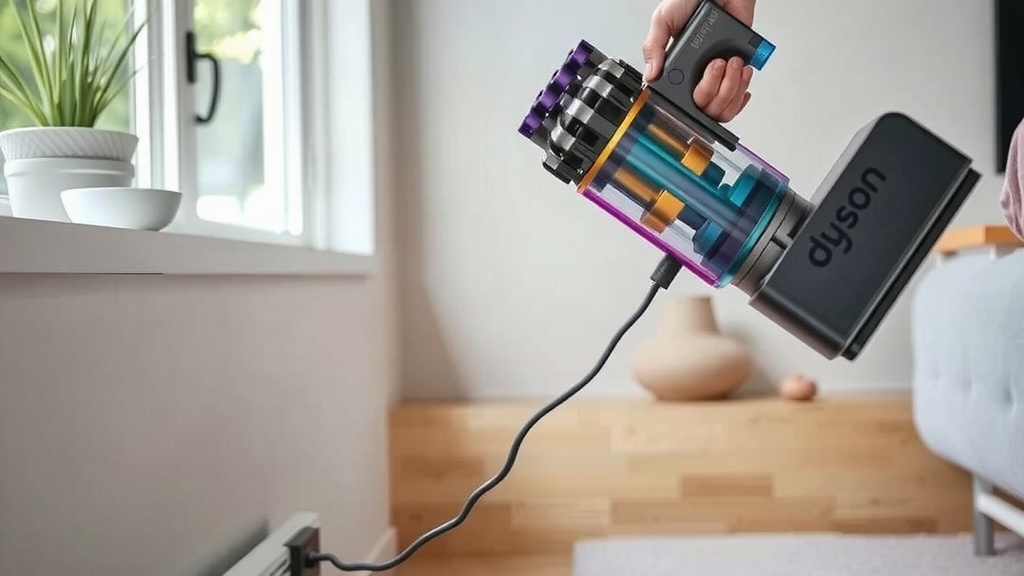
Quick Checklist for Optimal Charging
To ensure your Dyson vacuum charges efficiently and performs at its best, keep these points in mind:
- Use only the official Dyson charger.
- Charge at room temperature.
- Check the indicator lights regularly.
- Clean your filters and bin often.
- Charge after use; don’t wait for a full drain.
- Consider a battery replacement if runtime is poor.
| Dyson Model Series | Approximate Full Charge Time | Notes |
|---|---|---|
| V7 Series | 3.5 Hours | Can vary slightly |
| V8 Series | 5 Hours | May show rapid charge indicators |
| V10/V11 Series | 4.5 – 5 Hours | LCD screen shows remaining time |
| V15 Detect Series | 4.5 Hours | Advanced battery management |
| Gen5detect Series | 4.5 Hours | Intelligent power management |
This table provides a general idea, but always refer to your Dyson’s user manual for the most accurate charging information specific to your model. Batteries can be tricky, and your Dyson is designed to manage its power precisely.
Conclusion
You’ve learned that most Dyson cordless vacuums typically need 3.5 to 5 hours for a full charge. Remember, factors like battery health and ambient temperature play a big role. Using the correct charger and maintaining your vacuum are key for optimal performance.
Paying attention to your Dyson’s indicator lights helps you understand its charging status. By following these tips, you can ensure your vacuum is always ready for your cleaning needs. Keep it charged properly, and it will serve you well for years to come!
Frequently Asked Questions
Can I leave my Dyson vacuum on the charger overnight?
Yes, you generally can leave your Dyson vacuum on its charger overnight. Modern chargers are designed with safeguards to prevent overcharging the battery. This ensures your vacuum is fully charged and ready for use whenever you need it without damaging the battery.
Why is my Dyson vacuum not charging as fast as it used to?
If your Dyson isn’t charging as quickly as it once did, it’s likely due to the battery’s age and natural degradation. An older battery might take longer to reach a full charge and may not hold power as long during use. Ensuring it’s at room temperature also helps.
Does the charging time differ between Dyson models?
Yes, the charging time can differ slightly between Dyson models, as shown in our comparison table. While many fall within the 3.5 to 5-hour range, newer models might have slightly optimized charging times. Always check your specific model’s manual for exact figures.
What should I do if my Dyson vacuum’s charging light is flashing red?
A flashing red light on your Dyson vacuum often indicates a problem, such as a blockage or a battery issue. First, try clearing any obstructions in the filters or bin. If the problem persists, consult your user manual for specific troubleshooting steps or contact Dyson support.
Is it better to charge my Dyson after every use or wait for it to die?
It’s generally better for the battery’s health to charge your Dyson vacuum after each use, rather than waiting for it to completely drain. Lithium-ion batteries, common in Dyson vacuums, perform best when avoiding deep discharges. This practice helps maintain battery longevity.