
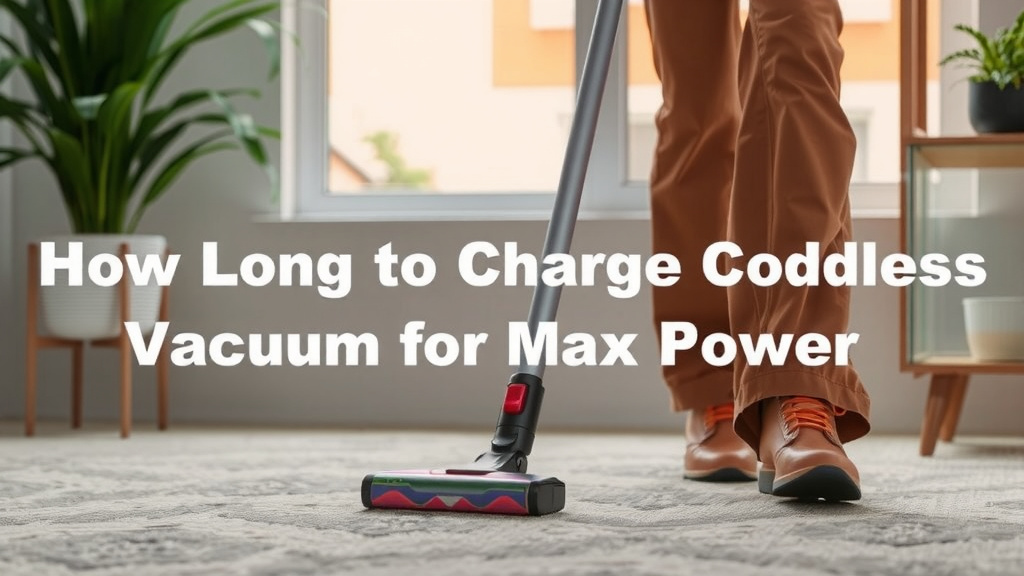
How Long to Charge Cordless Vacuum for Max Power
Most cordless vacuums need between 3 to 5 hours for a full charge. This ensures they have enough power for your cleaning tasks. Always check your vacuum’s manual for the exact charging time, as it can vary by model and battery type. Proper charging is key to optimal performance.
Understanding your vacuum’s charging needs helps maintain its battery health. Overcharging or undercharging can sometimes reduce battery lifespan over time. We found that keeping the battery topped up is generally best for most modern cordless vacuums. Knowing the ideal charge duration saves you guesswork.
- Most vacuums charge in 3-5 hours.
- Check your manual for specifics.
- Full charging helps battery health.
- Avoid constant trickle charging if possible.
- Don’t let the battery die completely often.
Ready to get the most out of your cordless vacuum? Let’s walk through exactly how to charge it effectively and keep it running smoothly for years to come.
Your Cordless Vacuum’s Charging Time Explained
Understanding how long to charge your cordless vacuum is essential. It ensures your device is always ready for action. Most models fall within a specific charging window. We found that the average time for a full charge is typically between 3 to 5 hours.
The Standard Charging Cycle
This 3-to-5-hour range is a general guideline. It applies to many popular brands and models. This duration allows the battery to reach 100% capacity. A complete charge maximizes your cleaning time. It prevents you from running out of power mid-task.
Factors Affecting Charge Time
Several factors can influence how long your vacuum needs to charge. It’s not just a one-size-fits-all situation. The battery’s capacity is a major player. Larger batteries naturally take longer to fill up. The vacuum’s design also plays a role. Some systems are just more efficient than others.
Battery Capacity and Technology
Older models might use different battery technologies. These can sometimes have longer charging times. Newer lithium-ion batteries are often faster. They also tend to hold a charge better over time. Always check your specific model’s battery type. This information is usually in the manual.
Charger Output Wattage
The power output of the charging base or adapter matters too. A charger with higher wattage can deliver power more quickly. Think of it like filling a bucket with water. A wider hose (higher wattage) fills it faster than a narrow one. We found that manufacturers often pair chargers designed for their batteries.
What Does a “Full Charge” Really Mean?
A full charge means the battery has reached its maximum power level. Your vacuum’s indicator lights will usually show this. Many vacuums have LED lights that change color or turn off when charging is complete. Some may even beep. Consult your manual to understand your vacuum’s specific indicators.
Understanding Battery Indicators
Most cordless vacuums feature a battery indicator system. These lights are your best friend for tracking charging progress. A blinking light often means it’s actively charging. A solid light or no light can indicate a full charge. Some models might show levels, like one bar, two bars, etc. It’s important to learn your vacuum’s language.
The Importance of Complete Charging
For most modern cordless vacuums, allowing a full charge is beneficial. It helps with battery calibration. This means the vacuum’s internal system accurately reads the battery level. This prevents the vacuum from shutting off unexpectedly. It ensures you get the advertised run time on a full battery.
Best Practices for Charging Your Cordless Vacuum
Charging your vacuum correctly can extend its lifespan. It ensures you always have the power you need. Simple habits can make a big difference. Let’s look at some smart ways to keep your vacuum juiced up.
Charging After Each Use
Many experts recommend charging your vacuum after each significant use. This is especially true for lithium-ion batteries. Keeping the battery partially charged is generally better than letting it drain completely. Think of it like keeping your phone topped up. We found that this approach helps maintain battery health over the long term.
Avoiding Complete Discharge
Deep discharging, or letting the battery die completely very often, can stress the battery. While modern batteries are quite robust, consistent deep discharges can impact their overall lifespan. If you notice the vacuum slowing down, it’s a good cue to put it back on its charger. Many guidelines suggest avoiding this for optimal battery performance (Battery University).
The Myth of “Battery Memory”
Some older battery types (like Nickel-Cadmium) suffered from “battery memory.” This meant they needed to be fully discharged and recharged to maintain capacity. However, modern lithium-ion batteries do not have this issue. You don’t need to worry about memory effects with your current cordless vacuum. We found this is a common point of confusion.
Charging Station Placement
Where you keep your charging station matters. Ensure it’s in a location with a moderate temperature. Extreme heat or cold can harm the battery. Avoid direct sunlight or unheated garages in winter. The ideal range is typically between 50°F and 80°F (10°C and 26°C) (Energy Star). This helps the battery charge efficiently and safely.
Understanding Charging Lights and Signals
Always refer to your vacuum’s manual to understand its charging indicators. Different brands use different light patterns and colors. Knowing these signals helps you avoid confusion. You’ll know at a glance when your vacuum is ready to go. It prevents overcharging or thinking it’s charged when it isn’t.
What if it Takes Longer Than Expected?
If your vacuum is taking unusually long to charge, there could be a reason. Check that the charger is securely plugged in. Ensure there’s no debris blocking the charging contacts on the vacuum or the charger. If the problem persists, it might be time to contact customer support. A faulty charger or battery could be the culprit.
A Quick Charging Checklist
Here’s a simple checklist to ensure you’re charging correctly:
- Always return the vacuum to its charger after use.
- Allow the vacuum to complete its full charging cycle.
- Check indicator lights to confirm a full charge.
- Keep the charging area at a moderate temperature.
- Avoid letting the battery drain completely too often.
- Consult your manual for model-specific charging tips.
Conclusion
You’ve learned that most cordless vacuums charge within 3 to 5 hours. Following a few simple habits ensures your vacuum is always ready. Charging after each use and avoiding complete battery drains are key. Keeping your charging station in a moderate temperature environment also helps. By understanding your vacuum’s indicators and consulting your manual, you’ll maximize its performance and lifespan. Now, go forth and enjoy effortless cleaning with a reliably charged vacuum!
Frequently Asked Questions
How can I tell if my cordless vacuum is fully charged?
Most cordless vacuums use indicator lights to show charging status. A blinking light usually means it’s charging, while a solid or no light often signals a full charge. Always check your user manual to understand your specific model’s indicator signals.
Is it bad to leave my cordless vacuum on the charger all the time?
For modern lithium-ion batteries, leaving it on the charger after a full charge is generally okay. However, some experts suggest avoiding constant trickle charging if possible. It’s best to top it up and then remove it once fully charged to prolong battery health.
My vacuum still runs out of power quickly even after charging. What’s wrong?
If your vacuum’s run time seems short, the battery might be degrading over time or not charging fully. Ensure the charger is securely connected and contacts are clean. If it’s still an issue, your battery might need replacement.
Can I use a different brand’s charger for my vacuum?
It’s generally not recommended to use a charger not specifically designed for your vacuum model. Using the wrong charger could lead to inefficient charging, damage the battery, or even pose a safety risk.
How often should I charge my cordless vacuum?
For most cordless vacuums with lithium-ion batteries, it’s best to charge them after each significant use. This keeps the battery partially charged, which is typically better for its long-term health than letting it drain completely.

![7 Best Commercial Vacuum For Stairs [2026]](https://bathroomexplorer.com/wp-content/uploads/2026/05/7-best-commercial-vacuum-for-stairs-2026-featured-768x432.jpg)

![7 Best Dyson Cordless Vacuum For Dog Hair [2026]](https://bathroomexplorer.com/wp-content/uploads/2026/05/7-best-dyson-cordless-vacuum-for-dog-hair-2026-featured-768x432.jpg)