How Long Does a Robot Vacuum Battery Last?
A robot vacuum battery typically lasts between 60 to 120 minutes on a single charge. However, this can vary widely depending on the model, its features, and the type of cleaning it’s doing. For many homes, this is more than enough time to get a good clean.
When you’re thinking about your robot vacuum’s battery life, remember that runtime is just one piece of the puzzle. Battery health and charging speed also play big roles. We found that understanding these factors helps you get the most out of your little cleaning buddy.
- Robot vacuum battery life ranges from 60-120 minutes usually.
- Runtime depends on the robot’s model and features.
- Battery health and charging time are also important.
- Regular maintenance can help prolong battery life.
- You can often find battery specs on the manufacturer’s website.
Ready to dive deeper? Let’s walk through what affects your robot vacuum’s battery life and how you can keep it running strong for years to come.
What’s the Real Battery Life of Your Robot Vacuum?
So, you’re wondering about your robot vacuum’s battery life, right? You want to know how long it’ll keep humming along before it needs a nap. You’re not alone! Many of us picture these little guys zipping around, cleaning our floors effortlessly. The truth is, most robot vacuums offer a solid 60 to 120 minutes of cleaning time per charge. That’s usually enough to tackle a good chunk of your home.
But that number isn’t set in stone. It’s more like a guideline. Think of it like your phone’s battery – some days it lasts forever, other days it’s dead by lunch. Several things play a role in how long your robot vacuum’s battery will actually perform. We’ve looked into it, and understanding these factors can help you manage your expectations and keep your cleaning companion happy.
Factors Affecting Your Robot Vacuum’s Runtime
Several elements influence how long your robot vacuum can clean. It’s not just about the battery’s stated capacity. Your home environment and how you use the vacuum make a big difference. We found that paying attention to these can help you get the most out of every charge.
Cleaning Surface Matters
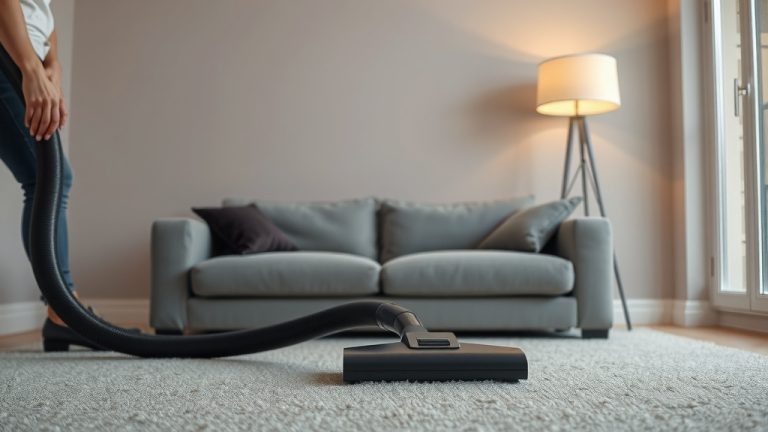
Ever notice how some tasks take more energy than others? Cleaning your floors is no different. Hardwood floors are generally easy for robot vacuums. They glide right over them. This means the motor doesn’t have to work too hard. Consequently, you’ll get longer runtimes on these surfaces. Carpet, on the other hand, is a different story. The vacuum has to work harder to pull dirt from the fibers. This increased effort uses more battery power. Plush carpets require even more effort. You might see a noticeable drop in runtime when your robot is tackling thicker carpets.
Dirt Levels and Debris
Imagine trying to push a car filled with rocks versus an empty one. It’s a lot harder with the rocks! Your robot vacuum is similar. If your floors are heavily soiled, or if there’s a lot of debris, your vacuum will need to work harder. It might make extra passes over certain areas. Some models have sensors that detect dirtier spots and spend more time there. This dirt-detection feature is great for cleaning, but it does draw more power. So, a deep clean on a messy floor will naturally use up the battery faster than a quick tidy-up on a relatively clean surface.
Suction Power Settings
Just like your regular vacuum, robot vacuums often have different suction power settings. If you’re just doing a light sweep, a lower setting might suffice. This conserves battery. If you need a powerful clean, especially on carpets or for pet hair, you’ll likely want to use the highest suction setting. Of course, max power uses more energy. We found that many users benefit from adjusting this setting based on the cleaning task. For routine maintenance, a medium setting is often a good balance between cleaning effectiveness and battery conservation.
Features and Smart Technology
Modern robot vacuums are packed with cool tech. Features like powerful mapping, advanced navigation (like LiDAR or vSLAM), Wi-Fi connectivity, and app control all consume battery power. While these smart features are fantastic for efficiency and convenience, they do add to the overall energy draw. A basic robot vacuum with simple bump-and-turn navigation will likely have a longer runtime than a high-end model with all the bells and whistles. Some robots also use more power when they are actively mapping your home for the first time or when returning to their base.
Age of the Battery
Batteries, like everything else, don’t last forever. Over time, the battery’s capacity to hold a charge naturally diminishes. This is a normal part of battery degradation. A battery that’s a few years old won’t perform like it did when it was brand new. Many experts suggest that a lithium-ion battery, common in robot vacuums, typically starts to lose noticeable capacity after about 2-3 years of regular use. You might notice your robot vacuum starting its cleaning cycle with a full charge but returning to its base much sooner than it used to. We found that this is a common complaint among owners of older robot vacuums.
Understanding Battery Health and Charging
Beyond just the minutes of runtime, the overall health of your robot vacuum’s battery is important. How it charges and how it’s treated can impact its longevity. Think of it like caring for a delicate electronic device; a little attention goes a long way.
Charging Habits and Battery Longevity
How you manage charging can affect how long the battery lasts. For instance, many manufacturers recommend keeping the robot vacuum on its charging dock when not in use. This ensures it’s always ready for the next cleaning cycle. However, some research suggests that fully discharging a lithium-ion battery too often can reduce its lifespan. Most modern robot vacuums use intelligent charging systems that prevent overcharging. Still, consistent use and recharging are generally good for maintaining battery health. We found that avoiding extreme temperatures during charging is also wise, as heat can degrade battery performance over time (Cleveland Clinic).
Charging Time: How Long Does it Take?
While runtime is what you see, charging time is also a key consideration. A typical robot vacuum can take anywhere from 2 to 6 hours to fully recharge its battery. This depends heavily on the battery’s capacity and the charging current provided by the dock. Some high-end models might have faster charging capabilities. If your robot vacuum needs to clean a large area, it might need to recharge mid-cycle. This “recharge and resume” feature is very convenient, but it does add to the total time it takes to complete the cleaning job. You want to make sure the charging time is reasonable for your needs.
Maximizing Your Robot Vacuum’s Battery Life
Want to keep your little cleaning buddy running for as long as possible on each charge? There are a few simple steps you can take. These practices are straightforward and can make a real difference.
Regular Maintenance Checks
Keeping your robot vacuum clean is essential. Ensure the brushes are free of tangled hair and debris. Check the dustbin and filters – a clogged filter reduces suction and makes the motor work harder. A clean robot works more efficiently, using less energy. We found that clearing the sensors also helps the robot navigate better, preventing it from getting stuck and draining its battery unnecessarily.
Smart Scheduling and Cleaning Zones
Use your robot vacuum’s scheduling features wisely. Clean less-used areas less often. Focus on high-traffic zones daily. Many apps allow you to set no-go zones. This prevents the robot from going into areas where it might get stuck or require excessive power, like thick shag rugs or cluttered spaces. By directing your robot vacuum to the right places at the right times, you optimize its cleaning sessions and conserve battery.
Choosing the Right Model for Your Home
When you’re in the market for a robot vacuum, consider your home’s layout and your cleaning needs. If you have a very large home, you’ll want a model known for longer runtimes or a model that can efficiently recharge and resume. If you have mainly hard floors and minimal dirt, a less powerful model might suffice and offer extended cleaning time. Researching specifications and reading reviews can help you find a robot vacuum whose battery performance aligns with your expectations.
Here’s a quick rundown of what impacts your robot vacuum’s battery:
- Floor type (hardwood vs. carpet)
- Amount of dirt and debris
- Suction power settings
- Use of advanced features (mapping, Wi-Fi)
- The age of the battery itself
- How often it needs to recharge mid-clean
Conclusion
So, you’ve learned a lot about your robot vacuum’s battery life! Remember that the 60-120 minute runtime is a guideline, influenced by everything from your floors to the vacuum’s age. You can extend your robot’s cleaning sessions by keeping it well-maintained and choosing smart cleaning schedules. Pay attention to battery health just like you do for your phone. By understanding and managing these factors, you’ll ensure your little cleaning helper keeps your floors spotless for years to come. Make a plan today to check your robot’s maintenance needs and optimize its cleaning schedule for maximum efficiency!
Frequently Asked Questions
Can I make my robot vacuum battery last longer?
Yes, you absolutely can! Keeping your robot vacuum’s brushes and filters clean is key. Also, setting smart schedules and cleaning zones helps it work more efficiently. Avoid letting it get stuck in cluttered areas which drains the battery unnecessarily.
How do I know if my robot vacuum battery needs replacing?
You’ll likely notice your robot vacuum returning to its charging dock much sooner than before. If it used to clean your whole floor on one charge and now only does half, it’s a strong sign. Battery degradation is normal over time, usually after 2-3 years of regular use.
Does running my robot vacuum on max suction drain the battery faster?
It sure does! Using the highest suction setting requires more power from the motor. This will lead to a shorter runtime compared to using a lower or medium setting. Adjusting suction based on your cleaning needs is a great way to conserve battery.
Is it bad to leave my robot vacuum on its charging dock all the time?
Generally, it’s not harmful. Most modern robot vacuums have smart charging systems that prevent overcharging. Keeping it docked ensures it’s always ready for its next cleaning job. Consistent use and recharging are usually good for maintaining battery health.
Will a robot vacuum with more advanced features have a shorter battery life?
Often, yes. Features like advanced mapping (LiDAR or vSLAM), Wi-Fi connectivity, and sophisticated navigation systems use extra power. While they make cleaning more efficient overall, they can contribute to a slightly shorter runtime per charge compared to simpler models.