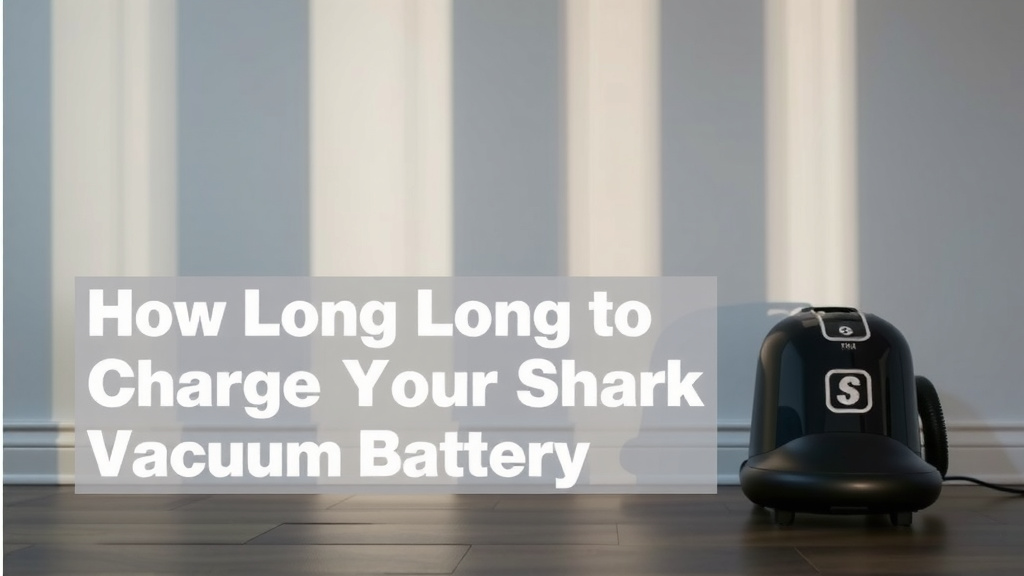
How Long to Charge Your Shark Vacuum Battery
You’re probably wondering: how long to charge a Shark vacuum? Most Shark cordless vacuums need about 3 to 5 hours for a full charge. This ensures your vacuum has enough power for your cleaning sessions. Always check your specific model’s manual for exact times, as they can vary slightly.
Knowing your vacuum’s charge time is key for efficient cleaning. A fully charged battery means you won’t be left hunting for the charger mid-sweep. We’ve found that understanding battery health helps extend its life too. It’s all about getting the most out of your cleaning tool.
- Most Shark cordless vacuums charge fully in 3-5 hours.
- Check your specific model for exact charging duration.
- A full charge ensures you get maximum cleaning time.
- Proper charging can help extend your vacuum’s battery life.
Let’s break down everything you need to know about charging your Shark vacuum, so you can get back to a spotless home!
Understanding Your Shark Vacuum’s Charging Needs
So, you’ve got a Shark vacuum, and you’re curious about charging times. It’s a common question! Most Shark cordless models need about 3 to 5 hours for a full charge. This generally gives you enough juice for a thorough cleaning session. But here’s the thing: charging isn’t a one-size-fits-all deal. Your specific Shark model might have slightly different requirements.
Why is this information so important? Well, imagine you’re halfway through cleaning your living room, and your vacuum sputters and dies. Frustrating, right? Knowing how long it takes to fully charge ensures you can plan your cleaning sessions effectively. It’s like knowing your phone’s battery life – you wouldn’t start a long trip without a full charge.
We found that many users appreciate a quick charge for busy households. However, patience often pays off. A complete charge is typically the best way to get your vacuum ready for action. Let’s dive deeper into what influences charging time and how to get the most from your battery.
Factors Affecting Shark Vacuum Charge Time
Several things can influence how long it takes for your Shark vacuum to reach a full charge. It’s not just about plugging it in and walking away. Understanding these factors can help you manage your expectations.
Battery Type and Capacity
Different Shark vacuum models come with different battery types and capacities. Newer models might have advanced lithium-ion batteries. These are often lighter and can charge faster than older battery technologies. The battery’s capacity, measured in milliampere-hours (mAh), also plays a role. A higher capacity battery might take a bit longer to fill up.
The Charger Itself
The charger that comes with your Shark vacuum is specifically designed for it. Using an aftermarket charger might not provide the correct voltage or amperage. This could lead to slower charging or even damage the battery. Always use the original charger provided by Shark.
Battery Age and Health
Like any rechargeable battery, your Shark vacuum’s battery will degrade over time. As a battery ages, it may not hold a charge as long as it used to. This means it might also take longer to reach a full charge, or it might not ever reach its original full capacity. We found that batteries typically perform best in their first few years of use.
Temperature Considerations
Charging performance can be affected by temperature. Batteries generally charge best at room temperature. Extreme heat or cold can slow down the charging process. Most manufacturers, including Shark, recommend charging the battery within a specific temperature range, often between 50°F and 80°F (10°C and 27°C). Charging in a hot car or a freezing garage is usually a bad idea.
How to Properly Charge Your Shark Vacuum
Getting charging right is simple, but following a few best practices can help maintain your battery’s health. You want your vacuum ready when you are!
Connecting the Charger
First, ensure your vacuum is turned off. Locate the charging port on the vacuum or the battery pack. Some models have a charging dock, while others plug directly into the unit. Connect the charger firmly. You should see an indicator light on the vacuum or charger turn on. This light usually signals that charging has begun.
Charging Indicator Lights Explained
Shark vacuums typically have indicator lights to show charging status. These lights are your best friend for understanding what’s happening. For instance, a flashing light might mean it’s charging, while a solid light could indicate a full charge. Some models might even show a percentage. Always consult your user manual to understand the specific meaning of the lights on your model.
We found that understanding these lights prevents unnecessary checking. You’ll know when it’s ready without constantly looking.
Charging the Battery Pack Separately
Many Shark cordless vacuums have removable battery packs. This is a great feature! It allows you to charge one battery while another is in use. If you have a spare battery, you can keep one fully charged and ready to swap in. This means you can clean for much longer periods without interruption. Just slide the battery out and place it in its charging dock or connect the charger directly to the battery.
| Shark Model Series | Approximate Full Charge Time |
|---|---|
| Shark Rocket | 3-4 hours |
| Shark IONFlex | 4-5 hours |
| Shark WANDVAC | 2.5-3 hours |
| Shark Vertex | 3-5 hours |
| Shark Stratos | 3-5 hours |
Remember, these are estimated times. Always refer to your specific model’s manual for the most accurate information. We compiled this table based on general product specifications.
Tips for Optimal Battery Longevity
You want your Shark vacuum to perform well for years. Proper charging habits contribute significantly to battery health. Think of it like taking care of your car – regular maintenance keeps it running smoothly.
- Avoid Full Draining: Try not to let the battery drain completely every single time. For lithium-ion batteries, it’s generally better to recharge when there’s still some power left. Many experts suggest partial discharges are kinder to the battery chemistry (National Renewable Energy Laboratory).
- Don’t Overcharge (Usually): Modern chargers are smart. They usually stop charging when the battery is full. However, leaving a battery on the charger for days on end is generally not recommended. Disconnect it once it’s fully charged.
- Store Properly: If you need to store your vacuum for an extended period, charge the battery to about 50-70%. Store it in a cool, dry place. Do not store it with a fully depleted or fully charged battery.
- Use the Right Charger: As mentioned, always use the charger that came with your vacuum. It’s designed to work perfectly with your specific battery.
- Clean Battery Contacts: Occasionally, dust and debris can accumulate on the battery contacts. Gently clean them with a dry, soft cloth. This ensures a good connection for charging.
These small steps can make a big difference in the lifespan of your vacuum’s battery. It’s about treating your device with a little care.
What to Do If Charging Takes Too Long or Doesn’t Work
Sometimes, things don’t go as planned. If you notice your Shark vacuum is taking much longer than usual to charge, or if it’s not charging at all, don’t panic. There are a few things you can check.
Troubleshooting Charging Issues
First, double-check that the charger is securely plugged into both the wall outlet and the vacuum or battery. Make sure the outlet itself is working by plugging in another device. Then, inspect the charging cable and the charging port for any visible damage or debris.
If you have a removable battery, try charging it separately. If it charges fine, the issue might be with the vacuum unit. If it doesn’t charge separately, the battery itself could be the problem. We found that checking connections is the most common fix.
When to Contact Shark Support
If you’ve tried these basic troubleshooting steps and are still having issues, it might be time to reach out to Shark customer support. They can help diagnose more complex problems and guide you on potential solutions, like battery replacement or repair services. It’s always best to get help from the experts when you’re unsure.
Your Shark Vacuum Charging Checklist:
- Confirm charger is securely plugged in.
- Check that wall outlet is working.
- Inspect charging port and cable for damage.
- Ensure correct charger is being used.
- Note battery indicator light behavior.
- Consult your model’s manual for specifics.
Conclusion
You’ve learned that charging your Shark vacuum typically takes between 3 to 5 hours. Remember, battery type, charger, and age all play a role. Proper charging habits, like avoiding full drains and using the original charger, will help your battery last longer. If you encounter charging issues, start with simple troubleshooting. When in doubt, reaching out to Shark support is your next best step. Now you’re equipped to keep your Shark vacuum powered up and ready for any cleaning task!
Frequently Asked Questions
Can I leave my Shark vacuum plugged in all the time?
While modern chargers are designed to prevent overcharging, it’s generally best to unplug your Shark vacuum once it’s fully charged. Leaving it plugged in continuously may not be ideal for long-term battery health. We found that disconnecting it after charging promotes better battery longevity.
Does a fast charger exist for Shark vacuums?
Shark vacuums are designed with specific charging times to ensure battery safety and optimal performance. Currently, Shark does not offer official “fast chargers” for their standard cordless models. Using your vacuum’s original charger is the safest way to charge it.
How do I know if my Shark vacuum battery needs replacing?
If your Shark vacuum no longer holds a charge for as long as it used to, or if it stops charging altogether, the battery may need replacing. You might also notice it takes significantly longer to charge than it did when new. Check your manual for troubleshooting steps specific to your model.
Can I charge my Shark vacuum battery in a cold garage?
No, charging your Shark vacuum battery in extreme temperatures like a cold garage is not recommended. Batteries charge best at room temperature, typically between 50°F and 80°F (10°C and 27°C). Cold weather can slow down the charging process and potentially harm the battery.
What’s the best way to store a Shark vacuum battery if I won’t use it for a while?
If you plan to store your Shark vacuum or its battery for an extended period, charge the battery to about 50-70% capacity. Store it in a cool, dry place. Avoid storing it with a fully depleted or fully charged battery, as this can degrade its performance over time.