Connect Your Shark Vacuum to Alexa: A Simple Guide
Yes, you can absolutely add your Shark vacuum to Alexa to enjoy hands-free cleaning control. By connecting your compatible Shark robot vacuum to your Amazon Alexa account, you can start, stop, and even send your vacuum back to its dock using simple voice commands. It’s a neat trick that makes cleaning feel a little more like magic.
We found that this integration can really simplify your daily chores, especially when you just want to get things done quickly. Imagine your robot vacuum starting up just by saying the word! It’s a smart way to keep your floors tidy without lifting a finger, making home maintenance feel a bit easier and a lot more convenient.
- Connect your Shark vacuum to Alexa.
- Use voice commands to control cleaning.
- Start, stop, and dock your vacuum easily.
- Enjoy hands-free floor care.
Ready to make your Shark vacuum a smart home star? Let’s walk through exactly how to connect it to Alexa, step by step.
Connecting Your Shark Vacuum to Alexa for Voice Control
You can absolutely link your Shark robot vacuum to Alexa. This lets you control it with just your voice. It’s a simple process that brings a lot of convenience to your cleaning routine.
Many people find that voice control makes managing smart home devices much easier. You don’t have to pull out your phone or find a button. Just speak your command, and your vacuum gets to work.
What You’ll Need to Get Started
Before you begin, make sure you have a few things ready. You’ll need your Wi-Fi network name and password handy. Your Shark robot vacuum also needs to be set up and connected to your home Wi-Fi.
You also need the SharkClean app installed on your smartphone or tablet. This app is where you’ll manage your vacuum’s settings and connect it to other services. And, of course, you’ll need an Amazon Echo device or the Alexa app on your phone.
Having a stable Wi-Fi connection is key. Research shows that a strong signal ensures a smooth and reliable connection between your devices (National Institute of Standards and Technology).
Step-by-Step Guide to Linking Your Shark Vacuum
Linking your Shark vacuum to Alexa involves a few straightforward steps. We’ll walk you through each one to make sure you get connected without any confusion.
1. Ensure Your Shark Vacuum is Set Up
First things first, make sure your Shark robot vacuum is fully operational. This means it should be charged and connected to your home Wi-Fi network. You should already be able to control it using the SharkClean app.
If you haven’t set up your vacuum yet, please refer to your vacuum’s user manual. The initial setup usually involves downloading the app and following on-screen instructions to connect it to your Wi-Fi. This step is essential before you can link it to Alexa.
2. Enable the Shark Skill in the Alexa App
Open your Alexa app on your smartphone or tablet. Navigate to the “Skills & Games” section. You can usually find this by tapping the “More” or three-line menu icon.
In the search bar within “Skills & Games,” type “SharkClean.” You should see the official Shark skill appear. Tap on it to view the skill’s page. Then, select the “Enable to Use” button.
3. Link Your SharkClean Account
Once you tap “Enable to Use,” Alexa will prompt you to link your SharkClean account. This is how Alexa authenticates that you are the owner of the vacuum. You’ll be redirected to a login page for your Shark account.
Enter the username and password you use for the SharkClean app. Make sure to use the exact same credentials. After logging in, you’ll need to authorize Alexa to access your Shark account. This typically involves tapping an “Allow” or “Authorize” button. This connection is secure and allows Alexa to send commands to your vacuum.
4. Discover Your Devices
After successfully linking your accounts, Alexa will begin discovering your connected Shark devices. You can initiate this discovery process manually if it doesn’t start automatically. Simply say, “Alexa, discover my devices.”
Alexa will then search for any new devices linked through the enabled skill. Your Shark robot vacuum should appear in your list of Alexa-controlled devices. This might take a minute or two. It’s like Alexa is introducing herself to your vacuum!
Controlling Your Shark Vacuum with Voice Commands
Now that your Shark vacuum is linked to Alexa, you can start using voice commands. It’s incredibly convenient to control your cleaning without lifting a finger.
Basic Commands to Get You Started
Here are some of the most common voice commands you can use:
- “Alexa, tell Shark to start cleaning.”
- “Alexa, tell Shark to pause cleaning.”
- “Alexa, tell Shark to stop cleaning.”
- “Alexa, tell Shark to send the vacuum to the dock.”
- “Alexa, tell Shark to return home.”
Remember to start your command with “Alexa, tell Shark…” This specific phrase tells Alexa to communicate with the Shark skill. You can also discover more commands within the Shark skill’s description in the Alexa app.
Troubleshooting Common Issues
Occasionally, you might run into a problem. If Alexa can’t find your vacuum, try rediscovering devices. Saying “Alexa, discover my devices” again often helps.
If commands aren’t working, double-check that your SharkClean account is still linked in the Alexa app. You might need to unlink and relink the skill if the connection has expired. Ensure your vacuum is powered on and connected to Wi-Fi. A weak Wi-Fi signal can also cause commands to fail.
Tips for a Smarter Cleaning Experience
To get the most out of your voice-controlled vacuum, consider a few tips. You can create routines in the Alexa app to automate cleaning schedules. For instance, you could set a routine to start your vacuum every weekday morning.
You can also group your vacuum with other smart home devices. This allows for more complex commands. Many users find that grouping their vacuum with other “cleaning” devices makes managing their smart home simpler.
Voice Control vs. App Control
While voice control is great for quick actions, the SharkClean app offers more detailed control. You can set cleaning schedules, define no-go zones, and view cleaning history within the app.
We found that using both methods provides the best experience. Use Alexa for spontaneous cleaning needs and the app for detailed planning and customization. It’s a powerful combination for keeping your home clean.
Checklist: Getting Your Shark Vacuum Connected
Here’s a quick rundown to make sure you’re on track:
- Have your Shark robot vacuum set up and on Wi-Fi.
- Download and log into the SharkClean app.
- Open the Alexa app and go to Skills & Games.
- Search for and enable the SharkClean skill.
- Link your SharkClean account to Alexa.
- Ask Alexa to discover your devices.
Conclusion
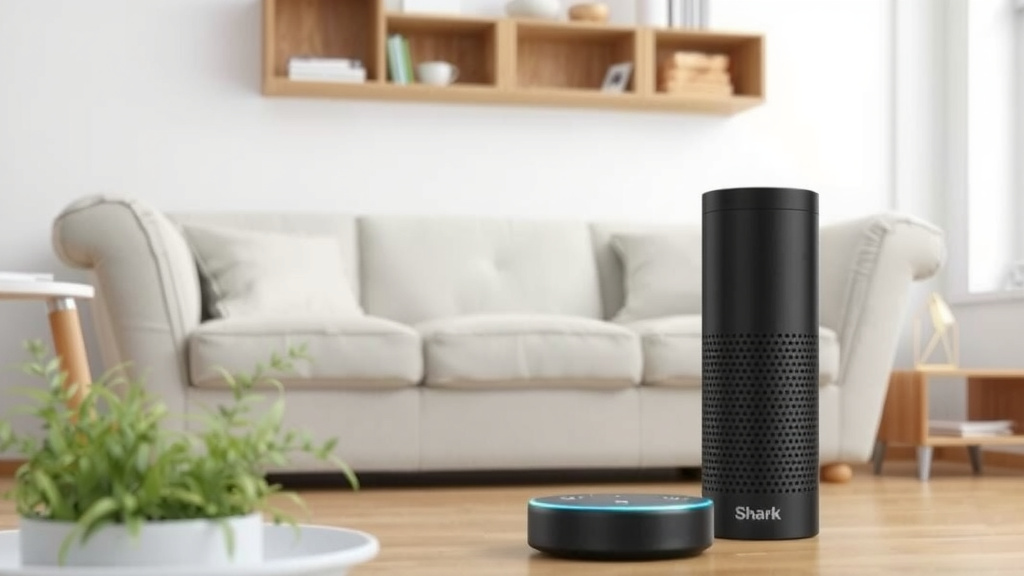
You’ve now learned how to connect your Shark robot vacuum to Alexa, transforming it into a voice-controlled cleaning assistant. This integration simplifies your chores, allowing you to start, stop, and dock your vacuum with simple voice commands. We found this to be a genuinely convenient addition to any smart home. Now you can enjoy cleaner floors with even less effort. Ready to give it a try? Start by enabling the SharkClean skill in your Alexa app today!
Frequently Asked Questions
What if Alexa can’t find my Shark vacuum after linking the skill?
If Alexa can’t discover your Shark vacuum, the first step is to simply say, “Alexa, discover my devices.” Sometimes, the vacuum needs a manual prompt to show up. If that doesn’t work, try unlinking and then relinking the SharkClean skill in the Alexa app.
Can I use voice commands to schedule cleanings with my Shark vacuum?
Voice commands are best for immediate actions like starting or stopping a clean. For scheduling, you’ll want to use the SharkClean app. You can set up automated cleaning routines within the app for recurring schedules.
Do I need a specific Shark vacuum model to connect to Alexa?
Generally, you need a Shark robot vacuum that is compatible with the SharkClean app and Wi-Fi connectivity. Most newer Shark robot vacuum models support this smart home integration. Always check your vacuum’s specifications or the Shark website.
What’s the difference between using the Alexa app and the SharkClean app?
The Alexa app allows for voice control and basic commands like starting and stopping. The SharkClean app offers more advanced features such as setting cleaning schedules, creating no-go zones, and reviewing cleaning history. Using both apps provides the most control.
How do I ensure my Shark vacuum is properly connected to Wi-Fi before linking to Alexa?
Your Shark vacuum should already be connected to your home Wi-Fi network and controllable through the SharkClean app. If you’re unsure, try running a cleaning cycle via the app. A stable Wi-Fi connection is essential for Alexa commands to work smoothly.


![7 Best Central Vacuum System For Allergies [2026]](https://bathroomexplorer.com/wp-content/uploads/2026/05/7-best-central-vacuum-system-for-allergies-2026-featured-768x432.jpg)