Master Your Daikin Air Conditioner: Simple Operation Guide
Operating your Daikin air conditioner is simpler than you might think! You can easily control its temperature, fan speed, and mode using the remote control. Just point it at the indoor unit and press the desired buttons for quick and comfortable adjustments.
Understanding the basic functions of your Daikin AC can help you maximize comfort and energy savings. We found that many users overlook simple features that can make a big difference. Learning to use your remote effectively is the first step to efficient cooling and heating.
- Point the remote at the indoor unit.
- Use the mode button for heat, cool, or fan.
- Adjust temperature with up/down arrows.
- Select fan speed for desired airflow.
- Press the ON/OFF button to start or stop.
Ready to take control of your home’s climate? Let’s walk through exactly how to use your Daikin air conditioner remote step by step.
Getting Started with Your Daikin Air Conditioner Controls
Operating your Daikin air conditioner is pretty straightforward once you get the hang of the remote. It’s your command center for all things cool and warm. We found that most users can master the basics in just a few minutes. This guide will walk you through each button. You’ll be a Daikin pro in no time!
Understanding Your Daikin Remote Control
The remote control is designed for ease of use. Most Daikin remotes share similar button layouts, though some models might have a few extra features. The key is to know what each button does. We’ll focus on the most common functions you’ll use daily.
Powering Your AC On and Off
The most important button is the Power button. It’s usually red or has a clear power symbol. Press it once to turn your air conditioner on. Press it again to turn it off. It’s as simple as that!
Setting the Right Mode
Your Daikin AC can do more than just cool. The Mode button lets you choose how it operates. Pressing this button cycles through the available modes. You’ll see an indicator on the remote or the indoor unit’s display for the selected mode.
- Cool Mode: This is for when you need to beat the heat. The AC will blow cool air.
- Heat Mode: Perfect for chilly evenings. It warms up your space.
- Fan Mode: This circulates air without heating or cooling. It’s good for ventilation.
- Dry Mode: This mode helps reduce humidity in the air. It’s great for muggy days.
Adjusting Temperature and Airflow
Once you’ve selected a mode, you’ll want to set the perfect temperature and fan speed. This is where you fine-tune your comfort level.
Controlling the Temperature
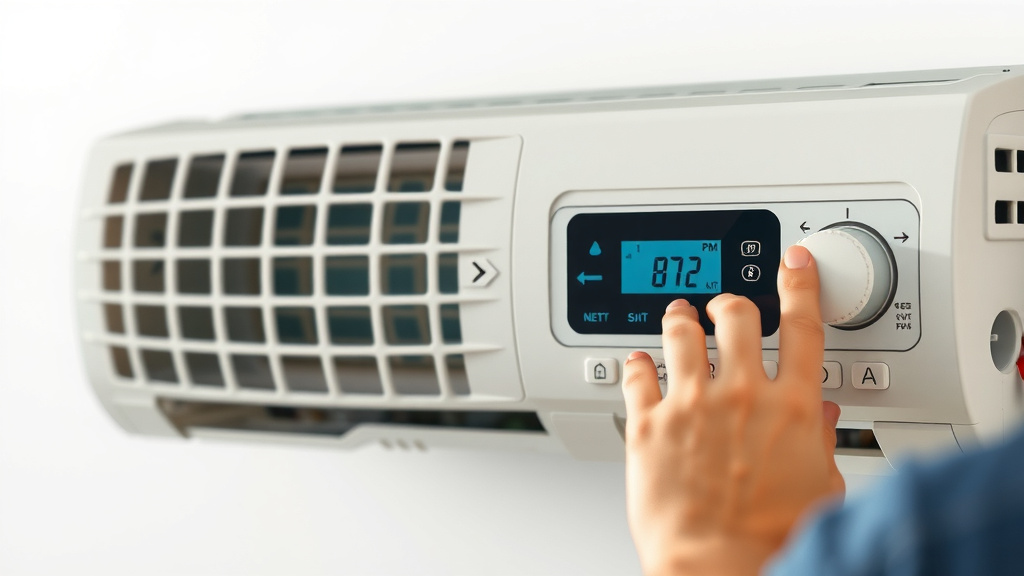
Look for the Temperature Up and Temperature Down buttons. They usually have an arrow pointing up and an arrow pointing down. Press the Up arrow to increase the temperature. Press the Down arrow to decrease it. Most units allow you to adjust in one-degree increments. We found that setting the temperature just a few degrees lower than the outside air can save energy.
Managing Fan Speed
The Fan Speed button controls how fast the air circulates. Pressing it will cycle through different fan speeds. Common options include Low, Medium, High, and Auto. A higher fan speed means more airflow, which can help cool or heat a room faster. Auto mode adjusts the fan speed automatically based on the temperature.
Exploring Advanced Features for Enhanced Comfort
Beyond the basic operations, your Daikin remote might have extra features. These can help you save energy and enhance your comfort even further. We found that many users don’t explore these, missing out on potential benefits.
The Swing or Airflow Direction Function
Many Daikin units have an auto-swing function for the louvers. The Swing button often controls this. Pressing it can make the air vents move up and down automatically. This helps distribute air more evenly. Some remotes might allow you to control horizontal swing as well. We recommend using this feature to avoid direct, constant airflow. This can make your cooling or heating feel more gentle and natural.
Programming Timers for Convenience
Your Daikin AC likely has timer functions. These are incredibly useful for managing energy use. There’s usually a Timer button. You can often set a timer to turn the unit on or off at a specific time. Some advanced models even let you schedule daily or weekly cycles. This is great for ensuring your home is comfortable when you arrive, without running the AC all day.
Understanding Special Modes (If Available)
Depending on your Daikin model, you might find other buttons. These could include:
- Econo Mode: This mode limits the maximum power consumption. It prioritizes energy saving over maximum performance. We found this is great for mild days.
- Powerful/Jet Cool/Turbo Mode: This mode provides a quick burst of maximum cooling or heating. It’s useful for rapidly changing the room temperature.
- Quiet Mode: This reduces the fan speed and operational noise. It’s ideal for sleeping or quiet environments.
Basic Troubleshooting Tips
Sometimes, your Daikin AC might not respond as expected. Before calling a technician, try a few simple things.
Checking the Remote Battery
The most common issue is a weak remote battery. If the buttons feel unresponsive, try replacing the batteries. We suggest using high-quality alkaline batteries for best results.
Ensuring a Clear Line of Sight
Your remote control uses an infrared signal. Make sure there are no obstructions between the remote and the indoor unit. The signal needs a clear path to work. We found that even a small object in the way can cause issues.
Resetting the Unit
If things still aren’t working, you can try resetting the unit. This usually involves turning off the power at the circuit breaker for a few minutes, then turning it back on. This can clear minor electronic glitches. Always consult your user manual for specific instructions.
Quick Checklist for Everyday Use
Here’s a quick rundown to help you remember the basics:
- Always point the remote directly at the indoor unit.
- Press ON/OFF to start or stop operation.
- Use MODE to select Cool, Heat, Fan, or Dry.
- Adjust TEMPERATURE with the Up/Down arrows.
- Set FAN SPEED for desired airflow intensity.
- Explore TIMER functions for energy savings.
Conclusion
You’re now equipped to operate your Daikin air conditioner with confidence. We’ve covered everything from the basic power and mode settings to advanced features like timers and swing functions. Mastering these controls will help you create the perfect home environment. Plus, you’ll be saving energy and money along the way. Don’t hesitate to experiment with the different settings to find what works best for you. Your comfort is just a few button presses away!
Frequently Asked Questions
How do I set my Daikin AC to just circulate air without cooling or heating?
To just circulate air, you’ll want to use the Fan Mode. Press the Mode button on your remote until the fan icon appears. This mode will run the fan to move air around your room without changing the temperature.
My Daikin remote isn’t working. What’s the first thing I should check?
The most common reason a remote stops working is dead batteries. First, try replacing the batteries with fresh ones. Also, ensure there’s a clear, unobstructed line of sight between the remote and the indoor unit for the signal to reach it.
Can I schedule my Daikin AC to turn on automatically before I get home?
Yes, you likely can using the Timer function. Look for a Timer button on your remote. You can usually set it to turn the unit on at a specific time, so your home is already comfortable when you arrive.
What does “Econo Mode” do on my Daikin AC?
Econo Mode is designed for energy savings. It limits the maximum power the air conditioner uses, prioritizing efficiency over maximum cooling or heating power. We found it’s great for days when you need some comfort but not extreme temperatures.
How can I make my Daikin AC run quieter at night?
Many Daikin models have a Quiet Mode or a specific button for this. Pressing it will reduce the fan speed and overall operational noise. This is perfect for ensuring a peaceful night’s sleep without sacrificing comfort.