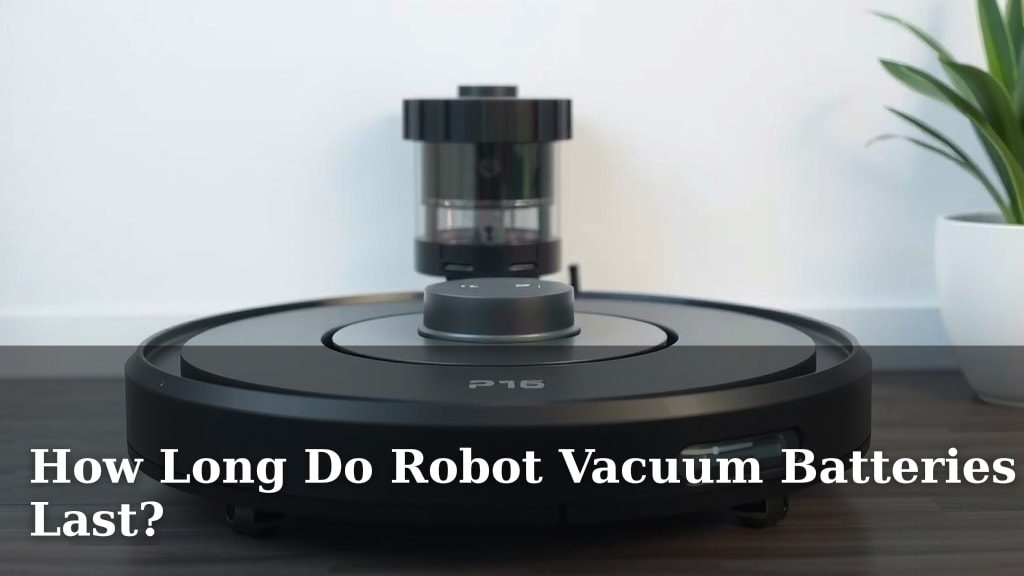
How Long Do Robot Vacuum Batteries Last?
Robot vacuum batteries typically last between 1 to 4 years, but this can vary greatly. Factors like battery type, usage frequency, and maintenance play a big role. You’ll likely need to replace your robot vacuum’s battery eventually to keep it cleaning effectively.
Your robot vacuum’s battery is its lifeblood. A healthy battery ensures it can complete its cleaning cycles without interruption. We found that understanding battery lifespan helps you plan for replacements and avoid unexpected downtime for your helpful cleaning companion.
- Robot vacuum batteries usually last 1-4 years.
- Battery type, usage, and care impact lifespan.
- Replacement is often needed to maintain performance.
- Learning about your battery helps you manage its life.
Ready to figure out how long your robot vacuum’s battery will keep going? Let’s break down what affects its lifespan and when you might need a new one.
“`htmlHow Long Can You Expect Your Robot Vacuum’s Battery to Last?
Your robot vacuum is a trusty sidekick for keeping your floors clean. But like any electronic gadget, its battery won’t last forever. We found that understanding battery lifespan helps you plan for replacements and avoid unexpected downtime for your helpful cleaning companion.
Most robot vacuum batteries have a lifespan of 1 to 4 years. This range isn’t set in stone, though. Several factors can make your battery last longer or shorter. You’ll likely need to replace it eventually to keep your little robot zooming around effectively.
Understanding Robot Vacuum Battery Types
The type of battery your robot vacuum uses plays a big role in its overall lifespan. It’s kind of like comparing a sprinter to a marathon runner – different capabilities.
Lithium-Ion (Li-ion) Batteries: The Modern Standard
Today, most robot vacuums come with Lithium-Ion (Li-ion) batteries. These are popular because they offer a good balance of power and longevity. Li-ion batteries tend to hold their charge well and can go through many charge cycles before performance noticeably drops.
We found that Li-ion batteries typically last for about 300 to 500 charge cycles. This translates to roughly 1 to 3 years of regular use. They also tend to be lighter and don’t suffer from the “memory effect” that older battery types did.
Nickel Metal Hydride (NiMH) Batteries: The Older Generation
Older robot vacuum models might still use Nickel Metal Hydride (NiMH) batteries. While they were common, NiMH batteries generally have a shorter lifespan than Li-ion. They are also more susceptible to the memory effect, which means if you don’t fully discharge them, their capacity can reduce over time.
Many experts say NiMH batteries might only last for around 200 to 300 charge cycles. This often means a lifespan closer to 1 to 2 years. If your robot vacuum is an older model, you might be dealing with one of these.
Key Factors Affecting Battery Longevity
So, you know the types, but what actually makes a battery wear out faster or slower? Think of it like how you treat your car – regular maintenance and smart usage make a difference.
Usage Frequency and Duration
How often do you run your robot vacuum? If you use it daily to tackle pet hair or just keep things tidy, its battery will naturally accumulate more charge cycles. This means it will reach its lifespan limit sooner than a vacuum used only once a week.
The length of each cleaning session also matters. A robot vacuum that runs for 90 minutes on a large floor plan will use more battery power per cycle than one that cleans a small apartment for 30 minutes. We found that longer, more frequent runs mean more wear and tear on the battery.
Charging Habits and Battery Health
The way you charge your robot vacuum can significantly impact its battery life. Leaving it on the charging dock constantly might not always be the best approach for all battery types.
The Importance of the Charging Dock
Most modern robot vacuums are designed to stay on their docks when not in use. For Li-ion batteries, this is generally fine because they have internal circuits to prevent overcharging. They can also go into a low-power standby mode.
However, some research suggests that keeping any battery at 100% charge for extended periods can still lead to some degradation over time. It’s a slow process, but something to consider if you want to maximize battery lifespan.
Avoiding Extreme Temperatures
Batteries, including those in your robot vacuum, don’t like extreme temperatures. Leaving your robot vacuum in a very hot garage or a freezing cold room can damage the battery. We found that consistent, moderate temperatures are best for battery health.
Maintenance and Care
Just like cleaning your robot vacuum’s brushes and sensors, taking care of its battery is important. Regular cleaning of the charging contacts can ensure it charges efficiently.
When your robot vacuum isn’t charging, ensure its charging contacts are clean and free of dust or debris. You can usually wipe them gently with a dry cloth. A clean connection means a reliable charge, which is good for battery health.
When to Consider a Battery Replacement
How do you know when your robot vacuum’s battery is on its last legs? You’ll start to notice some clear signs that it’s not performing like it used to.
The most common symptom is a noticeable decrease in cleaning time. If your robot vacuum used to clean your whole house on a single charge but now only lasts half as long, the battery is likely weakening. It might also start returning to its dock much sooner than it used to, even if it hasn’t finished cleaning.
Another sign is if the robot vacuum struggles to return to its charging dock. A weaker battery might not have enough power to navigate back home, especially if the dock is on the other side of the house. You might also find it stops mid-clean entirely.
Some robot vacuums will actually alert you via their app or indicator lights when the battery is reaching the end of its life. Check your robot vacuum’s manual or app notifications for these specific alerts.
Making Your Robot Vacuum Battery Last Longer: A Quick Checklist
Want to get the most out of your robot vacuum’s battery? Follow these simple tips:
- Use original charging equipment: Always use the charger that came with your robot.
- Keep contacts clean: Wipe charging contacts regularly.
- Avoid extreme temperatures: Store and charge in moderate conditions.
- Don’t over-discharge regularly: Let it charge before it completely dies, if possible.
- Consider dock time: If you have an older model, unplugging it occasionally might help.
- Follow manufacturer guidelines: Always refer to your specific model’s manual.
Conclusion
You now understand that your robot vacuum’s battery life isn’t fixed. While 1 to 4 years is typical, factors like battery type and how often you run it make a real difference. By caring for your battery, cleaning contacts, and avoiding extreme temperatures, you can help it last longer. When you notice shorter cleaning times or difficulty docking, it’s time to consider a replacement battery. Keep your helpful cleaning assistant running at its best with smart battery management!
Frequently Asked Questions
How often should I replace my robot vacuum battery?
You should consider replacing your robot vacuum’s battery when you see a noticeable drop in its cleaning time or if it struggles to return to its charging dock. These are clear indicators that the battery is no longer holding a sufficient charge.
Is it worth replacing the battery in an old robot vacuum?
If your robot vacuum is otherwise functioning well and you like its performance, replacing the battery can be a cost-effective way to extend its life. It’s often cheaper than buying a brand-new robot vacuum.
Can I use a third-party battery for my robot vacuum?
While third-party batteries are available, it’s generally recommended to use batteries from the original manufacturer or ones specifically designed for your robot vacuum model. Non-compatible batteries can sometimes cause performance issues or damage your device.
Does leaving my robot vacuum on the charger all the time harm the battery?
For modern Lithium-Ion batteries, leaving them on the charger is usually fine as they have built-in protection against overcharging. However, some research suggests that prolonged 100% charge can lead to slight degradation over very long periods.
What’s the best way to store a robot vacuum if I won’t use it for a while?
If you need to store your robot vacuum for an extended period, it’s best to charge the battery to about 50-60% and store it in a cool, dry place. Avoid extreme temperatures, as these can degrade the battery’s health.
![7 Best Cordless Vacuum For Dorm Room [2026]](https://bathroomexplorer.com/wp-content/uploads/2026/05/7-best-cordless-vacuum-for-dorm-room-2026-featured-768x432.jpg)