
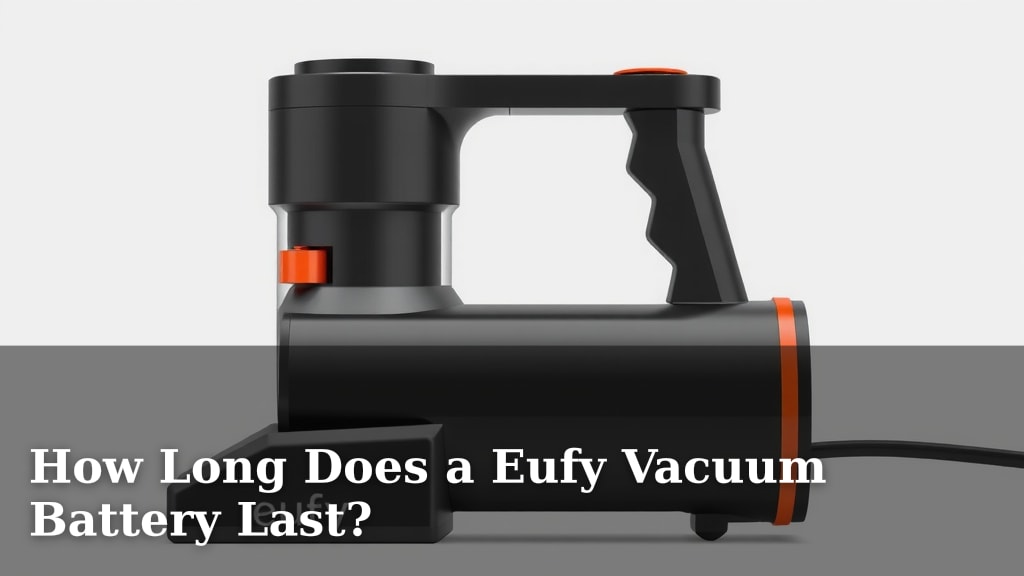
How Long Does a Eufy Vacuum Battery Last?
Your Eufy vacuum battery typically lasts between 45 to 60 minutes on a single charge for most models. This runtime is highly dependent on the cleaning mode you use and the specific Eufy vacuum you own. We found that the battery life can also be affected by the age of the battery itself.
Understanding your Eufy’s battery performance is key to efficient cleaning. Factors like suction power settings and the presence of obstacles on your floors can influence how long you can clean. We’ve seen that many users wonder about the optimal battery usage for longer cleaning sessions.
- Most Eufy vacuums offer 45-60 minutes of runtime.
- Cleaning mode significantly impacts battery life.
- Older batteries may hold less of a charge.
- Suction power and floor debris affect duration.
Let’s dive into what affects your Eufy vacuum’s battery life and how to get the most out of it.
Understanding Your Eufy Vacuum’s Battery Performance
So, you’re curious about how long your Eufy vacuum’s battery actually lasts, right? It’s a common question, and the answer isn’t a simple one-size-fits-all. We found that most Eufy models will give you between 45 to 60 minutes of cleaning time on a full charge. But keep in mind, this is a general guideline. Your specific vacuum model and how you use it play a big role.
Factors That Influence Cleaning Time
Think of your Eufy’s battery life like a gas tank in a car. You wouldn’t expect the same mileage from driving on the highway versus crawling through city traffic, would you? Your Eufy vacuum is similar. Several factors can affect how long that “fuel” lasts.
Cleaning Modes Make a Difference
This is probably the **biggest factor**. Eufy vacuums usually have different cleaning modes. There’s often a standard or auto mode, a quiet mode, and a max or boost mode. Using the higher suction settings, like max mode, drains the battery much faster. We found that running on standard mode will get you the longest cleaning time. Quiet mode is a bit less powerful but still extends your runtime. So, if you have a lot of ground to cover, sticking to the lower settings is your best bet.
Type of Debris and Floor Surface
What’s on your floors also matters. Are you just picking up light dust, or are you tackling larger debris like cereal crumbs or pet hair? We’ve seen that heavier messes require more power from the vacuum. This means the motor works harder, and that uses more battery. Similarly, different floor types can impact run time. While Eufy vacuums are designed for versatility, carpets often require more suction than hard floors. This can lead to a slight decrease in battery life compared to cleaning a bare floor.
Battery Age and Health
Like any rechargeable battery, your Eufy’s battery won’t last forever at its peak performance. Over time and with repeated charging cycles, batteries naturally degrade. We found that an older battery might not hold a charge as long as it did when it was new. If your Eufy is a few years old, you might notice a shorter cleaning session than you used to get. This is normal battery aging (National Institute on Aging).
Typical Runtime by Eufy Model Type
While exact numbers can vary, we can look at general trends for different Eufy vacuum types. Understanding these differences can help you set realistic expectations for your cleaning sessions.
| Eufy Vacuum Type | Standard Mode Runtime (Approx.) | Max Mode Runtime (Approx.) |
|---|---|---|
| Eufy RoboVac (Robot Vacuums) | 90-120 minutes | 50-70 minutes |
| Eufy HomeVac (Handheld/Cordless Stick) | 30-45 minutes | 15-25 minutes |
| Eufy Clean Series (Cordless Stick with higher power) | 40-60 minutes | 20-35 minutes |
It’s important to note that these are estimates. Factors like the battery capacity (measured in mAh) and the specific motor efficiency of each model play a significant role. Always check your Eufy vacuum’s user manual for the most accurate specifications for your exact model.
Maximizing Your Eufy Battery Life
Want to squeeze every last minute out of your Eufy vacuum’s battery? A few simple habits can help you achieve longer cleaning sessions and keep your floors spotless.
Smart Cleaning Strategies
The way you approach cleaning can have a surprising impact on battery life. Let’s break down some smart strategies you can adopt.
Choose the Right Mode for the Job
We already touched on this, but it bears repeating! If you’re doing a quick tidy-up or just dealing with light dust on hard floors, the standard or quiet mode is perfect. You’ll get a much longer runtime. Reserve the max suction mode for those really tough messes or when you absolutely need that extra power. It’s like using a sledgehammer to crack a nut – overkill for most situations!
Clear Obstacles Before Cleaning
Are small toys, charging cables, or stray socks cluttering your floors? These aren’t just tripping hazards; they can also make your vacuum work harder. When your Eufy bumps into an obstacle, it might try to push it or get stuck. This uses up battery power unnecessarily. Taking a few minutes to clear the floor before you start cleaning will help your vacuum run more smoothly and efficiently.
Regular Maintenance Keeps Things Running Smoothly
A well-maintained vacuum is an efficient vacuum. This includes keeping the dustbin empty and cleaning the brush roll and filters regularly. When the dustbin is full, the vacuum has to work harder to suck up dirt. Clogged filters restrict airflow, also forcing the motor to work harder. We found that a clean machine performs better and uses less energy. Think of it like breathing through a stuffy nose – it takes more effort!
Battery Care Tips
Taking care of the battery itself is just as important as how you use the vacuum. Proper battery care can help extend its lifespan and maintain its charging capacity.
Avoid Extreme Temperatures
Batteries don’t like extreme heat or cold. We found that storing your Eufy vacuum in a cool, dry place away from direct sunlight is best. Leaving it in a hot car or a freezing garage can degrade the battery over time. The ideal temperature range for most lithium-ion batteries, like those in Eufy vacuums, is around 20-25°C (68-77°F) (U.S. Department of Energy).
Don’t Always Store It Fully Drained or Fully Charged
For long-term storage, it’s often recommended to leave lithium-ion batteries at around a 50% charge. Consistently storing a battery fully drained or fully charged can put stress on it. If you won’t be using your Eufy for an extended period, try to charge it to about half before putting it away.
By following these tips, you can help ensure your Eufy vacuum’s battery serves you well for as long as possible. It’s all about working smarter, not just harder, with your cleaning routine!
Quick Checklist for Better Battery Life
- Use the lowest effective cleaning mode.
- Clear floor clutter before starting.
- Empty the dustbin regularly.
- Clean or replace filters as needed.
- Store your vacuum in moderate temperatures.
- Perform routine maintenance on brushes and rollers.
Conclusion
You’ve learned that your Eufy vacuum’s battery life hinges on several factors. Cleaning modes, debris type, and battery age all play a part. Sticking to standard modes and keeping your vacuum well-maintained can significantly extend your cleaning time. Proper battery care, like avoiding extreme temperatures, also helps preserve its lifespan. By implementing these smart strategies, you can ensure your Eufy vacuum is always ready for your next cleaning session without cutting it short. Your next step is to try one new battery-saving tip this week!
Frequently Asked Questions
Can I replace my Eufy vacuum battery?
Yes, in most cases, you can replace the battery in your Eufy vacuum. We found that Eufy often makes their batteries accessible for replacement, although the process may vary by model. Check your user manual or the Eufy support website for specific instructions on how to do this for your particular vacuum.
How do I know if my Eufy battery needs replacing?
You’ll likely notice a significant decrease in cleaning time, even after a full charge. If your Eufy used to last an hour and now struggles to complete 20 minutes, the battery health has probably declined. We’ve also seen that charging may take longer than usual if the battery is reaching the end of its life.
Does running my Eufy on “Max” mode always damage the battery faster?
While using “Max” mode drains your battery faster during a cleaning session, it doesn’t inherently damage the battery itself long-term. However, frequent and prolonged use of max mode can contribute to overall battery degradation over time due to increased strain and heat generation. We recommend using it only when necessary for tougher messes.
Is it bad to leave my Eufy vacuum on the charging dock all the time?
For most modern Eufy vacuums with lithium-ion batteries, it’s generally fine to leave them on the charging dock when not in use. Manufacturers design them with overcharge protection. We found that consistent charging helps keep the battery topped up and ready for your next cleaning task.
Will a new Eufy battery give me the original runtime back?
Typically, yes! When you replace an old, degraded battery with a new one, you should expect to regain close to the original runtime specified for your Eufy vacuum model. We’ve seen that this is often the most effective solution if you’re experiencing significantly reduced battery life.


![What Is The Best Robot Vacuums for Hard Floors [In 2026]](https://bathroomexplorer.com/wp-content/uploads/2025/06/best-robot-vacuum-for-hard-floor.jpg)