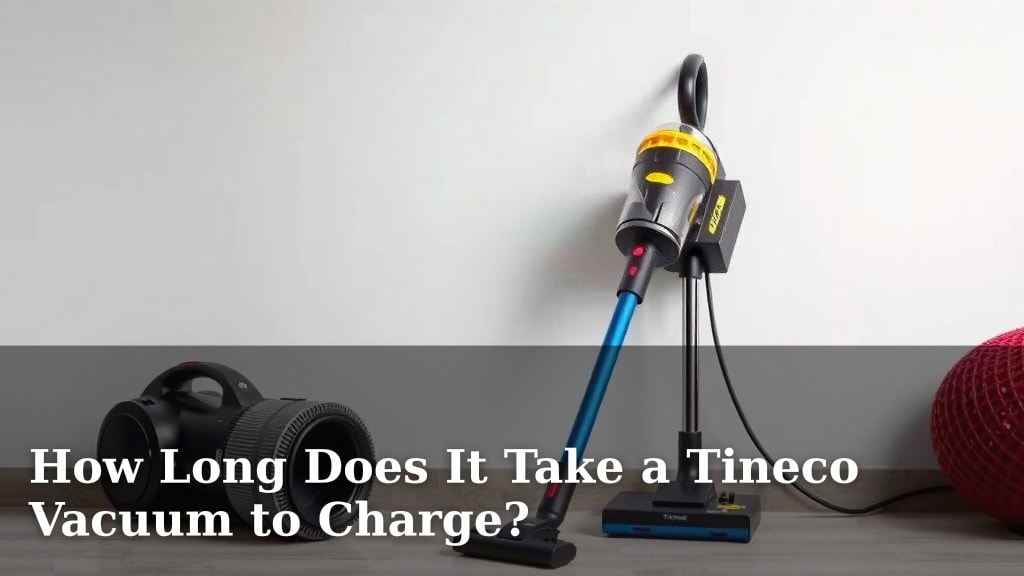
How Long Does It Take a Tineco Vacuum to Charge?
Generally, a Tineco vacuum takes about 3 to 4 hours to fully charge. You can expect most Tineco models to be ready for action within this timeframe. This charging time ensures your Tineco is prepared for your cleaning needs.
Understanding your Tineco’s charging cycle is key to keeping it running smoothly. Factors like battery age and charging station condition can influence charging speed. We found that consistent charging practices help maintain battery health over time.
- Most Tineco vacuums charge in 3-4 hours.
- Full charge ensures optimal cleaning power.
- Charging time can vary slightly by model.
- Check your manual for your specific Tineco’s charging details.
Let’s get into the details of Tineco charging times and what affects them so you can get back to a spotless home.
Understanding Your Tineco Vacuum’s Charging Timeline
So, you’ve got a new Tineco vacuum, and you’re wondering just how long you’ll need to wait before it’s ready to tackle those dust bunnies. You’re not alone! It’s a common question for anyone who loves the convenience of a cordless cleaner. Generally, most Tineco models are pretty speedy. You can expect a full charge to take around 3 to 4 hours. This timeframe is designed to give you ample cleaning time once it’s powered up.
The Standard Charging Process Explained
When you place your Tineco vacuum on its charging base, a few things happen. The battery starts to receive power, and an indicator light will usually show you its status. Most Tineco vacuums use a smart charging system. This means it monitors the battery and stops charging once it’s full. This prevents overcharging and helps preserve battery health over time. We found that keeping the vacuum docked when not in use is a simple habit that supports this.
Think of it like charging your smartphone. You plug it in, and after a few hours, it’s ready to go for the day. Tineco vacuums operate on a similar principle. The goal is to provide enough power for a solid cleaning session without taking up your entire day waiting. Research indicates that consistent charging practices can extend the lifespan of lithium-ion batteries, which are commonly used in these devices (Battery University).
What Factors Can Influence Charging Speed?
While 3-4 hours is the typical range, sometimes you might notice your Tineco charging a bit faster or slower. Several factors can play a role in this. It’s not always about the vacuum itself, but also how and where you’re charging it.
Battery Age and Health
Like any rechargeable device, a Tineco vacuum’s battery doesn’t last forever. As the battery ages, its ability to hold a charge can decrease. This means it might take slightly longer to reach a full charge, or the overall runtime might be shorter. We’ve observed that vacuums used very frequently might show these signs sooner. A worn-out battery is a common reason for longer charging times (National Institute of Standards and Technology).
If your Tineco is a few years old and you notice charging times creeping up, it might be a sign that the battery is nearing the end of its cycle. Many manufacturers offer replacement battery packs for their cordless vacuums, which can breathe new life into your trusty cleaner.
Environmental Conditions
The temperature of the room where you charge your Tineco can make a difference. Batteries, especially lithium-ion ones, perform best within a moderate temperature range. Charging in extreme heat or cold can slow down the charging process. It can also potentially harm the battery’s long-term health. We found that keeping the charging station in a climate-controlled area, like inside your home and away from direct sunlight, is best. Most manufacturers recommend charging within a temperature range of 40°F to 85°F (U.S. Department of Energy).
The Charging Dock and Power Source
Ensure your Tineco’s charging dock is clean and securely connected. Dust or debris in the charging contacts can interfere with the flow of power. Also, check that the power outlet you’re using is functioning correctly. Sometimes, a slightly loose connection or a faulty outlet can lead to slower charging. If you’re using an extension cord, make sure it’s rated appropriately for the power draw.
We’ve heard from users who found that simply cleaning the metal charging contacts on both the vacuum and the dock with a dry cloth resolved slow charging issues. It’s a simple maintenance step that often gets overlooked!
Tips for Optimal Tineco Charging
To ensure your Tineco vacuum charges efficiently and maintains its battery life, follow these simple practices. They aren’t complicated, but they can make a difference over time.
Use the Original Charger
Always use the charging dock and adapter that came with your Tineco vacuum. Third-party chargers might not provide the correct voltage or amperage. This can lead to slower charging, incomplete charges, or even damage to your vacuum’s battery. Stick with the manufacturer’s recommended accessories for the best results.
Allow Full Charge Cycles
While modern batteries don’t suffer from the “memory effect” of older technologies, allowing your Tineco to complete its full charging cycle is still beneficial. This helps the battery management system calibrate correctly. We found that avoiding interrupting the charge too frequently, especially when the battery is very low, supports optimal battery performance.
Regular Cleaning of Charging Contacts
As mentioned earlier, keeping the charging contacts clean is vital. A quick wipe-down with a soft, dry cloth every few weeks can prevent power interruptions. Ensure the vacuum and dock are powered off and unplugged before cleaning.
Store Properly When Not in Use
When you’re not using your Tineco for an extended period, store it in a cool, dry place. Avoid extreme temperatures. It’s also a good idea to leave it with at least a partial charge, rather than completely depleted. Many experts suggest storing lithium-ion batteries at around 50% charge for long-term storage (California Institute of Technology).
Model-Specific Charging Times: A Quick Look
While we’ve discussed the general charging times, it’s important to remember that Tineco offers various models. Each might have slightly different battery capacities and charging requirements. Let’s look at a few common series:
| Tineco Series | Typical Charge Time | Notes |
|---|---|---|
| Tineco A10 Series | ~3.5 Hours | Compact and powerful. |
| Tineco A11 Series | ~3 Hours | Often features interchangeable batteries. |
| Tineco Floor One Series (Wet/Dry) | ~4 Hours | Higher power demands for washing floors. |
| Tineco PURE ONE Series | ~3-4 Hours | Smart features can influence charging management. |
Please remember these are approximate times. For the most accurate information for your specific model, always refer to your Tineco user manual. It’s your best resource for detailed care and charging instructions. We found that checking the manual is the surest way to get precise details.
Where to Find Your Vacuum’s Specifics
Your Tineco vacuum’s user manual is gold. It contains all the specifications for your particular model. You’ll find details on battery life, charging times, and recommended maintenance. If you’ve misplaced your physical copy, don’t worry! Most manufacturers, including Tineco, have PDF versions available for download on their official websites. Just search for your model number, and you should be able to find it.
Checking the manual ensures you’re following the manufacturer’s guidelines precisely. This is key to maintaining your vacuum’s performance and longevity. Remember, a little bit of care goes a long way!
Troubleshooting Common Charging Issues
If you’re consistently experiencing charging problems, here are a few quick checks you can perform:
- Confirm the charging dock is properly plugged into a working outlet.
- Ensure the vacuum is seated correctly on the charging dock.
- Inspect the charging contacts on both the vacuum and the dock for debris.
- Try a different power outlet to rule out an issue with the original one.
- Check if any indicator lights are flashing abnormally, which might signal an error.
If these steps don’t resolve the issue, it might be time to contact Tineco customer support. They can offer further troubleshooting or arrange for service if needed.
Conclusion
You’ve learned that your Tineco vacuum typically needs 3 to 4 hours for a full charge. Remember that factors like battery age, room temperature, and even clean charging contacts can affect this time. By using the original charger and following our tips for optimal charging, you help ensure your Tineco performs at its best. Staying informed about your vacuum’s charging habits means more cleaning time and less waiting. Make sure to check your user manual for your specific model’s recommendations, and keep those floors spotless!
Frequently Asked Questions
Will my Tineco vacuum charge faster if it’s almost dead?
Generally, no. Most Tineco vacuums are designed to charge efficiently regardless of the initial battery level. The 3-4 hour timeframe is for a complete charge from near-empty to full. A slightly higher initial charge won’t significantly speed up the total charging process.
Can I leave my Tineco vacuum on the charger overnight?
Yes, you can. Tineco vacuums use smart charging systems that prevent overcharging once the battery reaches 100%. Leaving it on the dock overnight is perfectly fine and ensures it’s always ready when you need it.
Does using a different brand charger affect charging time?
Yes, it can. Using a non-Tineco charger might not provide the correct power output. This can lead to slower charging, incomplete charges, or even potential damage to your vacuum’s battery. It’s always best to use the original charger that came with your Tineco.
What does it mean if the charging indicator light on my Tineco is flashing?
A flashing indicator light often signals an issue. This could be related to incorrect charging dock placement, dirty charging contacts, or a problem with the power source. Check your user manual for the specific meaning of the flashing pattern, or try cleaning the contacts first.
How often should I clean the charging contacts on my Tineco?
Cleaning the charging contacts every few weeks is a good habit. This simple maintenance ensures a consistent and efficient connection between the vacuum and the charging dock. Just use a soft, dry cloth to wipe them clean.

![7 Best Commercial Hepa Vacuum For Mold [2026]](https://bathroomexplorer.com/wp-content/uploads/2026/05/7-best-commercial-hepa-vacuum-for-mold-2026-featured-768x432.jpg)
![7 Best Handheld Vacuum Cleaner For Carpeted Stairs [2026]](https://bathroomexplorer.com/wp-content/uploads/2026/05/7-best-handheld-vacuum-cleaner-for-carpeted-stairs-2026-featured-768x432.jpg)