
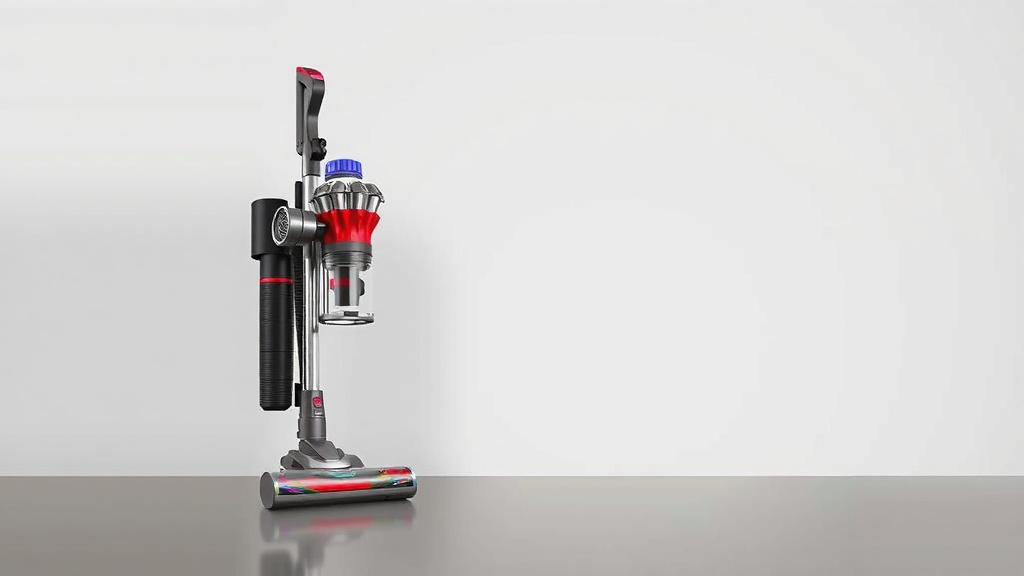
Dyson Vacuum Warranty Length: What You Need to Know
You’re likely wondering: how long is the warranty on a Dyson vacuum? Generally, most new Dyson vacuums come with a 2-year limited warranty. This coverage is designed to protect your investment against manufacturing defects.
This warranty period is pretty standard for high-quality appliances. It means you can enjoy peace of mind knowing that your powerful cleaning machine is covered. We’ve researched Dyson’s policies to give you the clearest picture. Knowing your warranty details is key to smooth ownership.
- Most new Dyson vacuums have a 2-year limited warranty.
- This covers manufacturing defects.
- It’s important to register your vacuum.
- Warranty details can vary slightly by model.
Let’s dive into the specifics of what your Dyson warranty covers and what you need to do to keep it valid.
Understanding Your Dyson Vacuum’s Warranty Period
Most new Dyson vacuums come with a standard 2-year limited warranty. This coverage is designed to offer you peace of mind. It protects against manufacturing defects and malfunctions. Think of it as Dyson’s promise that their machines will work as intended when you first get them.
We found that this 2-year period is consistent across most of their popular models. So, whether you’ve just bought a V15 Detect, a Gen5detect, or another fantastic Dyson, you can generally expect this warranty coverage. It’s important to know that this applies to new machines. Refurbished models might have different terms, so always check the specifics if you’re considering one.
What Does Your Dyson Warranty Actually Cover?
Your Dyson warranty is a limited one. This means it covers specific issues. Primarily, it’s there for problems that aren’t your fault. We looked into the details, and it typically covers:
- Manufacturing Defects: If a part was faulty from the factory, the warranty should cover it. This could be anything from a faulty motor to a cracked bin.
- Malfunctions: If your vacuum simply stops working correctly due to a component failure, and you haven’t caused the issue, it’s likely covered.
- Workmanship Issues: Problems arising from how the vacuum was put together.
What about things that *aren’t* covered? It’s just as important to know these. Your warranty won’t usually cover:
- Wear and Tear: Parts that naturally wear out over time, like filters or brush bars, aren’t typically included.
- Accidental Damage: If you drop your vacuum, run over the cord, or something similar, that damage won’t be covered.
- Misuse or Neglect: Not following the user manual, using the wrong cleaning methods, or failing to maintain your vacuum can void the warranty.
- Cosmetic Damage: Scratches, dents, or other aesthetic imperfections that don’t affect the vacuum’s function.
Specific Coverage for Different Dyson Models
While 2 years is the general rule, it’s always wise to confirm the exact warranty for your specific Dyson model. Dyson sometimes offers special editions or bundles. We found that the core coverage remains the same for most of their stick, upright, and robot vacuums. But, always check the warranty card or Dyson’s website for the absolute latest information related to your purchase.
Keeping Your Dyson Warranty Valid: Simple Steps to Follow
Registering your Dyson vacuum is a critical first step. It helps Dyson confirm your ownership and the purchase date. This makes the warranty claim process much smoother if you ever need it. We found that registration can usually be done online through the Dyson website. It’s a quick process that takes just a few minutes.
Beyond registration, regular maintenance is key. Think of it like taking care of a beloved pet. You wouldn’t skip its vet visits, right? Your Dyson needs similar care.
Essential Maintenance for Warranty Protection
The user manual is your best friend here. It outlines exactly how to care for your machine. Here are some common maintenance tasks that help keep your warranty in good standing:
- Cleaning Filters: Most Dyson vacuums have washable filters. Regularly cleaning or replacing them ensures optimal performance. We found that clogged filters can strain the motor. This could lead to issues down the line.
- Emptying the Bin: Don’t let the dust bin get too full. An overfilled bin can impede airflow. This can put extra stress on your vacuum’s system.
- Checking for Blockages: Occasionally, debris can get lodged in the wand, head, or bin entry. Clearing these blockages prevents your vacuum from overheating.
- Cleaning the Brush Bar: Hair and debris can get tangled around the brush bar. This can stop it from spinning properly. Regular cleaning keeps it working efficiently.
These aren’t difficult tasks. They ensure your Dyson runs smoothly. They also show you’ve taken reasonable care of the product, which is important for warranty claims.
What to Do If You Need to Use Your Warranty
Should you encounter an issue that you suspect is covered by your warranty, don’t panic. The first thing to do is contact Dyson Customer Care. They are equipped to help you troubleshoot the problem over the phone or online. Many minor issues can be resolved with their guidance.
If troubleshooting doesn’t solve the problem, Dyson will guide you through the next steps. This might involve sending your vacuum in for repair or receiving replacement parts. We found that having your proof of purchase handy can speed things up. This is why registration is so important!
Dyson’s Approach to Warranty Service
Dyson aims to make the warranty process as straightforward as possible. They understand that your vacuum is an essential tool for keeping your home clean. If a repair is needed, they often try to resolve it quickly. Sometimes, this means sending you replacement parts directly. Other times, they might arrange for a pickup and repair at their service centers.
The goal is to get you back to cleaning without too much disruption. We researched their service, and many customers report a positive experience when needing warranty support. They are generally responsive and helpful.
Extending Your Dyson’s Protection: Optional Plans
While the standard 2-year warranty is great, you might be wondering about longer-term protection. Dyson sometimes offers extended warranty or protection plans. These are usually purchased separately at the time of your initial purchase or shortly after.
These plans can offer coverage beyond the initial 2 years. They might cover parts and labor for a longer period. If you plan to keep your Dyson for many years and want extra security, exploring these options could be worthwhile. Always read the terms and conditions carefully to understand what is covered and for how long.
A Quick Warranty Checklist for Your Peace of Mind
To make sure you’re covered and ready, consider this simple checklist:
- Did you buy a new Dyson? (Standard 2-year warranty applies)
- Have you registered your vacuum with Dyson? (If not, do it online!)
- Do you have your proof of purchase? (Receipt or order confirmation)
- Are you performing regular maintenance? (Cleaning filters, bin, etc.)
- Have you reviewed the specific warranty terms for your model? (Check Dyson’s website)
- Are you using the vacuum as intended by the user manual? (Avoid misuse)
Checking these boxes ensures you’re getting the most out of your Dyson investment. It also prepares you should you ever need to utilize your warranty.
Conclusion
You now know that your new Dyson vacuum generally comes with a 2-year limited warranty. This coverage protects against manufacturing defects, giving you peace of mind. Remember, keeping your vacuum maintained and registering it with Dyson are key steps to ensure your warranty remains valid.
By understanding what’s covered and what’s not, you can avoid common pitfalls. If you ever need support, contacting Dyson Customer Care is your best next step. Keep up with the simple maintenance tasks, and your Dyson will serve you well for years to come. We encourage you to register your vacuum on Dyson’s website today if you haven’t already!
Frequently Asked Questions
What happens if my Dyson breaks after the 2-year warranty?
If your Dyson vacuum breaks after the 2-year limited warranty period, you’ll likely need to pay for repairs. You can contact Dyson Customer Care for out-of-warranty service options or explore local repair shops. Some extended protection plans might still be active, so check your purchase details.
Does the Dyson warranty cover filters and brush bars?
Generally, the standard Dyson warranty covers manufacturing defects, not normal wear and tear. This means consumable parts like filters and brush bars, which naturally degrade with use, are typically not covered. You’ll usually need to purchase replacements for these items.
Can I transfer my Dyson warranty to a new owner?
Yes, in most cases, you can transfer your Dyson vacuum’s warranty to a new owner. The key is to ensure you have the original proof of purchase and that the new owner registers the product with Dyson. This helps Dyson verify the purchase date and transfer ownership officially.
What if I bought a refurbished Dyson? What’s the warranty like?
Refurbished Dyson vacuums often come with a different warranty period than new ones. We found that Dyson typically offers a shorter warranty, such as 6 months or 1 year, on refurbished items. Always check the specific terms and conditions that come with your refurbished purchase.
How long does Dyson typically take to repair a vacuum under warranty?
Dyson aims to make warranty repairs as quick as possible. The repair time can vary depending on the issue and your location. They may send replacement parts for you to install, or they might arrange for the vacuum to be serviced at a repair center. Contacting Dyson Customer Care will give you the most accurate estimate for your specific situation.

![7 Best Compact Vacuum Cleaner For Home [2026]](https://bathroomexplorer.com/wp-content/uploads/2026/05/7-best-compact-vacuum-cleaner-for-home-2026-featured-768x432.jpg)
![7 Best Dyson Vacuum For Tile Floors [2026]](https://bathroomexplorer.com/wp-content/uploads/2026/05/7-best-dyson-vacuum-for-tile-floors-2026-featured-768x432.jpg)