
How Often to Empty Your Robot Vacuum Bin
You typically need to empty your robot vacuum’s dustbin every 1-3 cleaning cycles, depending on its size and your home’s dirtiness. For households with pets or a lot of foot traffic, you might need to empty it daily. Smaller bins fill up faster, so checking it after each run is a good habit.
Ignoring this simple task can lead to your robot vacuum not cleaning effectively. A full bin means it can’t pick up new debris. Many newer models come with self-emptying bases, which drastically reduce how often you interact with the dustbin itself. This feature can make a huge difference in your cleaning routine.
- Empty the bin every 1-3 cleanings.
- Check more often with pets or heavy traffic.
- A full bin stops it from cleaning well.
- Self-emptying bases are a big time-saver.
Let’s dive into what really determines how often you’ll be emptying that little dustbin and how to keep your robot helper working its best.
How Often Should You Really Empty Your Robot Vacuum Bin?
You’ve got your trusty robot vacuum humming away, doing its thing. But a question pops into your head: how often does that little dustbin actually need emptying? We found that the answer isn’t a simple “once a week.” It really depends on a few key things.
Understanding Your Robot Vacuum’s Capacity
Think of your robot vacuum’s dustbin like a tiny trash can. The smaller it is, the more often you’ll need to take out the trash, right?
Dustbin Size Matters
Robot vacuums come with bins of varying sizes. Some might be as small as 0.3 liters, while others can hold up to 0.7 liters or more. A larger bin can often go longer between emptying. This means fewer interruptions to your robot’s cleaning schedule.
Self-Emptying Bases: The Game Changer
This is where technology really shines. Many newer robot vacuums now come with a self-emptying base. You know, that larger station the robot docks with? It actually sucks the debris right out of the robot’s bin into a larger bag or container within the base. We found this feature dramatically cuts down on how often you interact with the small robot dustbin. Instead of every few cleanings, you might only need to empty the base station’s bag every 30 to 60 days, depending on your home.
Factors That Affect How Often You Empty
Beyond the size of the bin, several household factors play a huge role. These can turn a simple “every few days” into a daily chore.
Your Household’s Foot Traffic
Do you have a busy household? Think lots of people coming and going, kids running around, or maybe even a home-based business. More feet on the floor mean more dirt, dust, and debris tracked inside.
High-Traffic Zones
Entryways, kitchens, and living rooms are often high-traffic areas. Your robot vacuum will likely pick up much more from these spots. If these are key areas for your robot, expect to empty its bin more frequently. We found that homes with consistent daily foot traffic might need their bins emptied after almost every cleaning cycle.
The Presence of Pets
Ah, our furry friends. We love them, but they do shed! If you have dogs or cats, pet hair is probably a big part of what your robot vacuum is collecting.
Pet Hair Impact
Pet hair can fill up a dustbin very quickly. It tends to clump together and take up more space than fine dust. For homes with one pet, you might need to empty the bin every 1-2 cleaning cycles. With multiple pets, daily emptying could become the norm. We found that pet owners often have to check the bin after each run, especially during shedding season.
Allergies and Air Quality Concerns
If you or someone in your home suffers from allergies or asthma, keeping that dustbin empty is extra important. A full bin can’t effectively capture more allergens.
The Role of HEPA Filters
Many robot vacuums use HEPA filters to trap tiny particles. When the dustbin is full, the airflow decreases. This means less debris is pulled into the bin, and more dust and allergens can be recirculated into the air. Many experts say that keeping the bin clear helps maintain good indoor air quality (CDC). This is especially true if you’re using a robot vacuum for allergy relief.
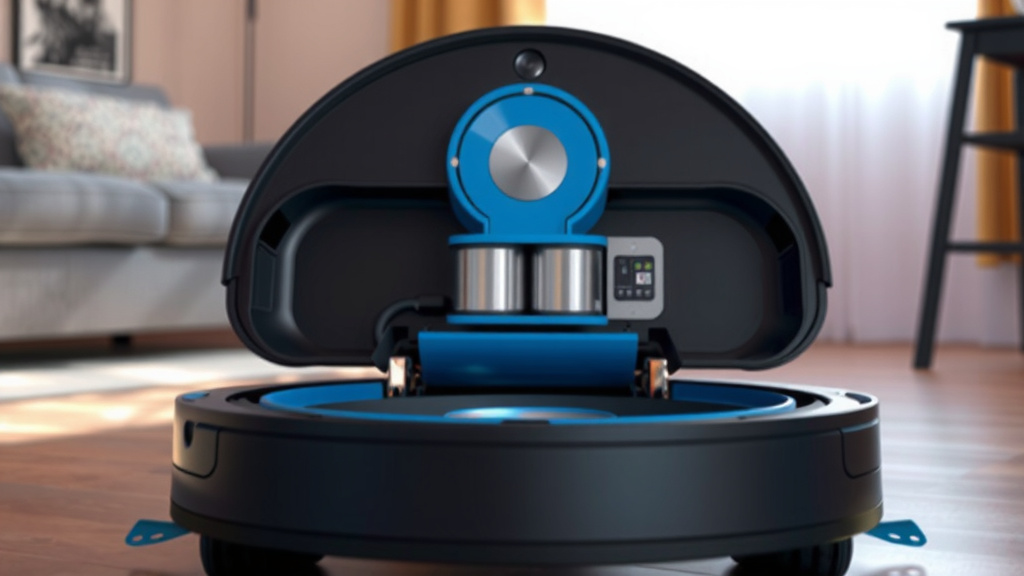
When to Empty Your Robot Vacuum’s Dustbin: A Quick Guide
So, how do you know for sure when it’s time? It’s usually a combination of observation and routine.
Regular Checks are Key
The best approach is to make it a habit. Don’t just assume your robot can handle another cleaning cycle if you haven’t checked the bin.
Visual Inspection
Many robot vacuums have a transparent dustbin, making it easy to see how full it is. If it looks more than two-thirds full, it’s probably time to empty it. You don’t want it to get so full that debris starts falling out when you remove it.
Listening for Changes
Sometimes, you can even hear the difference. If your robot sounds like it’s struggling or making more noise than usual, a full dustbin could be the culprit. Reduced suction power is another tell-tale sign.
Checklist for Optimal Bin Emptying
Here’s a simple checklist to help you stay on top of things:
- Check the bin after every cleaning cycle if you have pets or high traffic.
- Visually inspect the bin every 2-3 cleaning cycles for most households.
- Empty the bin immediately if you notice reduced suction power.
- Clean the dustbin itself and its filter regularly (check your manual!).
- If you have a self-emptying base, check the base’s dust bag/container monthly.
- Don’t let the bin get completely packed – aim to empty it when it’s about 2/3 full.
| Household Type | Typical Emptying Frequency (Robot Bin) | Self-Emptying Base Frequency |
|---|---|---|
| Low Traffic, No Pets | Every 3-5 cleaning cycles | Every 45-60 days |
| Average Traffic, 1 Pet | Every 1-3 cleaning cycles | Every 30-45 days |
| High Traffic, Multiple Pets | Daily or after each cleaning cycle | Every 20-30 days |
| Allergy Sufferers | Every 1-2 cleaning cycles | Every 30 days (or more often if needed) |
Conclusion
Keeping your robot vacuum’s dustbin clean is key to its performance. You’ve learned that emptying frequency isn’t one-size-fits-all. It depends on your dustbin size, pet presence, and household traffic. Self-emptying bases offer a significant convenience, reducing your interaction to monthly tasks. For standard bins, regular visual checks are your best bet. Make a habit of checking the bin after a few cycles, or sooner if you notice changes. Your robot works best when it’s not struggling with a full container, ensuring a cleaner home.
Frequently Asked Questions
How often should I empty my robot vacuum if I don’t have pets?
For homes without pets and average foot traffic, you can typically empty the robot vacuum’s dustbin every 3 to 5 cleaning cycles. A visual check is still recommended every couple of cycles to ensure it’s not getting too full and affecting performance.
What happens if I forget to empty the robot vacuum’s dustbin?
If you forget to empty the dustbin, your robot vacuum will eventually stop cleaning effectively. It won’t be able to pick up new dirt and debris. In some cases, it might even return to its dock without completing the cycle.
Does a self-emptying base eliminate the need to clean the robot’s dustbin at all?
No, a self-emptying base doesn’t eliminate cleaning the robot’s dustbin entirely. The base itself will have a larger bag or container that needs emptying, usually monthly. You may still need to occasionally remove and clean the robot’s smaller dustbin and its filter for optimal function.
My robot vacuum seems to be losing suction. Could the dustbin be too full?
Yes, a common reason for reduced suction power is a full dustbin. When the bin is packed, airflow is restricted, preventing the vacuum from pulling in dirt effectively. Checking and emptying the bin is the first step to resolving this issue.
How do I know if my robot vacuum’s dustbin is transparent?
Many robot vacuum dustbins are made of clear or semi-transparent plastic, allowing you to see the level of debris inside. If you can easily see the dirt and dust without removing the bin, it’s considered transparent and makes checking its fullness much simpler.


![7 Best Dirt Devil Vacuum For Carpet [2026]](https://bathroomexplorer.com/wp-content/uploads/2026/05/7-best-dirt-devil-vacuum-for-carpet-2026-featured-768x432.jpg)


![7 Best Manual Vacuum For Pool [2026]](https://bathroomexplorer.com/wp-content/uploads/2026/06/7-best-manual-vacuum-for-pool-2026-featured-768x432.jpg)