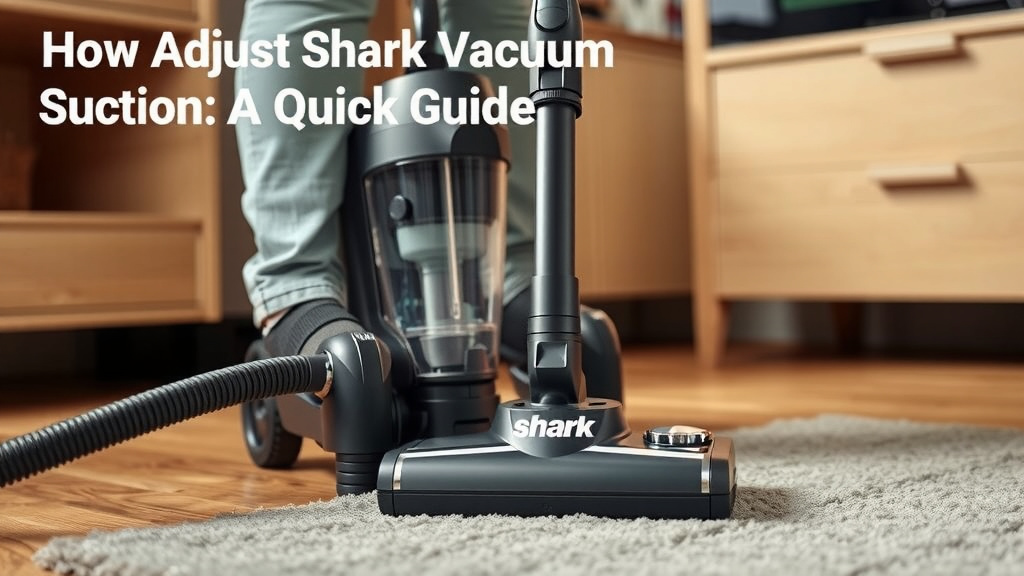
Adjust Shark Vacuum Suction: A Quick Guide
Adjusting the suction on your Shark vacuum is usually quite simple. You can typically change the suction power right on the handle or near the floorhead, depending on your specific Shark model. This allows you to easily adapt your vacuum for different surfaces, from plush carpets to delicate hardwoods.
Getting the suction just right makes a big difference in cleaning efficiency. Too much suction can make it hard to push on thick carpets, while too little won’t pick up embedded dirt. Many Shark vacuums have a suction control feature to help you find that perfect balance for every cleaning task. We found that using the correct setting can dramatically improve cleaning results.
TL;DR:
- Most Shark vacuums let you adjust suction directly on the handle or floorhead.
- Different surfaces often need different suction levels for best cleaning.
- Too much suction can make carpets hard to vacuum.
- Too little suction might not pick up all the dirt.
- Adjusting suction helps clean more effectively and easily.
Ready to find out exactly where that dial is on your Shark? Let’s walk through how to get your vacuum’s suction dialed in perfectly for your home.
Tuning Your Shark Vacuum’s Suction Power
Adjusting the suction on your Shark vacuum is a key step for optimal cleaning. It helps you tackle different messes on various surfaces. You want the right amount of power. Too much can bog you down. Too little leaves dirt behind. Let’s get this dialed in.
Locating Your Vacuum’s Suction Control
The location of the suction control varies by Shark model. Many have it conveniently placed. You might find it right on the vacuum’s handle. Other models place it near the floorhead. Check your vacuum’s manual if you’re unsure. It’s often a dial or a slider.
Suction Controls on the Handle
When the control is on the handle, it’s super easy to reach. You can change settings mid-clean. This is handy if you move from carpet to hard floors. Look for a small dial or button. It might have markings like “Min” and “Max.” Some have specific settings for different floor types.
Suction Controls Near the Floorhead
On some models, the adjustment is lower down. You’ll find it on or very close to the main cleaning head. This setup is common on upright vacuums. You might need to bend down slightly. This is still straightforward. You just reach down and turn the knob or slide the lever. Research shows this placement allows for precise control of airflow at the point of contact.
Understanding Suction Settings for Different Surfaces
Different floor types require different suction levels. Getting this right makes your vacuum work better. It also protects your floors and the vacuum itself.
High Pile Carpets and Rugs
For deep, plush carpets, you’ll want a lower suction setting. High suction can create too much drag. It makes pushing the vacuum difficult. It can even flatten the carpet fibers. A gentler pull allows the brush roll to agitate effectively. We found that reducing suction here makes a big difference in maneuverability. It’s like trying to push a boat against a strong current.
Low Pile Carpets and Area Rugs
Medium suction often works best for shorter carpets. This provides enough power to lift dirt. It doesn’t create excessive resistance. You’ll still get good agitation. This setting is a good balance. You can clean thoroughly without straining.
Hardwood Floors and Tile
Hard surfaces need a lower suction setting. High suction can sometimes “stick” the vacuum to the floor. This makes it hard to move. It can also scatter lighter debris. A lower setting allows the brush roll to sweep effectively. It picks up dust and crumbs without pushing them around. Think of it as a gentle broom rather than a powerful blast.
Delicate Surfaces
For very delicate items, like certain area rugs or even upholstery with a cleaning attachment, you might need the lowest setting. This prevents any potential damage. Always consult your vacuum’s manual for specific recommendations on delicate materials.
Troubleshooting Suction Issues
Sometimes, even with the correct setting, your vacuum might not perform as expected. It’s good to know what to check.
Clogged Filters
A dirty or clogged filter is a common culprit. It restricts airflow, reducing suction. Most Shark vacuums have washable filters. Check your manual for instructions on cleaning or replacing them. Many guidelines point to regular filter maintenance as key for strong suction (Shark Cleaning Tips).
Blocked Hoses or Nozzles
Debris can get lodged in the hose or cleaning head. This blockage prevents air from moving freely. You might hear a change in the motor sound. Try to visually inspect the hose and nozzle. Carefully remove any obstructions you find. A clear path is essential for good suction.
Full Dust Cup or Bin
An overflowing dust cup or bin will also reduce suction. Empty it regularly. It’s a simple step that makes a big impact on performance. We found that emptying the bin before each use is a good habit.
Quick Checklist for Adjusting Your Shark Vacuum’s Suction
- Identify your Shark model’s suction control location.
- Test suction on a small area of carpet.
- Adjust lower for deep carpets if it’s too hard to push.
- Use higher suction for embedded dirt on low pile carpets.
- Lower suction significantly for hard floors to prevent sticking.
- Check filters and hoses if suction seems weak.
Finding the Sweet Spot for Your Home
Finding the perfect suction setting is a learned skill. It comes with a little practice. Pay attention to how your vacuum feels and sounds. You’ll soon become an expert at adjusting it. Your floors will thank you for it!
Conclusion
You’ve learned how to fine-tune your Shark vacuum’s suction power for a cleaner, more efficient home. Remember, adjusting suction isn’t just about making it easier to push; it’s about optimizing cleaning performance on every surface. From deep carpets to delicate hardwoods, the right setting makes all the difference. If you notice a drop in performance, simple checks like cleaning filters or emptying the bin can often restore peak suction. Now, take a moment to locate your vacuum’s control and try a different setting on your main floor type. You’ll likely feel the improvement immediately!
Frequently Asked Questions
Where is the suction control on most Shark vacuums?
The suction control is usually found on the handle of your Shark vacuum for easy access. Some models may have it located near the floorhead. Always refer to your specific model’s manual if you can’t find it.
Can I adjust suction on all Shark vacuum models?
Most modern Shark vacuums are equipped with a suction adjustment feature. However, very basic or older models might not have this capability. It’s best to check your vacuum’s documentation or Shark’s official website for your model’s specifications.
What happens if I use too much suction on my carpet?
Using too much suction on carpets, especially high-pile ones, can make the vacuum very difficult to push. It can also flatten carpet fibers over time, potentially causing damage. We found that reducing suction is key for maneuverability on plush carpets.
Is it okay to use the highest suction setting on hardwood floors?
Generally, it’s recommended to use a lower suction setting on hardwood floors and other hard surfaces. High suction can cause the vacuum to stick to the floor, making it hard to move and potentially scattering lighter debris. A gentler setting allows the brush roll to work effectively.
My Shark vacuum’s suction seems weak, even on the highest setting. What should I do?
If your vacuum’s suction feels weak, first ensure the dust cup or bin is empty and the filters are clean or replaced. Also, check the hose and floorhead for any blockages or debris that might be restricting airflow. Regular maintenance is often the solution.