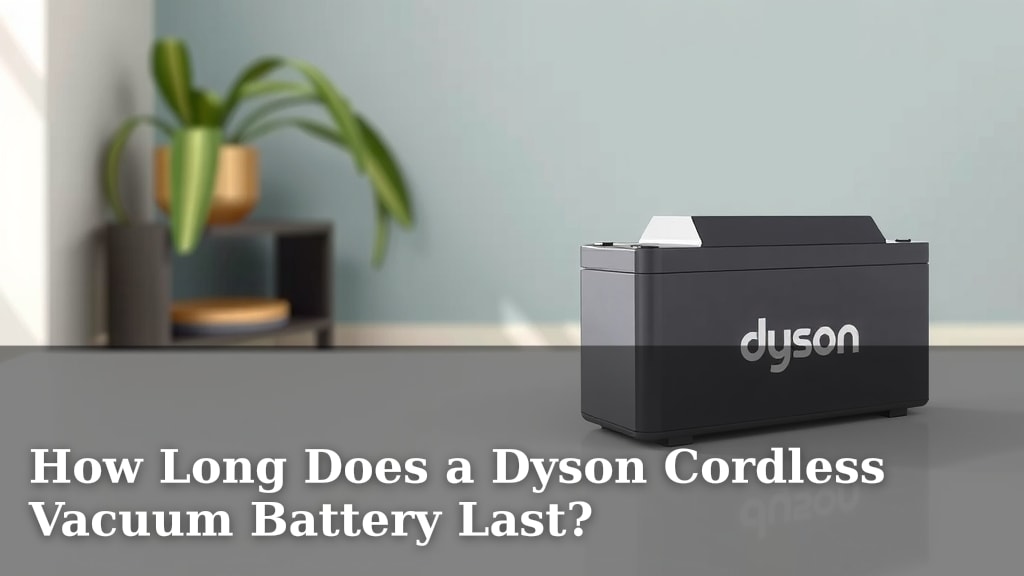
How Long Does a Dyson Cordless Vacuum Battery Last?
Wondering how long your Dyson cordless vacuum battery actually lasts? You can expect around 60 minutes of run time on a standard model in eco mode, but this can be much less depending on the Dyson model and the cleaning mode you select. So, your vacuum’s battery life isn’t always a simple number; it’s a bit more of a moving target.
The exact runtime for your Dyson cordless vacuum battery really depends on a few things. Things like the specific model you own, the power mode you’re using, and even the type of debris you’re cleaning up can all play a role. Understanding these factors helps you know what to expect for your cleaning sessions.
- Dyson cordless battery life varies by model and power mode.
- Expect around 60 minutes in eco mode for many models.
- Higher power modes will drain the battery much faster.
- Older batteries might not hold a charge as long.
We’ve researched the typical runtimes and the factors that affect them. Below, we’ll break down what you need to know about your Dyson cordless vacuum’s battery life so you can clean your home with confidence.
Understanding Your Dyson Cordless Battery’s Runtime
So, you’re curious about how long your Dyson cordless vacuum battery will actually keep going? It’s a question many of us have, especially when you’ve got a big cleaning job ahead. We’ve dug into the details to give you a clear picture.
The Official Dyson Battery Life Specs
Dyson advertises up to 60 minutes of fade-free suction on many of their cordless models. This is usually based on using the vacuum on its lowest power setting (often called Eco mode) with a non-motorized tool attached. This is your best bet for maximizing battery life.
However, this 60-minute figure is often the absolute maximum. Think of it like the mileage you see on a new car sticker – it’s under ideal conditions. Your actual cleaning time will likely be a bit less, and that’s perfectly normal.
Factors That Impact Real-World Run Time
Several factors influence how quickly your battery drains. Understanding these can help you plan your cleaning sessions more effectively. It’s not just about the model you own; your cleaning habits play a big role too.
The type of cleaning you’re doing matters. Picking up light dust bunnies won’t use as much power as sucking up heavier debris like cereal or pet food. The vacuum’s motor has to work harder for tougher jobs.
Also, the specific Dyson model you have makes a difference. Newer models often have more advanced battery technology and improved efficiency compared to older ones. The battery capacity itself can vary between different Dyson series.
Power Modes and Their Battery Drain
This is perhaps the most significant factor affecting your Dyson’s battery life. Every Dyson cordless vacuum comes with different power modes, each designed for a specific cleaning task. Jumping between them changes how fast your battery drains.
Eco Mode: The Battery Saver
As mentioned, Eco mode is designed for efficiency. It provides the gentlest suction, which means the motor uses the least amount of power. This is your go-to for general dusting, light debris on hard floors, or when you have a lot of area to cover and want to conserve battery.
Auto/Medium Mode: The Balanced Approach
Many Dyson models offer an Auto or Medium mode. This mode intelligently adjusts suction power based on the floor type and the amount of debris it detects. It’s a good compromise, offering more power for tougher spots while still trying to be somewhat battery-conscious. You’ll get less runtime than Eco mode, but more than the highest setting.
Boost Mode: Maximum Power, Minimum Time
The Boost mode (sometimes called Max mode) is where your Dyson really shows its power. This setting delivers the strongest suction, ideal for deep cleaning carpets or tackling stubborn, ground-in dirt. However, this high performance comes at a significant cost to your battery. You might only get 5-15 minutes of runtime in this mode, depending on your specific model and the intensity of the cleaning.
Battery Health and Age: A Natural Decline
Just like the battery in your smartphone or laptop, your Dyson’s battery isn’t immune to the effects of time and use. Batteries are consumables, and their capacity to hold a charge will naturally decrease over time.
If your Dyson is a few years old, you might notice that it doesn’t last as long as it used to, even on the lowest setting. This is a common experience. The internal chemical components degrade with each charge cycle and with exposure to heat or extreme temperatures.
Recognizing a Worn-Out Battery
When your battery starts to wear out, you might notice a few signs. The most obvious is a shorter overall run time. It might also shut off unexpectedly, even when it indicates there’s still charge left. Some models might display an error code related to the battery.
If you’ve tried charging it fully and are still experiencing significantly reduced run times, it might be time to consider a replacement battery. Many users find that replacing the battery can breathe new life into an older Dyson vacuum.
How to Get the Most Out of Your Dyson Battery
Want to make sure you get the longest cleaning sessions possible from your Dyson cordless vacuum? A few simple strategies can help you maximize battery performance and longevity.
Always use the appropriate power mode for the task at hand. Don’t use Boost mode for everyday dusting; Eco or Auto will do the job just fine and save your battery for when you really need it.
Keep your vacuum clean and well-maintained. A clogged filter or a brush bar full of hair can make the motor work harder, draining the battery faster. Regularly clean your filters and check the brush bar.
Proper charging habits can also help. While modern lithium-ion batteries are quite forgiving, avoiding extreme temperatures (both hot and cold) when charging and storing your vacuum can be beneficial. Dyson recommends storing your vacuum at room temperature.
Here’s a quick checklist to help you:
- Use Eco mode for general cleaning whenever possible.
- Switch to higher modes only when necessary for tough messes.
- Keep filters clean and unclogged.
- Ensure the brush bar is free of hair and debris.
- Store your vacuum at room temperature.
- Consider a battery upgrade if performance has significantly dropped.
Conclusion
Your Dyson cordless vacuum battery life is a dynamic thing. We’ve found that while Dyson advertises up to 60 minutes, your real-world use depends heavily on the power mode you select and the cleaning task at hand. Remember that older batteries will naturally hold less of a charge.
By selecting the right power mode and keeping your vacuum well-maintained, you can maximize every cleaning session. If you’re noticing a significant drop in performance, it might be time to consider replacing the battery to get your Dyson running like new again. Plan your cleaning based on these factors to avoid unexpected power loss.
Frequently Asked Questions
How can I tell if my Dyson battery needs replacing?
You’ll likely notice a significantly shorter run time, even on the lowest setting. Your vacuum might also shut off unexpectedly before the battery is depleted. Some Dyson models may display a specific battery error code on the screen.
Can I use a third-party battery for my Dyson?
While third-party batteries are available, we advise sticking to genuine Dyson replacements. Third-party batteries may not perform as reliably, could potentially damage your vacuum, and may void your warranty.
Does temperature affect my Dyson’s battery life?
Yes, extreme temperatures can impact battery performance. Dyson recommends charging and storing your vacuum at room temperature. Very hot or very cold conditions can degrade the battery faster and reduce its immediate charge capacity.
How often should I charge my Dyson cordless vacuum?
You don’t need to fully drain your Dyson battery before charging it. Modern lithium-ion batteries handle partial charges well. It’s best to charge it whenever it’s convenient, ideally before it gets critically low, to ensure it’s ready for your next cleaning session.
Will cleaning the filters help my battery last longer?
Absolutely. Clogged filters restrict airflow, making your vacuum’s motor work harder. This increased effort drains the battery more quickly. Regularly cleaning or replacing your filters ensures optimal performance and helps conserve battery power.
![7 Best Lightweight Vacuum For Hardwood Floors And Pet Hair [2026]](https://bathroomexplorer.com/wp-content/uploads/2026/06/7-best-lightweight-vacuum-for-hardwood-floors-and-pet-hair-2026-featured-768x432.jpg)
![7 Best Cordless Vacuum For Rugs And Hardwood Floors [2026]](https://bathroomexplorer.com/wp-content/uploads/2026/05/7-best-cordless-vacuum-for-rugs-and-hardwood-floors-2026-featured-768x432.jpg)
![7 Best Handheld Vacuum For Pet Hair On Sofa [2026]](https://bathroomexplorer.com/wp-content/uploads/2026/05/7-best-handheld-vacuum-for-pet-hair-on-sofa-2026-featured-768x432.jpg)