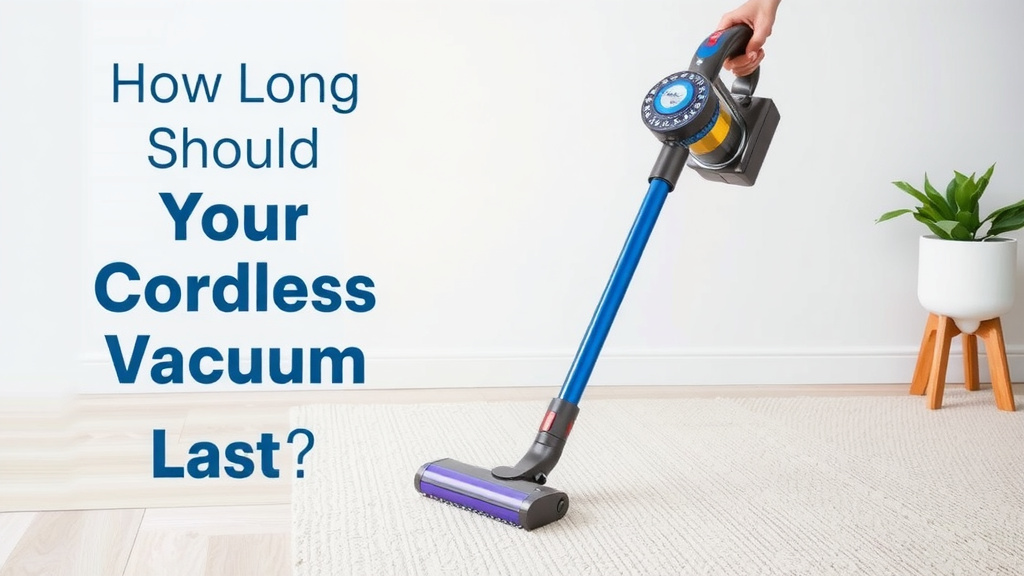
How Long Should Your Cordless Vacuum Last?
Generally, you can expect a cordless vacuum cleaner to last between 5 to 10 years. This lifespan depends heavily on factors like the quality of the vacuum, how often you use it, and how well you maintain its battery and components. Think of it like a car; a well-maintained one will serve you longer.
While the motor and body are built to endure, the battery is often the first part to show its age. Degraded battery life can significantly shorten your cleaning sessions. We found that regular charging habits and avoiding extreme temperatures play a big role in battery health, impacting your vacuum’s overall longevity.
TL;DR:
- Cordless vacuums typically last 5-10 years.
- Battery life is a key factor in vacuum lifespan.
- Regular maintenance extends your vacuum’s life.
- Higher-quality models tend to last longer.
- Battery replacement can extend its usable life.
Let’s dive into what really influences how long your trusty cordless vacuum will stick around and what you can do to help it last.
“`htmlHow Long Can You Expect Your Cordless Vacuum to Last?
Generally, a cordless vacuum cleaner is designed to last between 5 to 10 years. This lifespan is a general guideline. It’s influenced by several key elements. These include the initial quality of the vacuum, your usage habits, and how diligently you perform maintenance. Think of it like caring for any appliance; a little attention goes a long way in extending its life.
What Affects Your Cordless Vacuum’s Lifespan?
Several factors play a role in how long your cordless vacuum will keep cleaning effectively. We’ve broken down the most common influences below.
The Battery: The Heartbeat of Your Cordless Vacuum
The battery is often the first component to show wear and tear. Cordless vacuums rely on rechargeable batteries, typically Lithium-ion. These batteries have a finite number of charge cycles. Over time, they naturally degrade. This means they hold less charge.
You might notice your vacuum runs for shorter periods. This is a common sign of battery aging. Many experts say that a battery might start showing noticeable degradation after 2-3 years of regular use (Battery University). It doesn’t mean your vacuum is done, though!
Battery Care for Longevity
Your charging habits significantly impact battery health. Avoid letting the battery completely drain often. It’s better to recharge when it’s around 20% capacity. Also, try not to leave it plugged in for excessively long periods after it’s fully charged.
Extreme temperatures can also harm batteries. Don’t store your vacuum in a very hot garage or a freezing shed. Keeping it in a moderate indoor environment helps preserve its battery life. Many manufacturers recommend storing batteries at room temperature.
Motor Quality and Durability
The motor is the engine of your vacuum. Higher-quality vacuums often feature more robust motors. These are built to withstand more demanding use over time. A well-built motor is less likely to overheat or fail prematurely.
We found that premium brands often invest more in motor technology. This can translate to a longer-lasting machine overall. While the motor is typically very durable, extreme dust buildup can put extra strain on it. Regular cleaning of filters and brush heads is essential.
Build Materials and Design
The materials used in the vacuum’s construction matter. Vacuums made with sturdy plastics and durable metal components tend to fare better. Cheaper models might use flimsier materials that can crack or break with minor impacts.
The overall design also contributes. Consider how easily parts can be accessed for cleaning or replacement. A thoughtful design means you can maintain it more effectively, which, in turn, extends its life.
Usage Frequency and Intensity
How often do you use your vacuum? Daily cleanups in a busy household will put more wear on the machine than weekly dusting in a smaller apartment. Using your vacuum for its intended purpose is key.
Trying to vacuum up large debris or water can severely damage internal components. Always check your user manual for what your vacuum is designed to handle. Overexerting it can lead to premature failure, especially for the motor and battery.
Maintenance: Your Secret Weapon for a Longer-Lasting Vacuum
Regular upkeep is probably the most important factor you can control. Think of it as giving your vacuum a spa day! It keeps everything running smoothly.
Filter Cleaning and Replacement
Clogged filters restrict airflow. This makes the motor work harder. It can lead to overheating and reduced suction power. Most vacuums have washable filters. Rinse them thoroughly and let them air dry completely before putting them back.
Some filters are not washable and need to be replaced periodically. Your user manual will specify the recommended replacement schedule. This is usually every 6-12 months, depending on usage (Good Housekeeping Institute). Clean filters are vital for both performance and longevity.
Brush Roll Care
Hair, threads, and debris can get tangled in the brush roll. This can jam the motor that spins it. It also reduces its ability to pick up dirt effectively. Periodically check the brush roll and carefully cut away any tangled material.
Some brush rolls are designed to be easily removed for cleaning. If yours is, take advantage of that feature! A clean brush roll spins freely and does a much better job.
Emptying the Dustbin
Don’t wait until the dustbin is overflowing. A full bin reduces suction power. It can also cause dust to be blown back into the air or enter the motor. Empty it after each use or whenever it reaches the maximum fill line.
General Cleaning and Inspection
Take a few minutes each month to wipe down the exterior. Check for any loose parts or damage. Ensure all connections are secure. A quick visual inspection can catch small issues before they become big problems.
When Is It Time for a New Battery or Vacuum?
Sometimes, even with the best care, parts wear out. The battery is the most common culprit for a cordless vacuum nearing the end of its useful life.
Can You Replace the Battery?
Many manufacturers offer replacement batteries for their cordless models. This can be a cost-effective way to extend your vacuum’s life. If your vacuum still runs well but the battery life is poor, check if a replacement is available.
We found that replacing a battery can often give a vacuum a second life of several more years. This avoids the cost and waste of buying a whole new unit. Always use genuine replacement parts from the manufacturer.
Signs It’s Time for a New Vacuum
If the battery is no longer available, or if the vacuum has multiple issues (e.g., motor problems, cracked housing, poor performance even with maintenance), it might be time for an upgrade. When the cost of repairs or replacement parts exceeds a significant portion of a new vacuum’s price, that’s a strong indicator.
Consider these points:
- Is suction power significantly reduced, even after cleaning filters and checking for blockages?
- Does the vacuum frequently overheat?
- Are there cracks or significant damage to the body?
- Is the battery no longer holding any charge, and is a replacement unavailable or too costly?
- Does the motor make strange noises or seem weak?
These are all signs that your trusty cleaning companion might be ready for retirement. But with good care, you can push that day back considerably!
“`Conclusion
You can expect your cordless vacuum to serve you well for 5 to 10 years with proper care. Remember, the battery is the most common component to degrade first, but don’t let that signal the end of its useful life. Simple, consistent maintenance like cleaning filters, clearing the brush roll, and smart charging habits are your best tools.
If the battery does give out, check for replacement options. It can often give your vacuum a new lease on life without the expense of a new unit. Treat your vacuum well, and it will keep your home cleaner for years to come!
Frequently Asked Questions
How often should I charge my cordless vacuum battery?
Avoid letting the battery completely drain regularly. It’s generally best to recharge when the battery reaches around 20% capacity. Try not to leave it plugged in for excessively long periods after it’s fully charged to prolong battery health.
Can I use my cordless vacuum on wet surfaces?
Most cordless vacuums are designed for dry debris only. Using them on wet surfaces can cause significant damage to the motor and internal components. Always check your user manual to understand your vacuum’s limitations.
What does “degraded battery life” mean for my vacuum?
Degraded battery life means the battery can no longer hold as much charge as it used to. You’ll notice your vacuum runs for much shorter periods on a single charge. This is a natural part of battery aging after many cycles.
Are more expensive cordless vacuums really built to last longer?
Generally, yes. Higher-quality models often use more durable build materials and more robust motors. Manufacturers of premium vacuums tend to invest more in longevity, which can translate to a longer lifespan for the unit.
How important is it to clean the filters on my cordless vacuum?
Cleaning your filters is very important for both performance and longevity. Clogged filters restrict airflow, making the motor work harder and potentially overheat. Regularly cleaning or replacing filters ensures optimal suction and prevents unnecessary strain on your vacuum.
![7 Best Cordless Stick Vacuum For Hair [2026]](https://bathroomexplorer.com/wp-content/uploads/2026/05/7-best-cordless-stick-vacuum-for-hair-2026-featured-768x432.jpg)
![7 Best Commercial Vacuum Sealer For Fish [2026]](https://bathroomexplorer.com/wp-content/uploads/2026/05/7-best-commercial-vacuum-sealer-for-fish-2026-featured-768x432.jpg)