How Long Should Your Dyson Stick Vacuum Last?
A Dyson stick vacuum can last anywhere from 5 to 10 years, depending on how well you care for it. Regular maintenance and proper charging habits are key to maximizing your Dyson’s lifespan. While some parts, like batteries, may need replacing sooner, the core vacuum unit is built for durability.
Many factors influence how long your vacuum will keep performing at its best. This includes usage frequency, the types of messes you tackle, and how consistently you perform basic cleaning tasks. Understanding these elements can help you get the most out of your investment for years to come.
- Dyson stick vacuums generally last 5-10 years.
- Battery life is a common replacement factor.
- Proper maintenance significantly extends vacuum life.
- Regular cleaning of filters and brush bars is essential.
- Usage habits impact overall durability.
Let’s walk through exactly how to keep your Dyson running like new and what to expect over time.
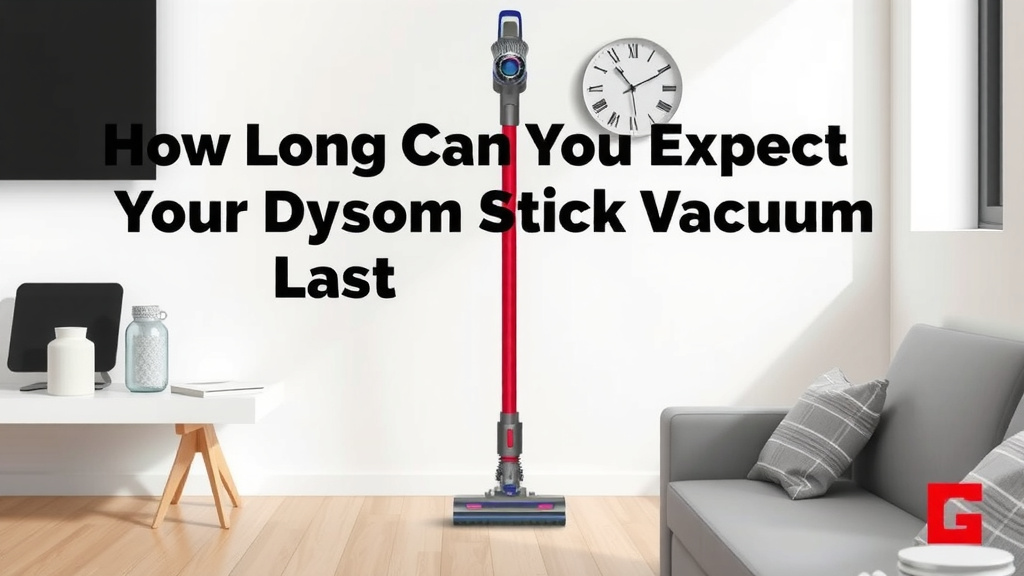
How Long Can You Expect Your Dyson Stick Vacuum to Last?
You’ve invested in a Dyson stick vacuum, and you want it to keep cleaning your floors for years to come. We found that the lifespan of a Dyson stick vacuum largely depends on a few key factors, primarily how you use and maintain it. Generally, you can expect your Dyson to perform well for 5 to 10 years. This isn’t a hard and fast rule, but more of an average range.
Think of your Dyson like a car. If you drive it every day on rough roads and never change the oil, it won’t last as long as one that’s used for shorter trips and gets regular tune-ups. Your vacuum works similarly. Consistent care makes a big difference in its longevity.
Understanding the Factors That Influence Your Dyson’s Lifespan
Usage Frequency: More Cleaning, More Wear and Tear
How often do you pull out your Dyson? If you’re vacuuming high-traffic areas daily, or tackling pet hair storms regularly, your vacuum is going to work harder. This constant use can lead to more wear on the motor and other internal components over time.
On the flip side, if you only use your Dyson for quick clean-ups once a week, it will likely experience less stress. We found that heavy, daily use will naturally shorten the lifespan compared to light, occasional use. It’s simple physics – more work means more potential for wear.
The Types of Messes You Tackle
Are you mostly cleaning up dust bunnies and crumbs? Or are you frequently vacuuming up larger debris, like small pebbles from your entryway, or glitter from a craft project gone wild?
Larger debris can put more strain on the motor and brush bar. It can also lead to clogs if not cleared promptly. Dyson vacuums are powerful, but they perform best when dealing with typical household dust and dirt. Excessive amounts of heavy debris can accelerate wear and tear. We found that being mindful of what you vacuum can help protect your machine.
The Importance of Regular Maintenance for Your Dyson
Cleaning Filters: The Lungs of Your Vacuum
Your Dyson’s filters are incredibly important. They trap dust and allergens, preventing them from being recirculated into the air. Over time, these filters get clogged with debris, reducing suction power and making the motor work harder.
Dyson recommends cleaning your filters regularly, usually every month. A dirty filter is like a blocked nose – it makes breathing (or sucking up dirt) much harder. We found that rinsing your filters under cold water and letting them air dry completely is a simple yet effective way to keep your Dyson running efficiently.
A fully dried filter is essential. If you reinsert a damp filter, you risk damaging the motor with moisture. So, always ensure they are bone dry, which can take 24 hours or more.
Clearing the Brush Bar: Untangling the Messes
Hair, threads, and other stringy bits love to wrap around your Dyson’s brush bar. When this happens, it impedes the brush’s ability to agitate and pick up dirt. It also puts extra strain on the motor that powers the brush.
We found that regularly checking and cleaning the brush bar is a quick maintenance task that makes a big difference. Most Dyson models come with a tool to help remove tangled debris. It’s a bit like detangling a brush after a long hair day – satisfying and necessary!
Checking for Clogs: Keeping Airflow Smooth
Any obstruction in the airflow path can reduce performance. This includes blockages in the wand, bin inlet, or the cleaner head itself.
When you notice a dip in suction power, a clog is often the culprit. Most blockages are easy to find and clear. Just detach the relevant parts and look for any trapped debris. We found that a quick visual inspection can often solve performance issues.
Battery Life: A Common Component for Replacement
One part of your Dyson stick vacuum that may need replacing before the main unit wears out is the battery. Lithium-ion batteries, like those in your Dyson, have a finite number of charge cycles.
Over time, they naturally degrade and hold less charge. This means you might notice your vacuum running for shorter periods on a full battery. The typical lifespan for a Dyson battery is often cited as 2 to 4 years, though this can vary significantly based on usage and charging habits.
Smart Charging Habits for Battery Longevity
How you charge your Dyson battery can impact its overall health. Try to avoid letting the battery completely drain regularly. Partial charges are generally better for lithium-ion batteries.
We found that charging your Dyson whenever it’s convenient, rather than waiting for it to die, can help extend the battery’s life. Also, ensure you’re using the official Dyson charger that came with your vacuum. Using third-party chargers can sometimes cause issues or reduce battery efficiency.
Understanding Dyson’s Durability and Warranties
Dyson is known for building robust machines. Their stick vacuums are generally designed to be durable and withstand regular household use. Many experts suggest that the core motor and main body of the vacuum can easily last a decade or more with proper care.
The warranty period offered by Dyson is also a good indicator of their confidence in their product’s durability. Most Dyson stick vacuums come with a 2-year manufacturer’s warranty. This covers defects in materials and workmanship, providing peace of mind during that initial period.
What to Do When Parts Wear Out
If your battery eventually gives out, or a specific part experiences an issue outside of the warranty period, Dyson offers replacement parts. You can often order these directly from their website.
Replacing a battery is a common repair that many users can do themselves with a little guidance. We found that investing in a replacement battery is often much more cost-effective than buying a whole new vacuum. It’s a great way to extend the life of your existing machine.
Checklist: Keep Your Dyson Running Strong
Want a quick way to ensure your Dyson stick vacuum lasts as long as possible? Follow this simple checklist:
- Clean filters monthly: Rinse and let them fully air dry.
- Untangle brush bar weekly: Remove any hair or debris.
- Check for clogs: Inspect the wand and bin area regularly.
- Charge smart: Avoid full battery drains; charge when convenient.
- Use the right charger: Stick to your official Dyson charger.
- Empty the bin: Don’t let it overflow; a full bin impacts suction.
By incorporating these simple maintenance steps into your routine, you’re significantly increasing the chances of your Dyson stick vacuum serving you faithfully for many years. It’s about treating your appliance with a little respect, and it will reward you with powerful cleaning performance.
Conclusion
You’ve learned that your Dyson stick vacuum is designed for longevity, with a potential lifespan of 5 to 10 years. Consistent care is your most powerful tool. By regularly cleaning filters, clearing the brush bar, checking for clogs, and practicing smart charging habits, you actively contribute to its durability. Remember, addressing minor issues like a depleted battery with a replacement part is often more cost-effective than buying a new vacuum. Make these simple maintenance steps a habit, and you’ll enjoy powerful cleaning performance for years to come.
Frequently Asked Questions
How often should I replace the battery in my Dyson stick vacuum?
Your Dyson’s battery typically lasts 2 to 4 years, but this varies with use. You’ll notice shorter run times on a full charge when it’s nearing the end of its life. Consider replacing it when performance significantly drops, rather than the entire vacuum.
Can I use my Dyson stick vacuum on any surface?
Dyson stick vacuums are versatile and work well on most common household surfaces, including carpets, hardwood, and tile. However, avoid vacuuming very large debris or sharp objects that could damage the brush bar or motor.
What happens if I don’t clean my Dyson’s filters?
If you skip cleaning your filters, they will become clogged with dust and debris. This severely reduces suction power, forcing the motor to work harder and potentially shortening its lifespan. It also means your vacuum won’t clean as effectively.
Is it worth repairing a Dyson stick vacuum out of warranty?
Often, yes. For common issues like a worn-out battery, purchasing a replacement part is significantly cheaper than buying a new vacuum. Dyson offers replacement parts, and many repairs are user-friendly, extending your vacuum’s useful life.
How does storing my Dyson affect its lifespan?
Proper storage helps protect your Dyson. Keep it on its wall mount or in a cool, dry place away from extreme temperatures. Avoid storing it with a fully depleted or fully charged battery for extended periods, as this can impact battery health.
![7 Best Industrial Vacuum Cleaner For Fine Dust [2026]](https://bathroomexplorer.com/wp-content/uploads/2026/06/7-best-industrial-vacuum-cleaner-for-fine-dust-2026-featured-768x432.jpg)