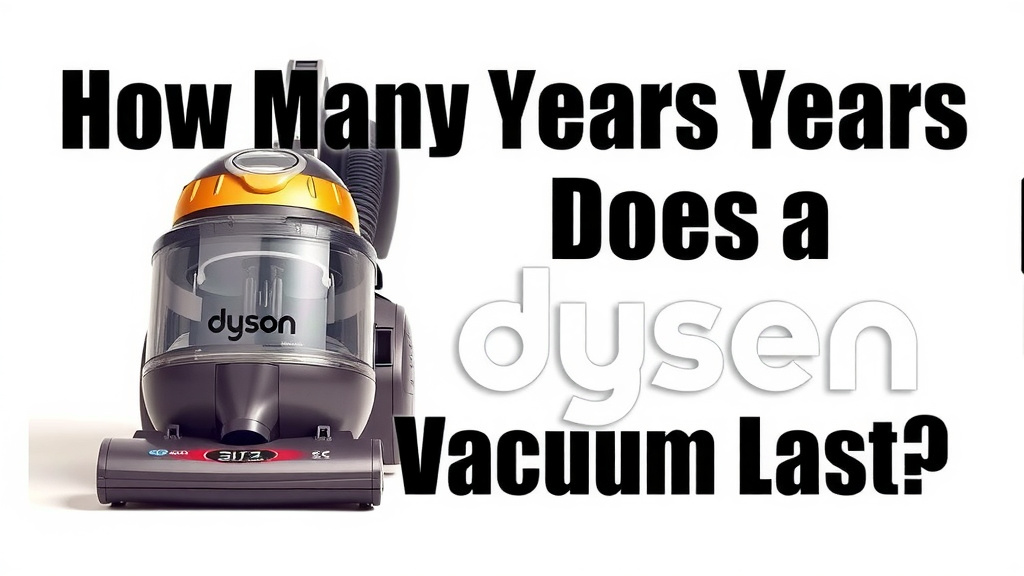
How Many Years Does a Dyson Vacuum Last?
A Dyson vacuum cleaner typically lasts between 5 to 10 years with proper care. Many users report their Dyson vacuums performing well for even longer periods. The durability of these machines is a major reason for their popularity. You can often expect a robust lifespan if you maintain it well.
While the initial cost is higher, the longevity of a Dyson can make it a cost-effective choice over time. We found that regular maintenance plays a huge role. Skipping simple tasks like cleaning filters can shorten your vacuum’s life. Think of it like owning a quality car; regular tune-ups keep it running smoothly.
- Lifespan: Expect 5-10 years with good care.
- Factors: Maintenance is key to a longer life.
- Cost-Effectiveness: Longevity justifies the initial investment.
- Common Issues: Filter clogs and battery life can affect performance.
Let’s break down what influences your Dyson’s lifespan and how you can maximize it.
So, you’re wondering about the lifespan of your trusty Dyson vacuum? It’s a great question, especially given the investment. We’ve dug into this to give you the clearest picture.
How Long Can You Expect Your Dyson Vacuum to Last?
You can realistically expect a Dyson vacuum cleaner to last between 5 to 10 years. This range is based on average usage and typical product lifecycles. Of course, some users report their machines going strong for even longer. With consistent care, your Dyson could serve you well for a decade or more.
Factors Influencing Your Dyson’s Lifespan
Several elements play a role in how long your Dyson will continue to perform at its best. Think of it like this: a high-performance car needs regular maintenance to keep running smoothly. Your Dyson is no different.
The Importance of Regular Maintenance
This is perhaps the single biggest factor affecting your vacuum’s longevity. Skipping maintenance tasks can lead to premature wear and tear. It’s not just about power; it’s about the internal components working efficiently.
Cleaning Filters: A Non-Negotiable Task
Your Dyson’s filters are crucial for maintaining suction power and protecting the motor. When filters get clogged with dust and debris, the motor has to work much harder. This strain can shorten the motor’s lifespan significantly. We found that cleaning filters monthly, or even more often if you have pets or allergies, is vital. Most Dyson models have washable filters; check your manual for specific instructions.
Emptying the Bin Regularly
A full bin means less airflow. This can also cause the motor to overheat. Aim to empty the bin before it reaches the maximum fill line. It’s a simple step that makes a big difference in performance and component health.
Checking for Blockages
Hoses, wands, and brush heads can get clogged with larger debris. These blockages restrict airflow and make your vacuum struggle. Regularly inspecting these areas and clearing out anything lodged within will prevent unnecessary stress on the motor and other parts. You might hear a change in the vacuum’s sound when a blockage occurs.
Usage Habits Make a Difference
How often and how intensely you use your vacuum also impacts its lifespan. If you’re cleaning large areas daily or tackling heavy-duty messes, your vacuum is working harder. Consider these points:
- Heavy Use: Daily cleaning of large homes will naturally put more wear on components than occasional spot cleaning.
- Type of Debris: Vacuuming fine dust like drywall dust or abrasive materials like sand can be harder on filters and motors.
- Storage: Storing your vacuum properly, away from extreme temperatures or damp environments, can also help preserve its parts.
Battery Health for Cordless Models
For Dyson’s popular cordless stick vacuums, battery life is a key consideration for long-term usability. Lithium-ion batteries degrade over time. You might notice a decrease in run time after a few years. This is normal for any rechargeable battery technology.
Maximizing Battery Performance
To get the most out of your battery:
- Avoid Extreme Temperatures: Don’t leave your vacuum in a hot car or a freezing garage.
- Charge Appropriately: Follow Dyson’s charging recommendations. Don’t overcharge or let it sit on the charger indefinitely if not needed.
- Replace When Necessary: Batteries are consumable parts. When performance degrades significantly, consider a replacement battery from Dyson. This can breathe new life into an older vacuum.
What About Dyson’s Durability and Build Quality?
Dyson vacuums are known for their robust construction. They use high-quality plastics and well-engineered components. This attention to detail is part of why they tend to last longer than many other brands. We found that the engineering behind their cyclonic separation technology also helps reduce strain on the motor.
Common Issues That Can Shorten a Dyson’s Life
While Dysons are built to last, certain issues can arise if they aren’t maintained correctly. Addressing these early can prevent bigger problems.
Motor Strain from Clogged Filters and Blockages
As mentioned, a dirty filter or a blocked hose forces the motor to work overtime. This is a leading cause of premature motor failure in any vacuum cleaner. Many users skip filter cleaning, leading to this preventable issue. Research by appliance repair technicians often cites clogged filters as a top reason for vacuum breakdowns (Appliance Magazine).
Battery Degradation in Cordless Models
The natural decline in battery capacity is something all cordless appliance owners experience. While not a “breakdown” in the traditional sense, a significantly reduced run time can make the vacuum less functional for your needs. Replacing the battery is often more cost-effective than buying a new vacuum.
Wear and Tear on Brush Bars
The brush bar in your vacuum head spins at high speeds. Over time, hair, carpet fibers, and other debris can wrap around the bristles. This can reduce its effectiveness and put stress on the motor driving it. Regularly cleaning the brush bar, checking for tangled hair, and ensuring it spins freely is important.
Making the Most of Your Dyson Investment
When you invest in a Dyson, you’re looking for performance and longevity. By understanding what impacts its lifespan, you can take steps to ensure it serves you for many years to come.
Here’s a quick checklist to keep your Dyson running smoothly:
- Clean your filters regularly – check your manual for washability.
- Empty the bin before it gets too full.
- Check for blockages in the wand, hose, and brush head.
- Clean the brush bar of tangled hair and debris.
- For cordless models, charge the battery according to instructions and avoid extreme temperatures.
- Consult your manual for any model-specific maintenance tips.
By following these simple maintenance routines, you’re not just keeping your vacuum running; you’re actively extending its life. It’s about getting the best return on your investment.
Conclusion
You’ve learned that your Dyson vacuum can be a long-term cleaning companion, typically lasting 5 to 10 years. The key to reaching or even exceeding this lifespan lies in your hands. Consistent, simple maintenance like cleaning filters, emptying the bin, and checking for blockages are your best allies. For cordless models, proper battery care ensures sustained performance. By investing a little time in upkeep, you’re safeguarding your Dyson’s powerful performance and maximizing the value of your investment. Your next step? Pick one maintenance task to do this week and make it a habit!
Frequently Asked Questions
How often should I clean my Dyson vacuum’s filters?
You should aim to clean your Dyson’s filters at least once a month. If you have pets or suffer from allergies, cleaning them more frequently, perhaps every other week, is a good idea. Clogged filters are a major cause of reduced suction and motor strain.
Will using my Dyson vacuum more often shorten its life?
Using your Dyson more often means more wear and tear, naturally. However, proper maintenance is more critical than frequency alone. If you use it daily for heavy cleaning, just be extra diligent about emptying the bin and checking for blockages.
Can I expect my Dyson vacuum to last longer than 10 years?
Yes, it’s definitely possible! Many users report their Dyson vacuums lasting well over 10 years. This usually happens when the vacuum is used for standard home cleaning and receives meticulous, consistent care throughout its life.
What happens to the battery life of a cordless Dyson over time?
Like all rechargeable batteries, the lithium-ion battery in your cordless Dyson will gradually degrade over time. You’ll likely notice a decrease in run time after a few years. Replacing the battery is often a cost-effective way to extend your vacuum’s usable life.
Is it worth repairing a Dyson vacuum that’s a few years old?
Often, yes! If your Dyson is experiencing issues like reduced suction or battery problems, repairing it can be more economical than buying a new one. Replacing consumable parts like batteries or fixing simple blockages can give your older Dyson a new lease on life.