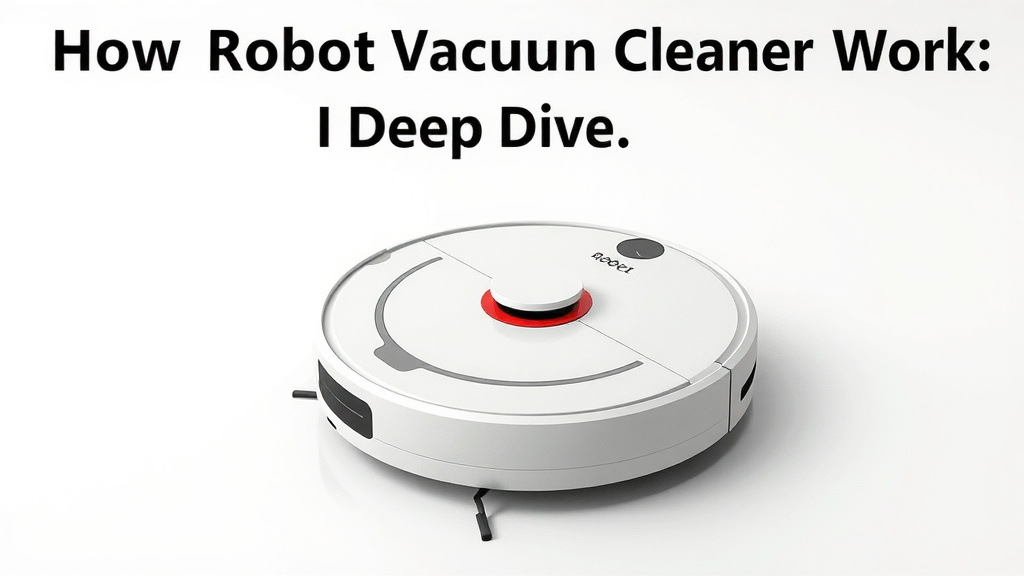
How Robot Vacuums Work: A Deep Dive
Robot vacuums work by using a combination of sensors and smart navigation to move around your home and clean floors. They map your rooms, avoid obstacles, and clean in systematic patterns. This technology makes cleaning much easier for you.
These handy devices are more than just simple sweepers. We found that modern robot vacuums use advanced algorithms to clean efficiently. They can dock themselves for charging and even empty their dustbins automatically. Your home can stay cleaner with less effort from your side.
- Robot vacuums use sensors and smart navigation.
- They map your rooms and avoid obstacles.
- Many can charge and empty themselves.
- They clean floors systematically for efficiency.
Let’s dive into the details and understand exactly how these little helpers keep your floors spotless.
Understanding How Robot Vacuums Clean Your Home
You’re probably wondering what makes these little pucks of technology so smart. They aren’t just randomly bumping around. We found that robot vacuums use a sophisticated system of sensors and navigation software to clean your floors effectively. Think of them as tiny, tireless cleaning robots with their own built-in GPS and obstacle avoidance. Their goal is to cover every inch of your accessible floor space. This means fewer missed spots and more consistent cleaning.
The Eyes and Ears: Robot Vacuum Sensors
How do they “see” where they’re going and avoid your furniture? It’s all thanks to a variety of sensors. These sensors are the robot’s eyes and ears, allowing it to understand its surroundings. They are essential for safe and efficient operation. Without them, your robot vacuum might just drive off a staircase or get stuck under your couch.
Obstacle Detection Sensors
Most robot vacuums have infrared or optical sensors on their front and sides. These sensors detect walls, furniture legs, and other objects. When a sensor detects an object nearby, it signals the robot to slow down, change direction, or stop. This prevents those jarring crashes you might expect. We found that these sensors are crucial for protecting both your robot and your belongings.
Cliff Sensors for Safety
One of the most important sensor types is the cliff sensor. These sensors are usually located on the underside of the robot. They detect drops, like stairs or ledges. If a cliff sensor detects a drop, it immediately tells the robot to back up and change course. This is a vital safety feature, as it prevents the robot from falling. We’ve seen many a robot take a tumble in old movies, but these sensors keep them safe. (Source: Consumer Reports).
Wall and Bumper Sensors
You’ll also find sensors that work with the robot’s bumper. When the bumper is gently pushed against an object, it activates a switch. This tells the robot that it has made contact. It then knows to maneuver away from that object. This gentle approach ensures your robot doesn’t damage your walls or furniture. It’s like a polite nudge to keep moving.
Smart Navigation: The Brains of the Operation
Beyond just avoiding obstacles, robot vacuums need a plan. They need to navigate your home logically. This is where smart navigation comes in. Different robots use different methods to map and move through your space. The goal is always efficient cleaning coverage. We found that more advanced models offer superior navigation.
Random vs. Systematic Cleaning Patterns
Older or more basic robot vacuums might use a random cleaning pattern. They essentially bounce around the room until they’ve covered most of the area. While this can work, it’s not always the most efficient. You might see them go over the same spot multiple times. Newer models use systematic patterns, like straight lines or grid-like paths. This ensures they cover the entire floor area methodically. We found this makes cleaning much quicker and more thorough.
Mapping Technology
Many modern robot vacuums use advanced mapping technology. They employ cameras, lasers (LiDAR), or gyroscopes to create a map of your home. This map helps them navigate efficiently and remember where they’ve cleaned. Some robots even allow you to set up virtual boundaries through their app. You can tell them which rooms to clean or avoid. This level of control is incredibly useful for managing your robot’s cleaning schedule. We found this feature particularly helpful for keeping robots out of pet food areas.
Where to Place the Docking Station
Your robot needs a home base. This is its docking station, where it recharges its battery. Most robots are programmed to return to their dock when their battery is low or after cleaning. It’s important to place the dock in an open area with good Wi-Fi signal. This allows the robot to find it easily. Make sure there’s clear space around it. This helps your little cleaner return home without a struggle.
The Cleaning Mechanism: How They Actually Pick Up Dirt
Now that we know how they navigate, let’s talk about how they actually clean. Robot vacuums use a combination of brushes and suction to lift dirt and debris from your floors. They are designed to tackle everyday dust and grime effectively.
Side Brushes for Edges and Corners
Most robots have one or two spinning side brushes. These brushes are positioned near the edges of the robot. They sweep dirt and debris from the edges of rooms and along walls into the path of the main cleaning system. Think of them as little dust gatherers, preparing the mess for the main act. We found these are great for getting into tight spots.
The Main Brush Roll
At the center of the robot is the main brush roll. This brush spins rapidly. It agitates carpet fibers to loosen dirt and debris. For hard floors, it helps sweep larger particles towards the suction port. The design of the brush roll can vary, with some being more effective on different floor types. Some are designed to minimize hair tangles, which is a win for many households!
Suction Power and Dustbins
Behind the brushes is the suction motor. This creates the vacuum power that pulls dirt and debris into the robot’s internal dustbin. While robot vacuums may not have the raw suction power of a full-sized vacuum, they have enough for daily cleaning. The dustbin needs to be emptied regularly. However, some advanced models come with self-emptying bases. The robot docks, and the base automatically sucks the debris from the robot’s bin into a larger bag or container in the base. We found this makes maintenance much easier.
Advanced Features for Hassle-Free Cleaning
Today’s robot vacuums offer more than just basic cleaning. Many come with smart features designed to make your life easier. These features add convenience and improve the cleaning experience.
App Control and Scheduling
Most Wi-Fi-enabled robot vacuums can be controlled via a smartphone app. You can start, stop, or pause cleaning sessions remotely. You can also schedule cleanings for specific times and days. Some apps even let you view the cleaning map. This gives you a visual of where the robot has cleaned. We found app control to be a major convenience.
Voice Assistant Integration
Many robot vacuums integrate with voice assistants like Amazon Alexa or Google Assistant. You can use simple voice commands to start or stop cleaning. For example, you could say, “Hey Google, tell the robot vacuum to start cleaning.” This adds another layer of hands-free convenience. It’s like having a personal cleaning assistant on call.
Automatic Recharging
As mentioned earlier, a key feature is the robot’s ability to return to its charging dock when the battery runs low. This is an essential function. It ensures the robot is always ready for its next cleaning session. Some advanced models even support “recharge and resume”. This means if it runs out of battery mid-clean, it will recharge and then return to the spot where it left off. We found this very efficient for larger homes.
Here’s a quick checklist to remember what your robot vacuum needs:
- Clear path for navigation.
- Accessible docking station.
- Regular dustbin emptying (or check self-empty base).
- Updated software via app.
- Consider virtual boundaries if needed.
- Check side brushes for debris.
Conclusion
You’ve learned how robot vacuums use sensors and smart navigation to clean your home. They map rooms, avoid obstacles, and clean systematically. From cliff sensors to app control, these devices offer incredible convenience. They handle daily dirt and grime effectively. Now that you understand their technology, you can choose the best robot vacuum for your needs. Consider a model that fits your home layout and cleaning routines. Get ready to enjoy cleaner floors with less effort!
Frequently Asked Questions
Will a robot vacuum get stuck under my furniture?
Most modern robot vacuums have good obstacle detection. They use sensors to identify furniture legs and low-hanging items. If a robot does get stuck, you can often use the app to see its location. You might also set up virtual “no-go zones” in the app to prevent this.
How often do I need to empty the dustbin?
For standard robot vacuums, you’ll typically need to empty the dustbin after each cleaning cycle, or at least daily. If you opt for a model with a self-emptying base, the robot will empty itself into a larger container in the dock. This container can hold weeks’ worth of debris.
Can robot vacuums clean multiple floors?
Most single robot vacuums are designed for one floor of your home. They cannot climb stairs. If you have a multi-story house, you would need to move the robot and its docking station to each floor. Some advanced models can remember maps for different levels.
Do robot vacuums work on all floor types?
Yes, robot vacuums are designed to work on various floor types, including hardwood, tile, laminate, and low-pile carpets. The main brush roll agitates debris on carpets, while suction picks it up on hard surfaces. Some specialized models might be better suited for pet hair or high-pile carpets.
Is it worth it to buy a robot vacuum with mapping features?
Mapping features, often using LiDAR or cameras, significantly improve cleaning efficiency. They allow the robot to navigate systematically and cover your entire home. You can also use these maps to set no-go zones or schedule cleanings for specific rooms, which adds a lot of control and convenience.
![7 Best Miele Vacuum For Hardwood Floors And Carpet [2026]](https://bathroomexplorer.com/wp-content/uploads/2026/06/7-best-miele-vacuum-for-hardwood-floors-and-carpet-2026-featured-768x432.jpg)