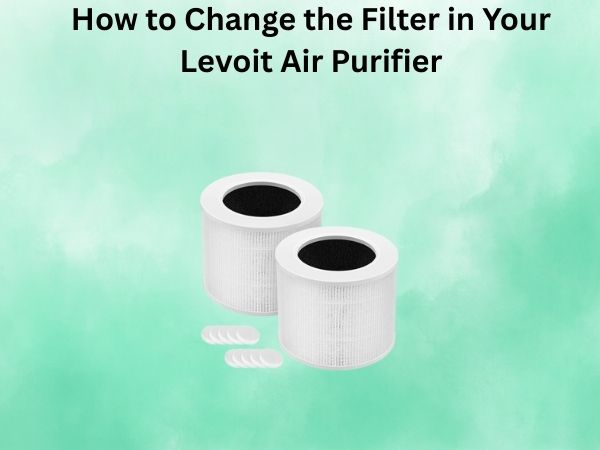
How to Change the Filter in Your Levoit Air Purifier: A Step-by-Step Guide
Keeping your Levoit air purifier running at its best is essential for enjoying clean, fresh air in your home. As a self-proclaimed clean air advocate, I can tell you that one of the most critical maintenance tasks is regularly changing the filter. This detailed guide will walk you through the easy process of replacing your Levoit filter, ensuring your unit continues to perform optimally.
Why Changing the Filter Matters
The filter in your Levoit air purifier is the heart of the machine, responsible for trapping airborne pollutants, allergens, and contaminants. Over time, this filter becomes clogged with all the dust, pet dander, and other particles it’s collected, reducing the unit’s efficiency and effectiveness.
Neglecting to change the filter can have several consequences:
- Decreased air purification performance
- Increased energy consumption as the motor works harder
- Potential damage to the air purifier’s internal components
- Reduced indoor air quality and lingering odors
To keep your Levoit air purifier operating at peak performance and ensure you’re breathing the cleanest, freshest air possible, it’s essential to replace the filter as recommended by the manufacturer.
When to Change the Levoit Air Purifier Filter
Levoit generally recommends replacing the filter every 6-8 months, depending on your usage and indoor air quality. However, it’s a good idea to check the filter indicator light on your specific model, as this will let you know when it’s time for a replacement.
Some additional signs that it’s time to change the filter include:
- Decreased airflow or suction from the air purifier
- Noticeable reduction in air purification performance
- Persistent odors or lack of freshness in the air
- Visible dirt, dust, or debris buildup on the filter
If you notice any of these issues, it’s best to order a new replacement filter and swap it out as soon as possible for optimal air purifier performance.
Step-by-Step Guide to Changing the Levoit Air Purifier Filter
Changing the filter in your Levoit air purifier is a quick and straightforward process. Here’s how to do it:
Step 1: Power Off and Unplug the Air Purifier
Before you begin, make sure to power off the air purifier and unplug it from the electrical outlet. This will ensure your safety and prevent any potential damage to the unit.
Step 2: Remove the Old Filter
Locate the filter cover or panel on the back or side of your Levoit air purifier. Gently pull or slide this cover off to expose the internal filter. Carefully remove the old filter, taking note of its orientation and placement within the unit.
Step 3: Install the New Filter
Remove the new replacement filter from its packaging and ensure it’s the correct model for your Levoit air purifier. Align the new filter with the designated filter compartment, making sure it’s positioned properly. Gently slide or push the filter into place, ensuring it’s secure and seated correctly.
Step 4: Replace the Filter Cover
Once the new filter is in place, simply replace the filter cover or panel, making sure it clicks or locks into position securely.
Step 5: Reset the Filter Indicator (if applicable)
Many Levoit air purifiers have a filter indicator light or reset button that needs to be manually reset after changing the filter. Consult your user manual or the Levoit website for specific instructions on how to do this for your model.
Step 6: Power On and Test the Air Purifier
Plug the air purifier back into the power outlet and turn it on. Verify that the unit is operating correctly and that the airflow and air purification performance have been restored to their optimal levels.
Conclusion
Changing the filter in your Levoit air purifier is a straightforward task that can make a significant difference in the performance and efficiency of your device. By following these simple steps, you can ensure your Levoit air purifier continues to provide clean, fresh air for your home or office. Remember to check the filter indicator and replace the filter as recommended to maintain optimal air purification and enjoy the many benefits of your Levoit air purifier.
Frequently Asked Questions
How often should I change the filter in my Levoit air purifier?
Levoit generally recommends replacing the filter every 6-8 months, depending on your usage and indoor air quality. It’s a good idea to check the filter indicator light on your specific model, as this will let you know when it’s time for a replacement.
Can I clean the filter instead of replacing it?
No, the Levoit air purifier filters are not designed to be cleaned and reused. They are intended to be replaced entirely when they become too clogged or dirty. Attempting to clean the filter may damage it and reduce the air purifier’s efficiency.
Will using a third-party filter void my Levoit warranty?
Using a non-Levoit replacement filter may void your air purifier’s warranty, as Levoit recommends using only genuine Levoit filters for optimal performance and to maintain the warranty. It’s best to purchase replacement filters directly from Levoit or an authorized retailer to ensure compatibility and maintain your warranty coverage.
How do I know which replacement filter I need for my Levoit air purifier?
The replacement filter model you need will depend on the specific Levoit air purifier you own. Refer to your user manual or the Levoit website to find the correct filter model number for your device. You can also contact Levoit customer support for assistance in identifying the right replacement filter.
Is it difficult to change the filter in a Levoit air purifier?
No, changing the filter in a Levoit air purifier is a straightforward and easy process. As long as you follow the step-by-step instructions provided in this guide, you should be able to replace the filter quickly and without any difficulty.