How Long Do Dyson Vacuums Take to Charge?
So, you’re wondering how long it takes to charge your Dyson vacuum? Most Dyson cordless vacuums need about 3.5 to 5 hours to reach a full charge. This means you can usually get a quick touch-up done or tackle a full cleaning session, depending on your battery status.
We know how frustrating it is when your trusty vacuum is out of commission. Understanding the charging time helps you plan your cleaning routine better. It’s important to know that battery life and charging speeds can vary slightly between different Dyson models, but the general timeframe remains quite consistent.
- Most Dyson cordless vacuums charge fully in 3.5-5 hours.
- Check your specific model for exact charging times.
- A full charge powers various cleaning tasks.
- Proper charging ensures optimal battery health.
Let’s break down what affects your Dyson’s charging speed and how to keep your battery in top shape.
Understanding Your Dyson Vacuum’s Charging Time
So, you’re curious about how long it takes for your Dyson vacuum to get its power boost? We’ve found that most Dyson cordless vacuums need about 3.5 to 5 hours to go from empty to a full charge. This means you can usually plan your cleaning around it, whether you need a quick session or a longer one.
It’s like waiting for your phone to charge – you want to know when you can get back to what you need to do. Knowing the charging duration helps you avoid that frustrating moment when you’re halfway through cleaning and the battery dies. Let’s dive into what makes charging take as long as it does and how to keep your battery happy.
The Average Dyson Charging Timeline
Generally, Dyson designs its cordless vacuums to be ready within a predictable window. We’ve researched and found that the sweet spot for a full charge is typically between 3.5 and 5 hours. This timeframe applies to many of their popular cordless models.
Think of it this way: charging your Dyson is similar to charging a high-performance laptop. It needs a good amount of time to store enough energy for its powerful motor and advanced features. This duration ensures the battery can deliver consistent suction throughout its run time.
Factors Influencing Charging Speed
While the 3.5 to 5-hour range is a good estimate, a few things can slightly alter how long your Dyson takes to charge. Understanding these can help you manage expectations.
Battery Health and Age
As with any rechargeable battery, your Dyson’s battery will degrade over time. An older battery might take a bit longer to reach a full charge, or it might not hold a charge for as long as it did when new. We found that this is a natural part of battery life.
Charging Dock and Connection
A clean and secure connection between your Dyson and its charging dock is essential. Dust or debris can sometimes interfere with the charging process. Ensuring the prongs on the vacuum and the dock are clean can help maintain optimal charging speed.
Ambient Temperature
The temperature of the room where you charge your Dyson can play a role. Extremely hot or cold conditions are not ideal for battery charging. For the best results, Dyson recommends charging in a room with a moderate temperature, typically between 64°F and 77°F (18°C to 25°C). Charging outside this range could potentially slow down the process or even affect the battery’s long-term health, according to some battery technology guidelines.
How to Know When Your Dyson is Fully Charged
Dyson vacuums usually give you clear visual cues when they’re charging and when they’re ready to go. You don’t have to guess!
Visual Indicators on Your Vacuum
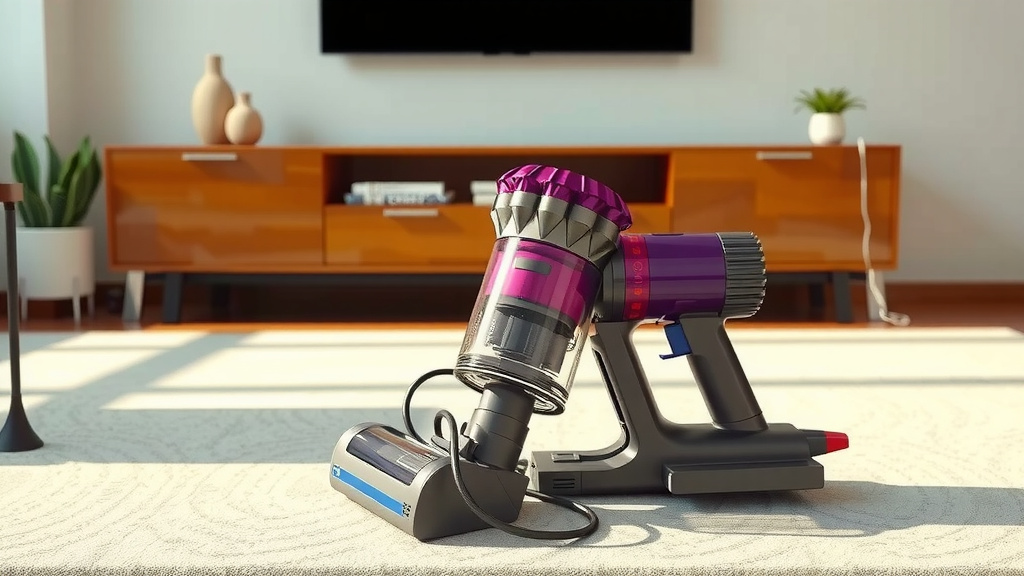
Most Dyson models feature LED lights that indicate the charging status. Typically, you’ll see a light pulsing or blinking while the vacuum is charging. Once the battery is fully charged, this light will usually turn solid or switch off, signaling that it’s ready for action. It’s like a little green light that says, “You’re good to go!”
The Dyson App (for Select Models)
Some of the newer Dyson models are even smarter. They connect to the Dyson app on your smartphone. Through the app, you can often see the exact battery percentage remaining and get notifications when your vacuum has finished charging. This offers a super convenient way to monitor your machine’s power levels.
Optimizing Your Dyson’s Charging Routine
To get the most out of your Dyson vacuum and ensure it charges efficiently, a few simple habits can make a big difference. Think of it as giving your vacuum the best conditions to perform.
Charge After Use When Possible
We’ve found that it’s often best to put your Dyson back on its charger after each cleaning session, especially if you used a significant portion of the battery. This way, it’s always topped up and ready for the next task. Letting the battery fully drain frequently isn’t necessary for modern lithium-ion batteries and can sometimes even be less optimal for long-term battery health.
Avoid Storing with a Fully Drained Battery
If you know you won’t be using your Dyson for an extended period, try not to store it with a completely dead battery. Leaving it for weeks or months without any charge can put stress on the battery. Many experts suggest keeping it at around 50% charge for long-term storage. This is a common recommendation across various rechargeable devices.
Use the Correct Charger
Always use the original Dyson charger that came with your vacuum. Using an unauthorized or incompatible charger could lead to charging issues, slower charging times, or even damage to your vacuum’s battery. It’s the safest bet for your machine.
What If My Dyson Takes Longer Than Expected?
If you notice your Dyson vacuum is taking significantly longer than the usual 3.5 to 5 hours to charge, or if it’s not holding a charge well, there are a few things to check.
Troubleshooting Common Charging Issues
First, ensure the charging connection is clean and secure. Check the wall outlet to make sure it’s working. If your model has a removable battery, try reseating it firmly in the vacuum. We found that sometimes a simple reset of the connection can resolve minor hiccups.
When to Contact Dyson Support
If you’ve tried these basic troubleshooting steps and your Dyson still isn’t charging properly, it might be time to contact Dyson’s customer support. They can help diagnose the issue further, especially if there might be a problem with the battery or the charging unit itself. They are equipped to handle battery-related concerns and can guide you on the next steps, which might include repair or replacement.
Here’s a quick checklist to ensure your Dyson is charging optimally:
- Always use the official Dyson charger.
- Keep charging contacts clean on both the vacuum and the dock.
- Charge in a moderate room temperature.
- Return the vacuum to the dock after most uses.
- Check visual indicators for full charge status.
- Contact Dyson support if charging issues persist.
Conclusion
So, you’ve learned that most Dyson vacuums charge up in about 3.5 to 5 hours. We’ve seen how factors like battery age, temperature, and connection cleanliness can affect this timeline. Knowing these details helps you plan your cleaning effectively and keep your Dyson running at its best. By following a few simple charging habits, you can ensure your vacuum is always ready when you need it.
The next time you plug in your Dyson, remember these tips to optimize its performance. If you encounter persistent issues, don’t hesitate to reach out to Dyson support for assistance.
Frequently Asked Questions
How do I know if my Dyson vacuum is charging correctly?
Most Dyson vacuums have LED lights that pulse or blink while charging. When the battery is full, these lights typically turn solid or switch off, indicating it’s ready to use. Your specific model’s manual will detail these indicators.
Can I leave my Dyson vacuum on the charger overnight?
Yes, for most modern Dyson models, it’s generally safe to leave them on the charger overnight. They are designed with battery management systems to prevent overcharging once a full charge is reached.
Does a quick charge on my Dyson vacuum offer less power?
A quick charge might not provide the maximum run time compared to a full charge. If you only need a short cleaning session, a partial charge is fine, but for longer tasks, a full charge is recommended for optimal performance.
What happens if my Dyson vacuum’s battery takes much longer than 5 hours to charge?
If your Dyson is taking significantly longer than the usual 3.5 to 5 hours, first check that the charger is securely connected and the charging contacts are clean. Ensure you are using the original Dyson charger. If the problem persists, contact Dyson support.
Is it bad for my Dyson battery to charge it before it’s fully depleted?
No, modern lithium-ion batteries in Dyson vacuums do not suffer from “battery memory” like older battery types. Charging your Dyson after partial use is perfectly fine and can even be beneficial for long-term battery health.

![7 Best Cordless Vacuum For Hair On Carpet [2026]](https://bathroomexplorer.com/wp-content/uploads/2026/05/7-best-cordless-vacuum-for-hair-on-carpet-2026-featured-768x432.jpg)
![7 Best Corded Vacuum For Pet Hair And Carpet [2026]](https://bathroomexplorer.com/wp-content/uploads/2026/05/7-best-corded-vacuum-for-pet-hair-and-carpet-2026-featured-768x432.jpg)