Master Your GE Smart Washer: A Simple Guide
Using your GE smart washer is quite simple once you know the basic steps. To start a wash cycle, you’ll want to load your laundry, add detergent, and then select your desired wash cycle on the control panel or through the smart app. GE smart washers are designed for ease of use, offering various cycles for different fabric types and soil levels, and the app adds convenience for remote monitoring.
Beyond the basic wash, understanding your GE smart washer means exploring its smart features and specialized cycles. Many models offer options like steam cleaning for sanitization or wrinkle reduction, and the connected app allows you to download custom cycles or receive notifications when your laundry is done. It’s about getting your clothes cleaner while saving you time and effort.
- Load clothes and add detergent.
- Select a wash cycle on the machine or app.
- Utilize smart features for remote control and custom cycles.
- Understand specialized cycles like steam for specific needs.
Ready to make laundry day a breeze? Let’s walk through exactly how to get the most out of your GE smart washer, step by step.
You’ve got a GE smart washer, and you’re ready to wash some clothes! It might seem a little techy at first, but using it is really straightforward. Think of it like your old washer, but with a few extra helpful tricks up its sleeve. We’ll walk you through getting your first load perfectly clean.
Getting Your GE Smart Washer Up and Running
Let’s get your smart washer working for you. We’ll cover loading, adding detergent, and picking the right cycle. You’ll be a pro in no time!
Loading Your Laundry Wisely
Before you even touch a button, it’s important to load your washer correctly. This helps your clothes get clean and keeps your machine running smoothly.
First, sort your laundry. Separate lights from darks, and delicate items from sturdy ones. This prevents colors from bleeding and protects your fabrics.
Don’t overstuff the machine. Clothes need room to tumble and get thoroughly washed. A good rule of thumb is to load it about two-thirds full.
Loose items like coins or keys can damage your washer. Always check pockets before tossing clothes in. This simple step can save you a headache later on.
Adding Detergent and Other Additives
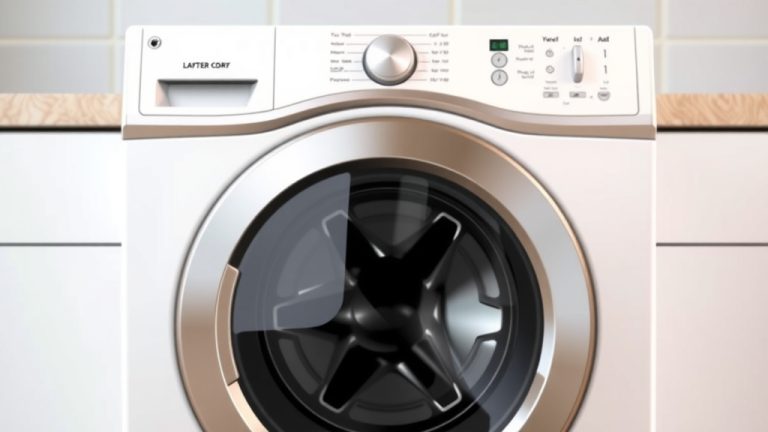
Where does the soap go? Your GE smart washer has specific dispensers for different cleaning agents. These are usually located in a pull-out drawer at the top of the machine.
You’ll typically find compartments for:
- Main Wash Detergent: This is for your primary wash cycle. Use the amount recommended on your detergent’s packaging.
- Pre-Wash: If you have heavily soiled items, you can add a bit of detergent here for an initial soak.
- Fabric Softener: This compartment is for liquid fabric softener. The washer will dispense it automatically at the right time.
- Bleach: Some models have a separate bleach dispenser. Use this carefully and only when needed.
If you’re using pods, just toss one directly into the drum *before* adding clothes. They’re designed to dissolve during the wash cycle.
Using the right amount of detergent is key. Too little won’t get your clothes clean. Too much can leave residue and even damage your machine (CDC). Look at the detergent bottle for guidance.
Selecting Your Wash Cycle and Options
Now for the fun part: picking your cycle! Your GE smart washer has a control panel with a variety of options.
The most common cycles include:
- Normal/Regular: Great for everyday items like shirts, pants, and socks.
- Heavy Duty: For tough stains and heavily soiled items.
- Delicates: Use this for fragile items like lingerie, silk, or items with lace.
- Permanent Press: This cycle is designed to reduce wrinkles on synthetic fabrics.
- Quick Wash: For lightly soiled items you need cleaned in a hurry.
Beyond the basic cycles, you’ll find special options. Many models offer:
- Steam: This is fantastic for sanitizing clothes or reducing wrinkles. It uses hot steam to penetrate fabrics.
- Sanitize: This cycle uses very hot water to kill bacteria and allergens. It’s a great option for bedding or baby clothes (Cleveland Clinic).
- Bulky Items: Perfect for comforters, blankets, or sleeping bags.
Don’t forget to check the temperature settings and spin speed. Colder water is often better for saving energy and preventing shrinkage (EPA). Higher spin speeds remove more water, meaning less drying time.
Mastering Your GE Smart Washer’s Smart Features
Your GE smart washer is more than just a washing machine; it’s connected! Let’s see how to use its smart capabilities.
Connecting to the SmartHQ App
The SmartHQ app is your command center for your washer. First, you’ll need to download it from your phone’s app store. Then, follow the on-screen instructions to connect your washer to your home Wi-Fi network.
Make sure your phone is on the same Wi-Fi network during setup. It’s usually a quick process.
Using the App for Wash Cycles and Monitoring
Once connected, the app opens up a world of convenience. You can start, stop, or pause cycles right from your phone. No more running to the laundry room to check on things!
The app lets you select any wash cycle available on your machine. You can even customize settings like water temperature and spin speed.
One of the best features? Notifications! You’ll get an alert when your wash cycle is complete. This means your clothes won’t sit damp in the machine, helping to prevent mildew odors.
Downloading Custom Cycles and Special Features
GE often allows you to download additional specialized cycles through the app. These might be for specific fabric types or stain treatments.
For example, you might find a cycle designed for athletic wear or one to tackle pet hair. These custom cycles are tailored to give you the best cleaning results for unique laundry challenges.
This “downloadable” feature means your washer can get smarter over time with new updates and options. It’s like getting a new feature without buying a new machine!
Quick Checklist for Your Next Wash
Ready to put it all into practice? Here’s a quick rundown for your next load:
- Sort your laundry by color and fabric type.
- Check all pockets for forgotten items.
- Load the washer no more than two-thirds full.
- Add the correct amount of detergent to the dispenser.
- Select the appropriate wash cycle and any desired options.
- Start the cycle via the control panel or the SmartHQ app.
By following these steps, you’ll be well on your way to enjoying perfectly clean laundry with your GE smart washer. It’s all about making laundry day a little bit easier and a lot more efficient!
Conclusion
You’ve learned how to make laundry day much simpler with your GE smart washer. Remember to always sort your clothes and check pockets before loading. Using the right detergent in the correct dispenser ensures a clean wash. Don’t forget to explore the specialized cycles and the convenience of the SmartHQ app for remote control and notifications. You’re now equipped to get the most out of your smart appliance, leading to cleaner clothes and less hassle. Your next step is to try out a cycle using the SmartHQ app and experience the convenience firsthand!
Frequently Asked Questions
How do I connect my GE smart washer to Wi-Fi?
To connect your GE smart washer to Wi-Fi, you’ll need to download the SmartHQ app first. Open the app and follow the on-screen prompts to guide your washer through the setup process. Ensure your phone is connected to your home’s Wi-Fi network during this step for a smooth connection.
Can I start a wash cycle remotely with my GE smart washer?
Yes, you absolutely can! Once your GE smart washer is connected to the SmartHQ app, you can remotely start, stop, or pause wash cycles from your smartphone. This feature offers great flexibility, especially when you’re away from home.
What is the “Sanitize” cycle on my GE smart washer for?
The Sanitize cycle on your GE smart washer uses very high temperatures to kill bacteria and allergens. This cycle is highly recommended for items like bedding, baby clothes, or towels to ensure they are thoroughly cleaned and hygienic.
How do I know if I’m using the correct amount of detergent?
Always refer to the detergent manufacturer’s packaging for the recommended amount based on load size and soil level. Using too much or too little detergent can affect cleaning performance and even damage your washer over time.
Where can I find new or custom wash cycles for my GE smart washer?
Your GE smart washer allows you to download additional specialized cycles directly through the SmartHQ app. These custom cycles are designed for specific needs, like athletic wear or extra stain removal, and can help you achieve better results for unique laundry challenges.